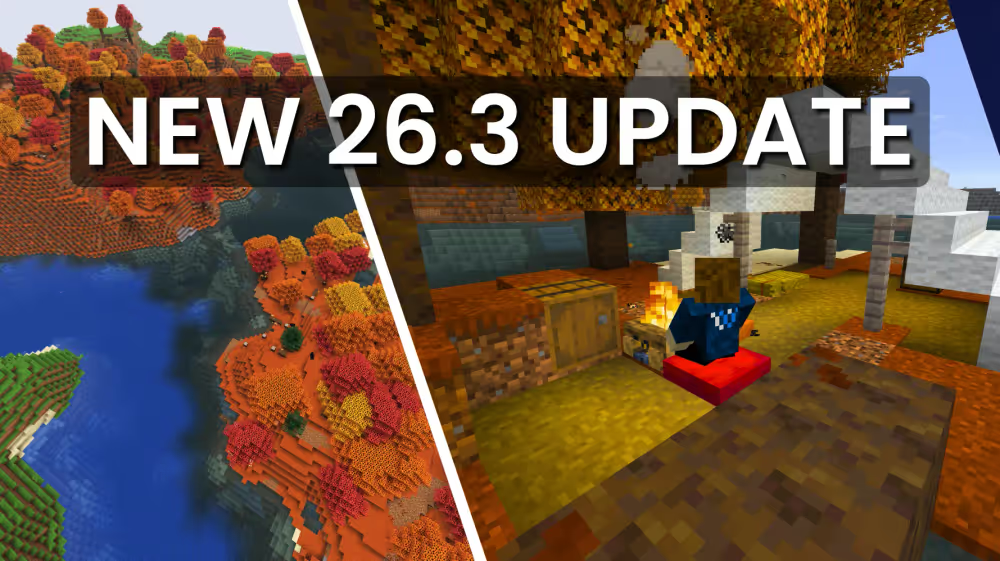

Minecraft 26.3, Wilderness Bound, dropped on September 15, 2026, and it's a proper content update. New forest biome, new structures to loot, and a handful of decorative blocks that round out builds nicely. If you want to get your WiseHosting server to 26.3 and explore it with friends, updating is quick. A couple of steps come first.
What's new in Wilderness Bound
Before updating to 26.3 Wilderness Bound, it's worth knowing what you're getting:
- Dappled Forest Biome: a new forest type found near cold biomes, home to Poplar Trees, Shelf Mushrooms, and Red Shrubs
- Poplar Trees: a new tree type with red, orange, and yellow leaf variants, each with its own falling leaf particle color
- Shelf Mushrooms: a new mushroom that grows on Poplar Trees, bouncy when stepped on, and usable in stews
- Red Shrubs: a small decorative plant found in the Dappled Forest, compostable and growable with Bone Meal
- Abandoned Camp structures: a new structure with 18 biome-specific variants, each with its own loot in chests and barrels
- New Explorer Maps: overhauled into their own distinct items rather than reskinned Filled Maps, each with a unique icon
- Cushions: a sittable decorative block available in 16 dye colors
- Straw Beds: a single-use bed for skipping the night without setting a spawn point, crafted from Hay Bales
- Wool and Concrete Stairs & Slabs: every colored Wool and Concrete block now has matching stair and slab variants
- Realms Invite Codes: Realm owners can now create and manage shareable invite codes, up to five per Realm
Preparing to Update Your Minecraft Server
Before updating your Minecraft server to 26.3, taking proper precautions ensures a smooth transition without losing your world data or player progress.
This guide is made for our own WiseHosting game panel, but the general steps apply to other hosting providers too.
Step 1: Back Up Your Server First
This is the most important step before any server update. WiseHosting makes this simple with built-in backup functionality accessible directly from your control panel.
Step 2: Know the whitelist default has changed
26.3 changes the default value of the white-list server property to true. If your server doesn't already have a whitelist set up, this can lock out every player who isn't manually added after the update. Check your server.properties file before updating and set white-list=false explicitly if you don't want this behavior.
Step 3: Check Plugin Compatibility
If your server runs plugins (for Spigot, Paper, or similar server software), verify that your essential plugins are compatible with Minecraft 26.3 before updating. Visit each plugin's official page or development repository to check for updated versions.
Most popular plugins update within days of major Minecraft releases, but updating your server before plugins are ready could cause crashes or functionality issues.
Step 4: Notify Your Players
Give your friends or community advance notice about the planned update, especially since players will need to update their own Minecraft clients to version 26.3 to connect to your upgraded server (unless you're using ViaVersion).
How to Update Your Minecraft Server to 26.3
- Log into your control panel and navigate to your Minecraft server dashboard
- Stop your server by clicking the stop button. Never change versions while your server is running
- Navigate to the Version tab
- Select Vanilla as the type and version 26.3 as the version from the dropdown list
- Click the update/change version button to apply the new version
- Wait for the update to complete, this typically takes just a few moments
- Start your server and monitor the console for any errors during startup
Post-Update Checklist
After your server successfully starts on version 26.3, perform these quick checks to ensure everything works properly:
- Test core functionality: Join your server and verify you can move, break blocks, and interact with items
- Check world integrity: Visit important areas of your world to confirm they loaded correctly
- Test plugins: If running plugins, verify they load without errors in your console and function as expected
- Update plugins if needed: Install any available plugin updates for 26.3 compatibility
- Find a Dappled forest: Use a tool like chunkbase to find a dappled forest with your world seed, and confirm the successful update (You might need to look for unloaded chunks)
Minecraft 26.3 Wilderness Bound is a bigger update, with a new Dappled Forest biome, Abandoned Camps to loot, and cozy additions like Cushions and Straw Beds make exploring feel fresh again. The new poplar trees, wool, and concrete stairs and slabs are sure to make builders happy.
The update process itself is straightforward, but back up your server before you start and check your plugins for compatibility. Most major plugins update quickly after a new release, so if something breaks it usually won't stay broken for long. One thing worth flagging early: this update changes the default whitelist setting to on, so double check that before you update if you're not already running one.
✅ Powerful Hardware
✅ Global Locations
✅ Easy-To-Use Control Panel
✅ Wilderness Bound 26.3 Version Available
Use code "UPDATE" for 25% OFF on your first month.