Backups are crucial because they allow for data recovery and system restoration in case of data loss or system failure, minimizing the impact of such events and reducing the risk of permanent data damage or loss.
How To Create a Backup?
To create a backup of your current server files, please follow this step-by-step tutorial:
- Head over to the Game Panel and stop your server.
- Navigate to the Files → Backups tab and click on Create Backup button to start the backup process.
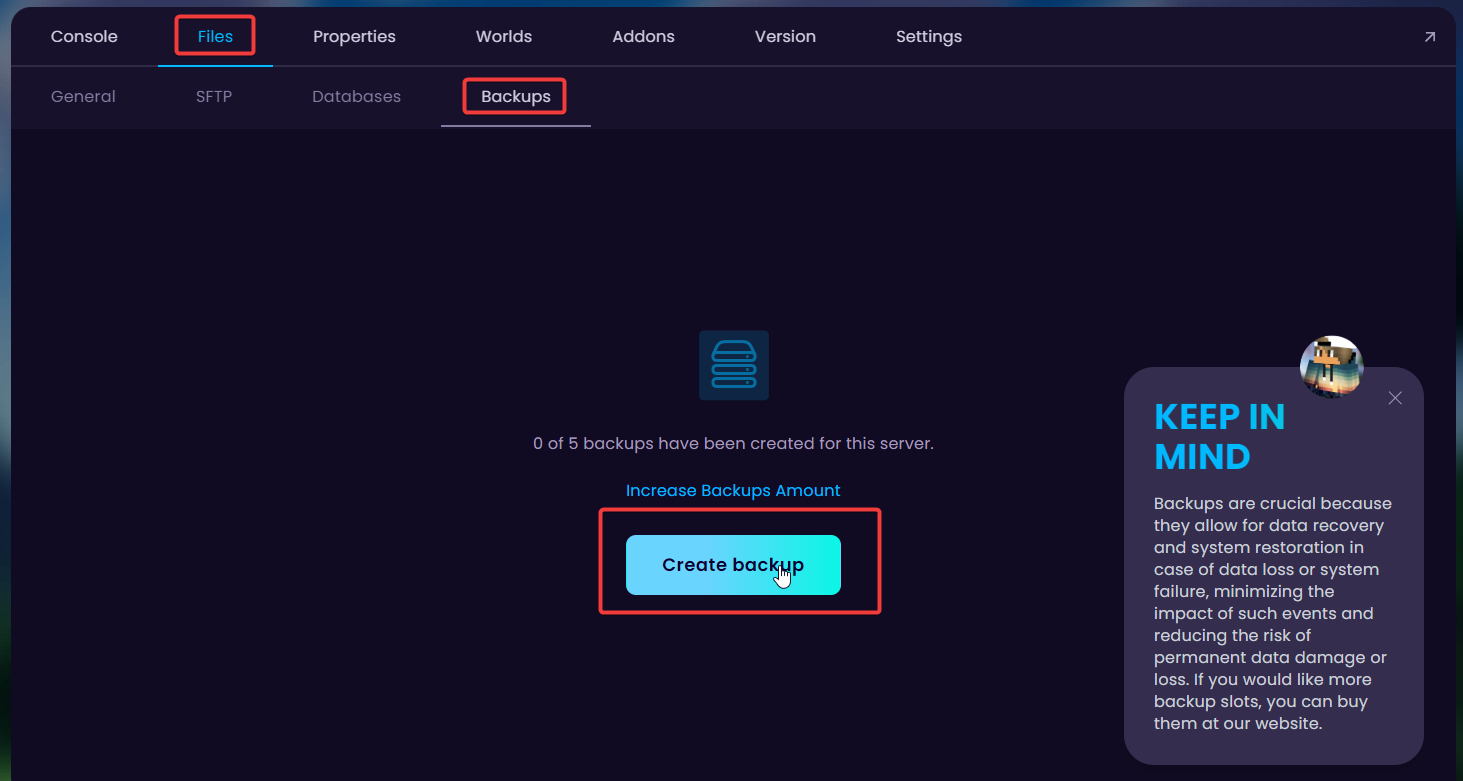
- The name of the backup can be anything you'd prefer. Once you have named it, click on Create Backup to start generating the backup.
How To Set Up Automatic Backups?
To prevent a backup from being overwritten, you must lock the backup you’d like to keep in all cases. That way, that backup will not be deleted unless you do it manually.
- Head over to the Game Panel and stop your server.
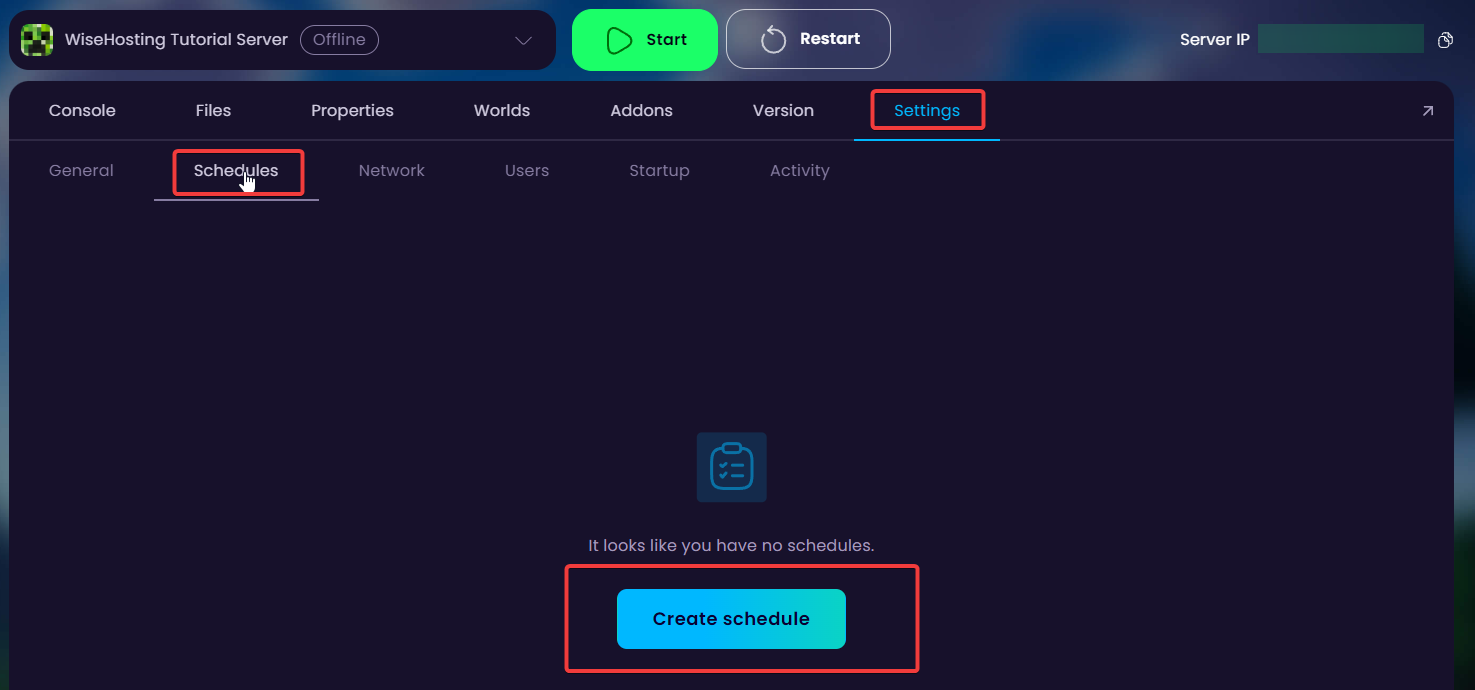
- Navigate to the Settings → Schedules tab and click on Create schedule button to create a schedule.
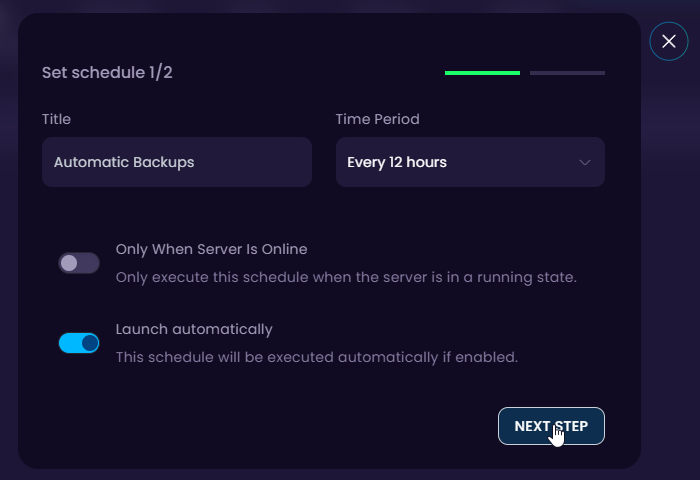
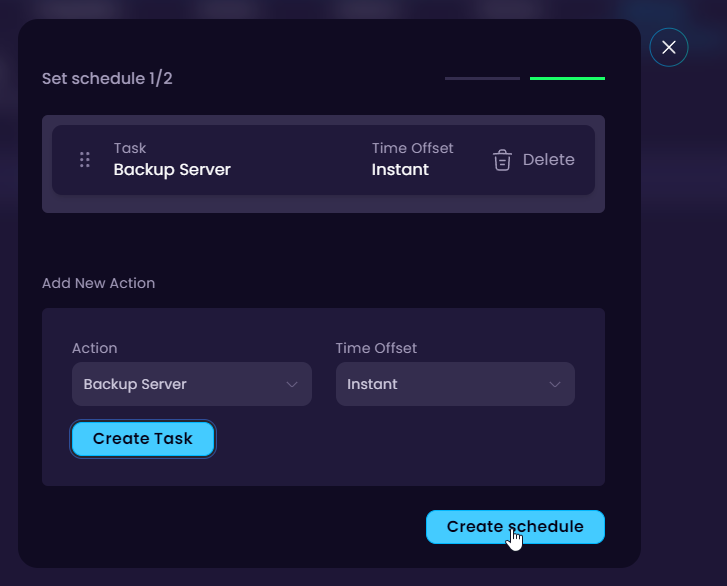
- Name your schedule in your preferred way in the first box and the interval on the second dropdown. For this tutorial, I will be selecting a backup to be created every 12 hours.