
A mod (modification) is custom code that alters Minecraft's base game files to introduce new features, change existing mechanics, or add entirely new content. Mods can add anything from simple quality-of-life improvements to massive changes that transform Minecraft into a completely different experience.
Unlike the base game which is quite limited, mods drastically expand Minecraft's gameplay. A single mod might add hundreds of new blocks, introduce complex machinery systems, create new dimensions, or add dozens of new creatures.
Mods vs Plugins
Mods and plugins both extend Minecraft's functionality, but they work in fundamentally different ways.
Mods modify the game client to add new blocks, items, and mechanics, requiring all players to install matching files before joining a server.
Plugins run server-side only, meaning players don't have to install or do anything on their side, letting vanilla clients connect.
What Are Mods vs. Modpacks?
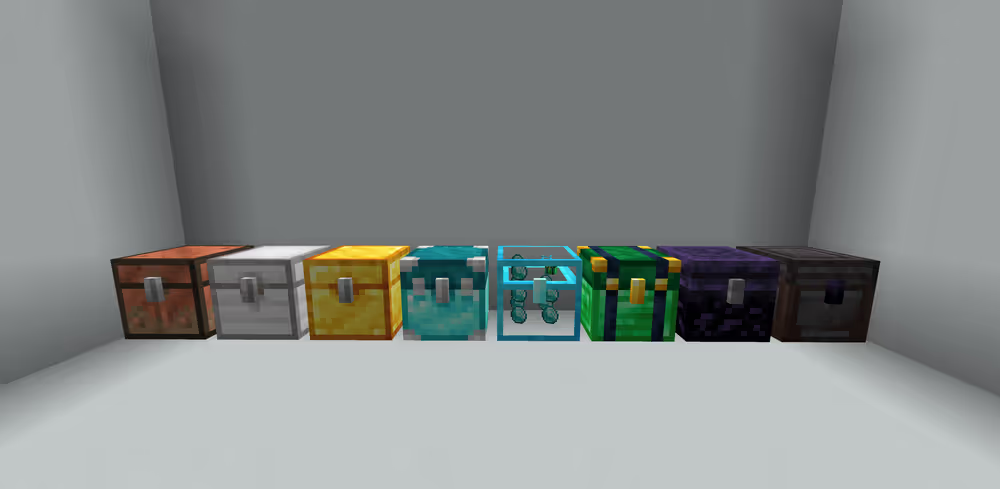
Mods add specific features to Minecraft. For example, JEI (Just Enough Items) adds a recipe viewer, while Iron Chests adds storage upgrades. Each mod typically focuses on one concept or feature set.
A modpack is a curated collection of multiple mods designed to work together. Modpack creators select compatible mods, configure them to balance gameplay, and resolve conflicts between different mods.
Popular modpacks like RLCraft combine hundreds of mods to create a hardcore survival experience, while All the Mods 9 bundles 400+ mods for players who want everything.
Why Modpacks Are Important?
Modpacks solve three major problems for players:
- Compatibility: Not all mods work together. Modpacks ensure all included mods are compatible versions.
- Configuration: Mods often need tweaking to balance properly. Modpacks come pre-configured.
- Ease of installation: Installing 100+ individual mods takes hours. Modpacks install everything at once through launchers.
Most beginners start with modpacks rather than individual mods because modpacks provide a complete, tested experience without requiring technical knowledge about mod compatibility or configuration.
Why Mods Are Important For Minecraft Players?
Mods keep Minecraft fresh long after players exhaust vanilla content. The base game offers finite blocks, mobs, and mechanics. Mods provide unlimited new content and gameplay styles.
Extended Gameplay
Vanilla Minecraft typically provides 50-100 hours of unique content before gameplay becomes repetitive. Major modpacks add 100s of hours of gameplay on top of the base game.
Different Gameplay Preferences
Different players want different experiences from Minecraft, and mods cater to every preference. Players seeking hard survival challenges can try RLCraft, while those preferring peaceful building can try decoration mods like Macaw's collection. Mods exist for virtually every playstyle imaginable.
Community Innovation
The modding community often implements features years before official updates. For example, the Mo' Creatures mod had horses in the game far before Mojang added them, its developer DrZhark actually assisted Mojang in bringing horses to vanilla Minecraft.
Mods also serve as testing grounds for game design concepts. When thousands of players test a mod's features, developers receive immediate feedback about what works and what doesn't.
How Mods Work?
Mods function by adding custom code into Minecraft's Java files through a mod loader, software that acts as a bridge between your mods and the base game. Understanding how mods work is crucial to prevent installation errors and compatibility issues.
Mod Loaders
A mod loader is required software that loads mod code into Minecraft before the game starts. The two main mod loaders are:
- Forge: The most established loader, supporting the majority of major mods and modpacks. Often used to play modpacks.
- Fabric: Lightweight and faster, focusing on performance and quick updates to new Minecraft versions. Often used for optimization and utility mods.
Version Compatibility
Minecraft mods are tied to specific game versions. A mod built for Minecraft 1.21.11 will not work on 1.20.1 or 1.19, even minor version differences break compatibility.
This happens because Mojang changes Minecraft's code with each update. When the base game code changes, mods must update their code to match.
Mods on Minecraft Servers
When hosting a Minecraft server, mods work completely different than on vanilla or plugin-based servers. Both, the server and every connecting player, need specific requirements met.
A modded Minecraft server requires:
- Mod loader installation: The server must run the same mod loader, Forge or Fabric, as your client.
- Exact mod matching: Every mod installed on the server must also exist on connecting clients in identical versions.
- Significantly higher resources: Modded servers need approximately 2x more RAM (depending on mods) than vanilla servers running the same player count.
Server-Side vs. Client-Side Mods
Some mods don't require matching on both sides.
Server-side mods: Performance optimization and administrative tools that clients don't need. For example: Spark which is a performance profiler for the server.
Client-side mods: Visual enhancements and client utilities that servers ignore. For example: JourneyMap (minimaps), Shaders, Inventory Tweaks.
Universal mods: Content mods that must exist on both client and server. For example: Create, RLCraft or Biomes O' Plenty.
Types of Minecraft Mods
Minecraft mods fall into several categories based on what they add or change.
Content Mods
Content mods add new blocks, items, mobs, or dimensions without fundamentally changing core mechanics.
- Biomes O' Plenty: 80+ new biomes with unique terrain and vegetation
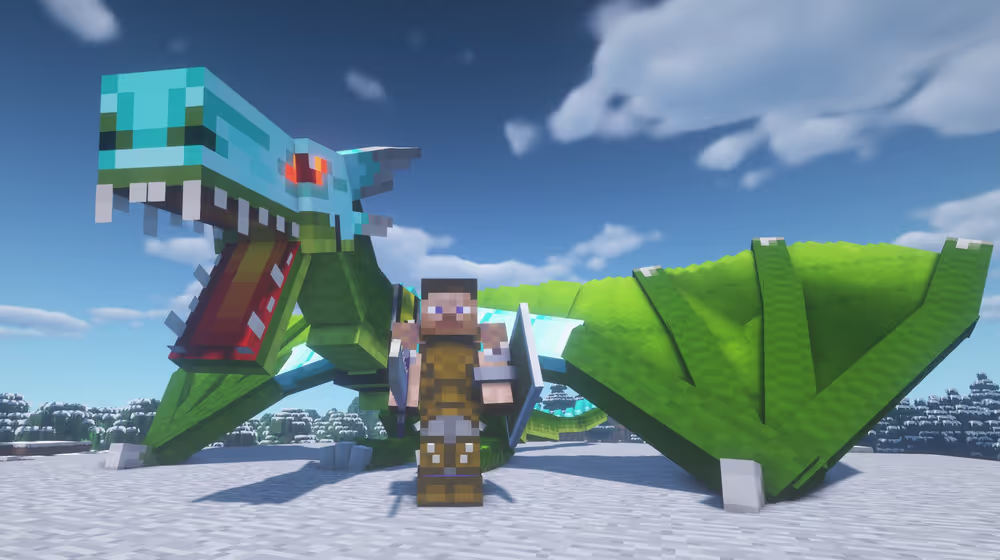
- Ice and Fire: Dragons, mythical creatures, and legendary weapons
- The Twilight Forest: Entire dimension with boss progression and unique loot
Technology Mods
Technology mods introduce machinery, automation, power generation, and resource processing systems.
- Thermal Expansion: Machines for ore processing, power generation, and item transport
- Applied Energistics 2: Digital storage networks and autocrafting systems
- Create: Kinetic power systems using gears, belts, and mechanical contraptions
These mods appeal to players who enjoy optimization, automation, and engineering challenges.
Magic Mods
Magic mods add supernatural abilities, spell systems, and mystical progression paths.
- Botania: Nature magic powered by flowers and mana
- Blood Magic: Ritual-based magic using life essence
Utility Mods
Utility mods improve quality of life without adding new content blocks or items.
- JEI (Just Enough Items): Recipe viewer and crafting assistant
- JourneyMap: In-game mapping and waypoint system
- Inventory Tweaks: Automatic inventory sorting and management
Players who prefer vanilla-like experiences can install utility mods without changing gameplay balance.
World Generation Mods
World generation mods alter how terrain, structures, and biomes generate.
- Terralith: Overhauled terrain generation with dramatic landscapes
- YUNG's Better Dungeons: Enhanced dungeons with catacombs, fortresses and spider caves
- Repurposed Structures: Adds structure variants to different biomes
These mods make exploration rewarding again for players who've seen vanilla generation thousands of times.
Cosmetic Mods
Cosmetic mods change visuals without affecting gameplay mechanics.
- BSL Shaders: Advanced lighting, shadows, and water effects
- Dynamic Surroundings: Ambient sounds and visual effects
How To Install & Play Mods in Minecraft
Before you start - READ THIS!
- Make sure you're using a game version that is compatible with the mods you'd like to install, the 2 most common mod loaders are Fabric and Forge. Fabric mods do not work with Forge and vice versa.
- Another common mistake beginners do is that they install client-side mods on their server and server-side mods on their client and wonder why are they working. It's important that you understand which mods are for server and which ones are for clients.
How To Install Modpacks to Your Minecraft Client
If you are looking to install modpacks on your Minecraft client, follow this step-by-step tutorial:
How To Install Modpacks in Minecraft 1.21+
How To Install Mods to Your Minecraft Client
If you are looking to install mods on your Minecraft client, follow this step-by-step tutorial:
How To Install Modpacks to Your Minecraft Server
If you are looking to install modpacks to your Minecraft server, follow this step-by-step tutorial: