



In this guide we'll be going through the instances feature on the game panel regarding what they are and how to use them.
💡
The instances allow you to switch between server setups. You are able to unlimited unique servers in one which simplifies server management even more - want to switch between a Vanilla SMP server and a modded server? Now you can!
Make sure to keep an eye on your Disk Usage when creating instances. If you're unable to create an instance, make sure you have available space left on the server - you may need to upgrade.
How To Create an Instance?
- Head over to the Game Panel and stop your server.
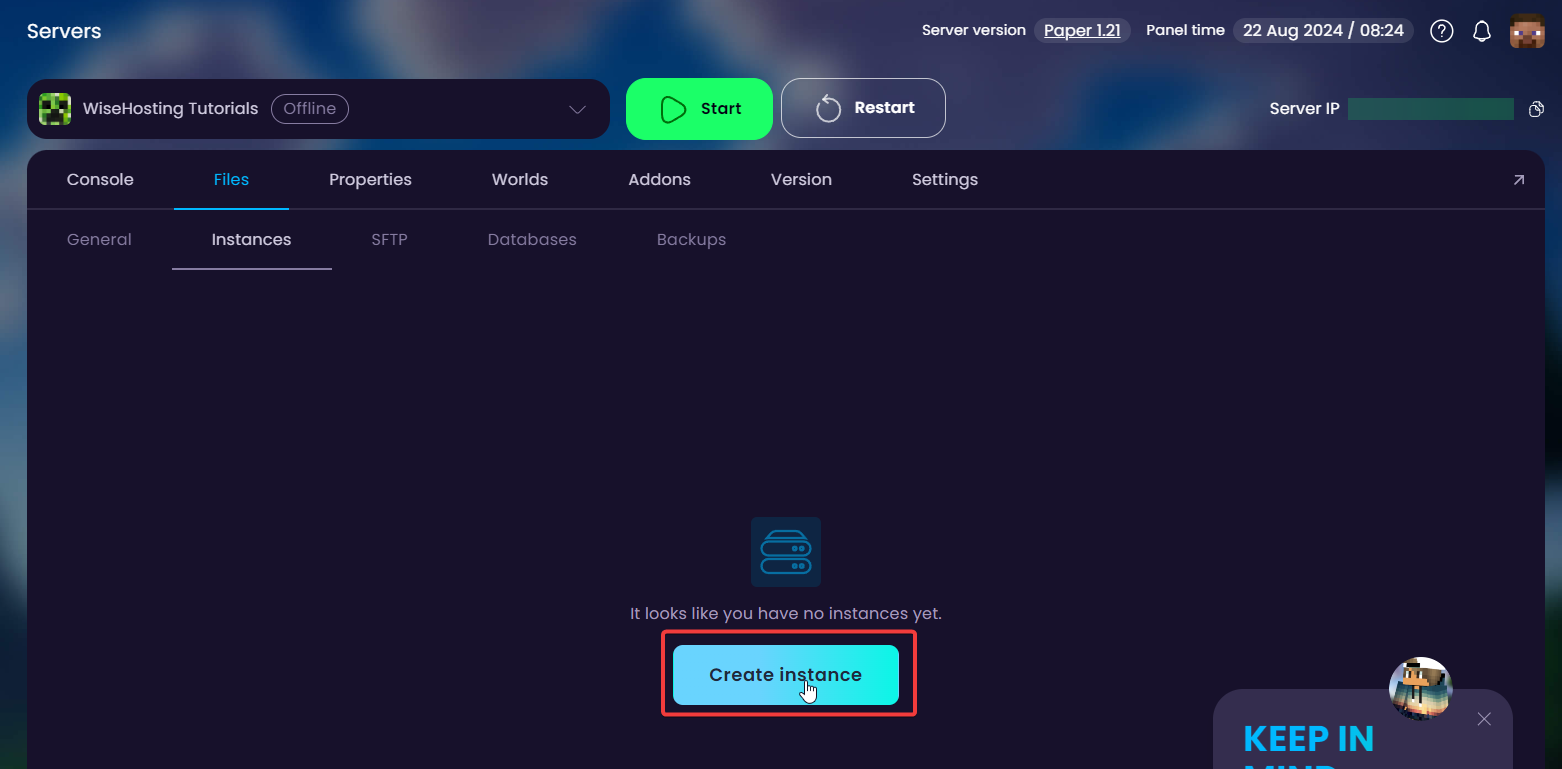
- Navigate to the Files → Instances tab and click on Create Instance. This will create a copy of all the progress and files you have on the server.
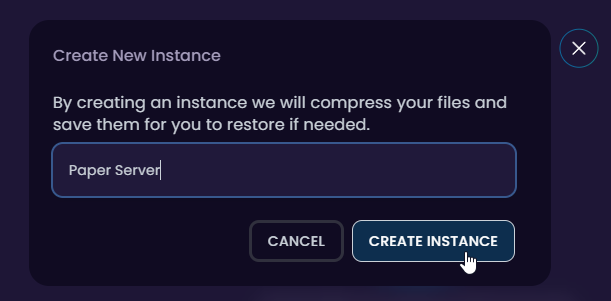
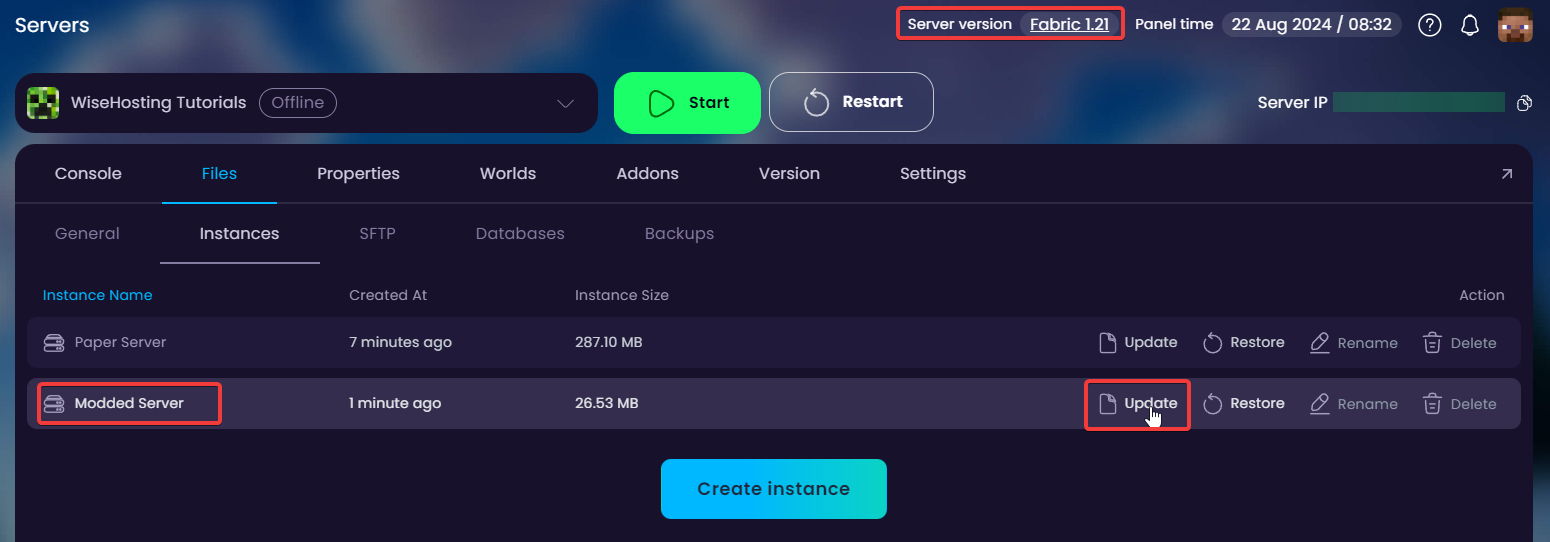
- Once it has created the instance, you are able to update, restore, rename and delete it.
UPDATE: This will update all the files in the instance with the current files you have on the server. Remember to run this each time you want to change instances to save the progress.
RESTORE: This will restore the selected instance to your server.
RENAME: This allows you to rename the instance name.
DELETE: This will delete the instance entirely.

✅
DONE! You have successfully created an instance. Look at it as a backup; you can now delete all of the files on your server, install a new version or a different modpack.
Once you've changed the server around to a "different server setup", you can follow these steps again to create a second instance which you can switch between whenever you'd like.
Once you've changed the server around to a "different server setup", you can follow these steps again to create a second instance which you can switch between whenever you'd like.
How To Switch Between Instances?
- Head over to the Game Panel and stop your server.
- Navigate to the Files → Instances tab and update the current instance that you have active. My server is Modded, so I'm going to be updating my Modded Server instance.
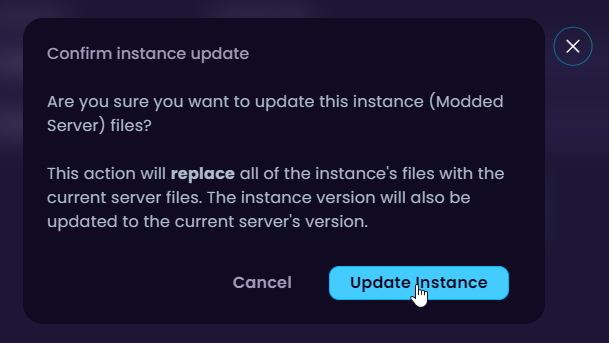
- After the instance is successfully updated with the latest version of the files, I will go ahead and restore my Paper Server instance.
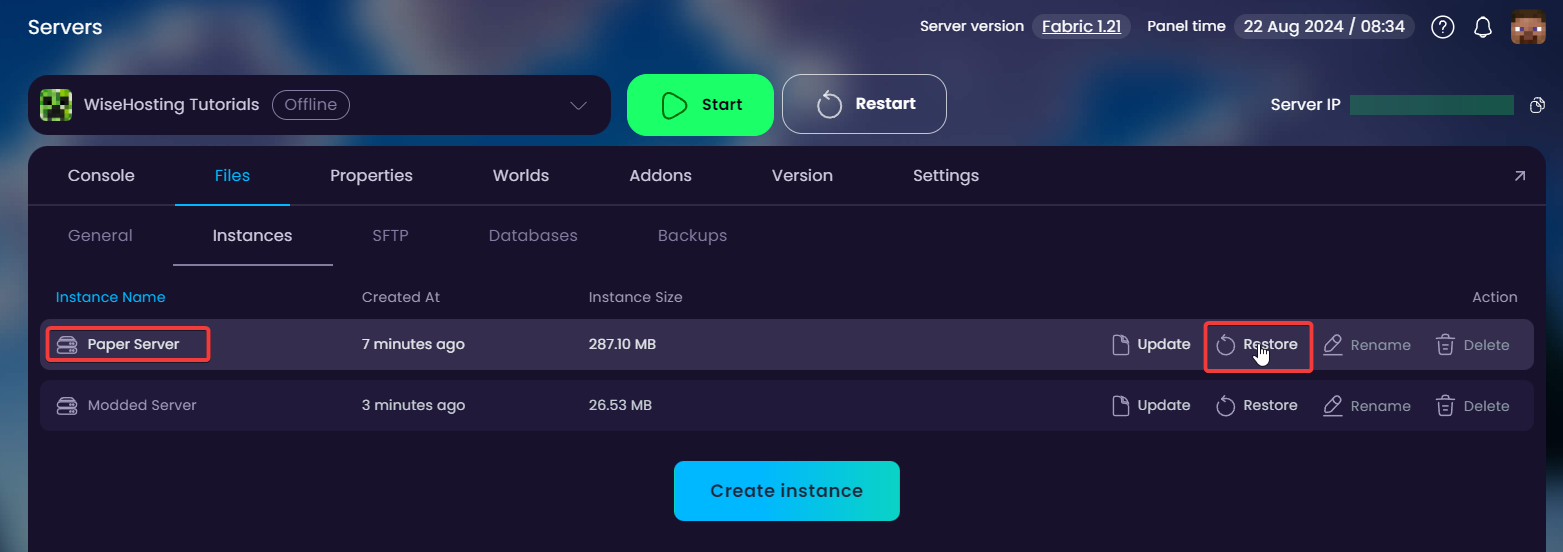
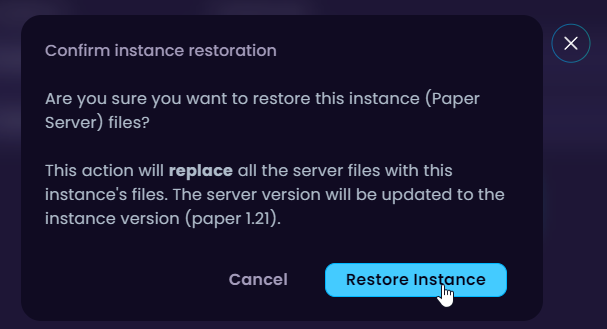
- Wait for the instance to be restored and you're good to connect! Please refresh the panel (CTRL + F5) for the server version to update as well.


