
If there's a newer version available for your server, there will be a notification displayed on your server's Console tab. You can simply click and update your server from the notification!
How To Update Bedrock Version Manually?
- Head over to the Game Panel and stop your server.
- Navigate to the Settings tab and click on Reinstall to reinstall your server version.
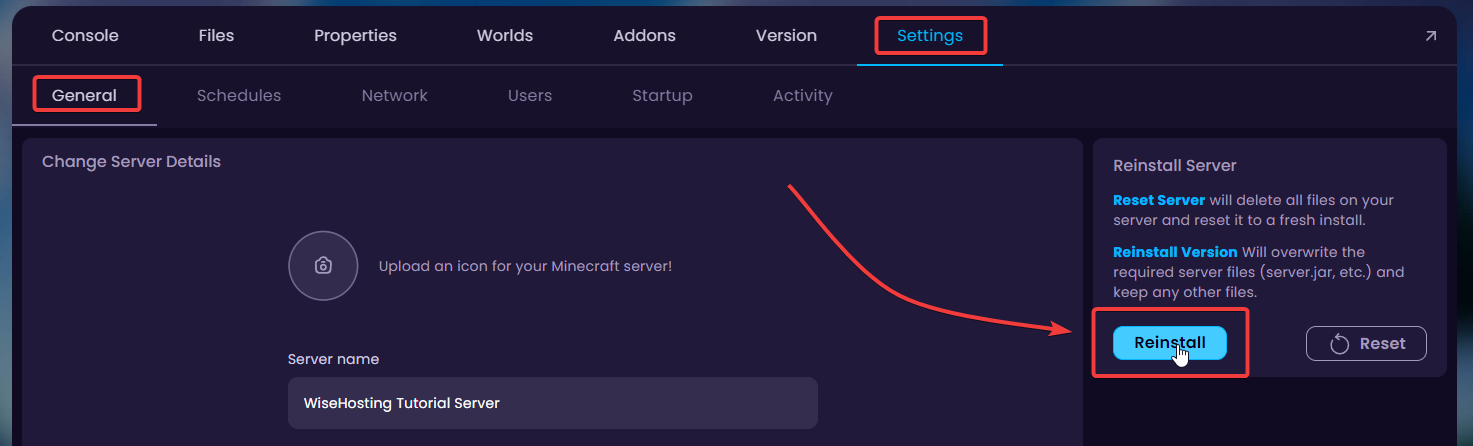
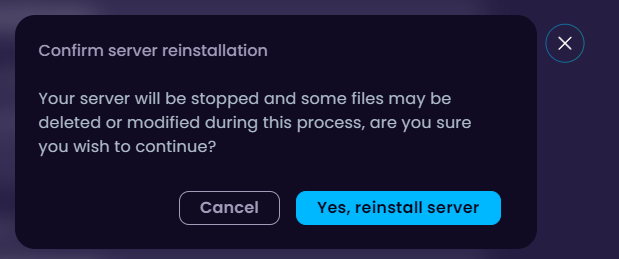
Reinstall Server action only reinstalls the server files. Your world files will stay untouched.
How To Install a Specific Version?
- Head over to the Game Panel and stop your server.
- Navigate to the Settings → Startup tab and find the Bedrock Version option.

- Insert the specific Bedrock Version you'd like to install in there.

- Navigate to Settings → General and click on Reinstall to reinstall your server using the specified Bedrock Version.

🧑💻
If you still require assistance, please get in touch with our support team by opening a ticket or joining our community Discord server.