

Server logs contain detailed information about your Minecraft server's activity, errors, and crashes. Sharing them helps support teams quickly diagnose and fix issues like plugin conflicts or performance problems. This guide covers accessing logs in the Game Panel, copying their contents, and using secure paste services to share them safely.
⚠️
IMPORTANT: Always review logs for sensitive information like IP addresses or tokens before sharing.
Step 1: Access Your Server Logs
- Head to the Game Panel and select your server.
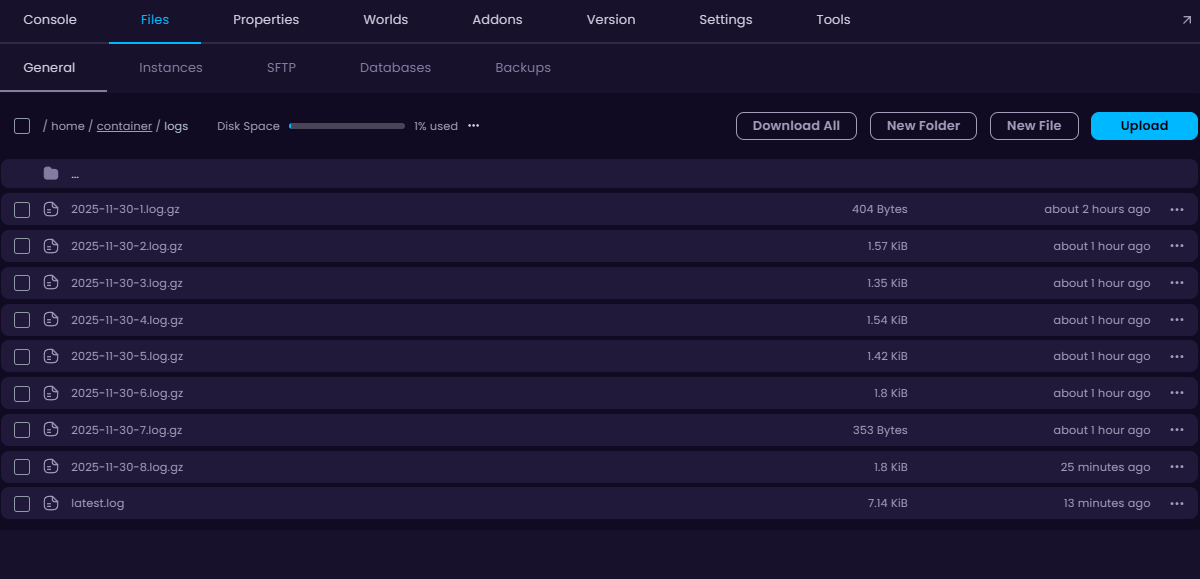
- Navigate to Files → logs folder.
- Locate the relevant file like
latest.logor a crash report in thecrash-reportsfolder.
Step 2: Copy the Log Contents
- Click on the log file to open it and copy the contents of it.
- Paste the log you copied into a website like paste.wisehosting.com and once pasted, click on the save button.
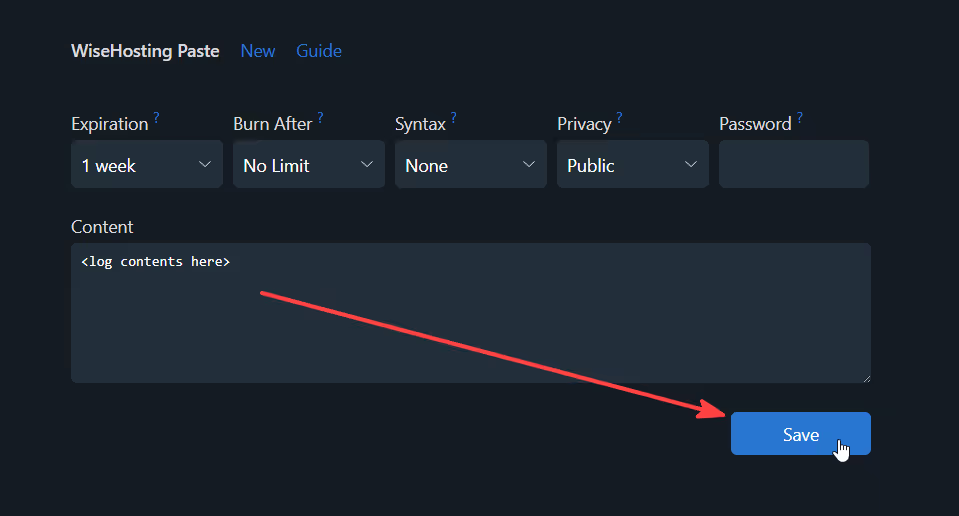
- Once you have saved the file, you can copy the URL of the website and send it to others.


