



If you have ever wondered how to customize your server’s MOTD (Message Of The Day), then you would have probably used a similar plugin like ServerListPlus. In this guide, we will be going over how to set up and use the ServerListPlus plugin.
👉
You can also edit the MOTD without using any plugins with our own MOTD generator.
Setting up ServerListPlus
Before moving on to the configuration make sure to install ServerListPlus by going to Addons → Plugins → search for and install ServerListPlus
- Enable ServerListPlus with the
/serverlistplus enablecommand. You can do this in either in-game or in the console.

- After it's enabled, navigate to the
/plugins/ServerListPlusfolder and open theServerListPlus.ymlfile.
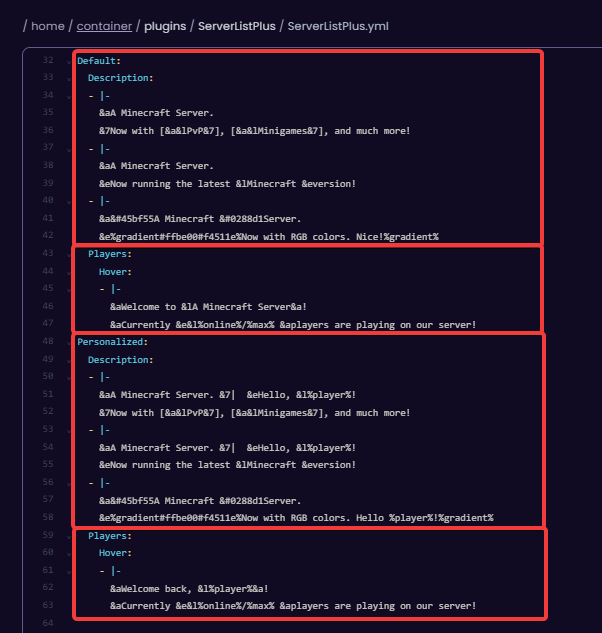
Default: This block has messages that are specifically for players who haven’t once joined the server.
Personalized: This block contains messages for returning players.
Player: These blocks are messages that appear when hovering over the player count of the server.
💡
TIP: You can change the colors of the text using Minecraft's color guide.
- After you have configured the message to your liking, save the file and use the
/serverlistplus reloadcommand or restart the server.


