

Proxies like Velocity are used to strengthen your server’s security and connect multiple servers, or gamemodes, to one IP address (e.g., Skyblock, Factions, Hub, and Survival).
⚠️
IMPORTANT: You will need one Velocity/Proxy server and one or multiple additional servers for the network to work.
It is not possible to create a network that consists of different servers with just one server.
It is not possible to create a network that consists of different servers with just one server.
Step 1: Setting Up The Proxy Server
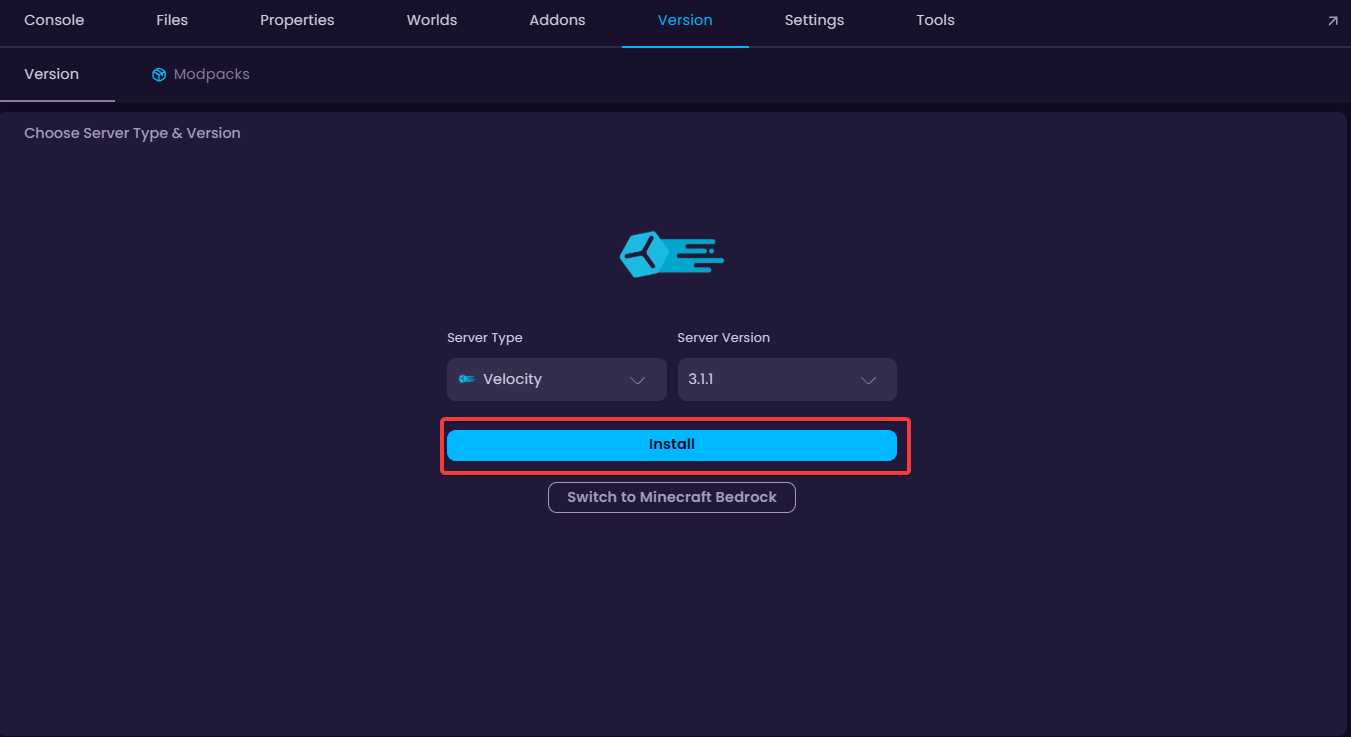
- Install Velocity on your proxy server. This server is going to be the one that people connect to when joining your server.
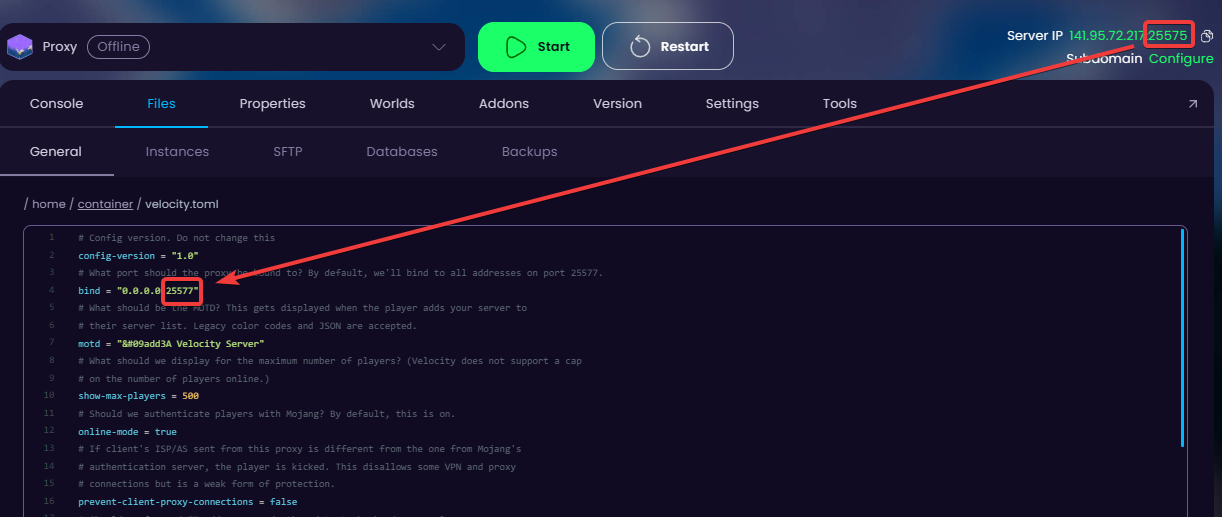
- Update the "
bind" section port in the velocity.toml file to match your server's port and save the newly edited file.
For my case, it’s going to go from 25577 → 25575.
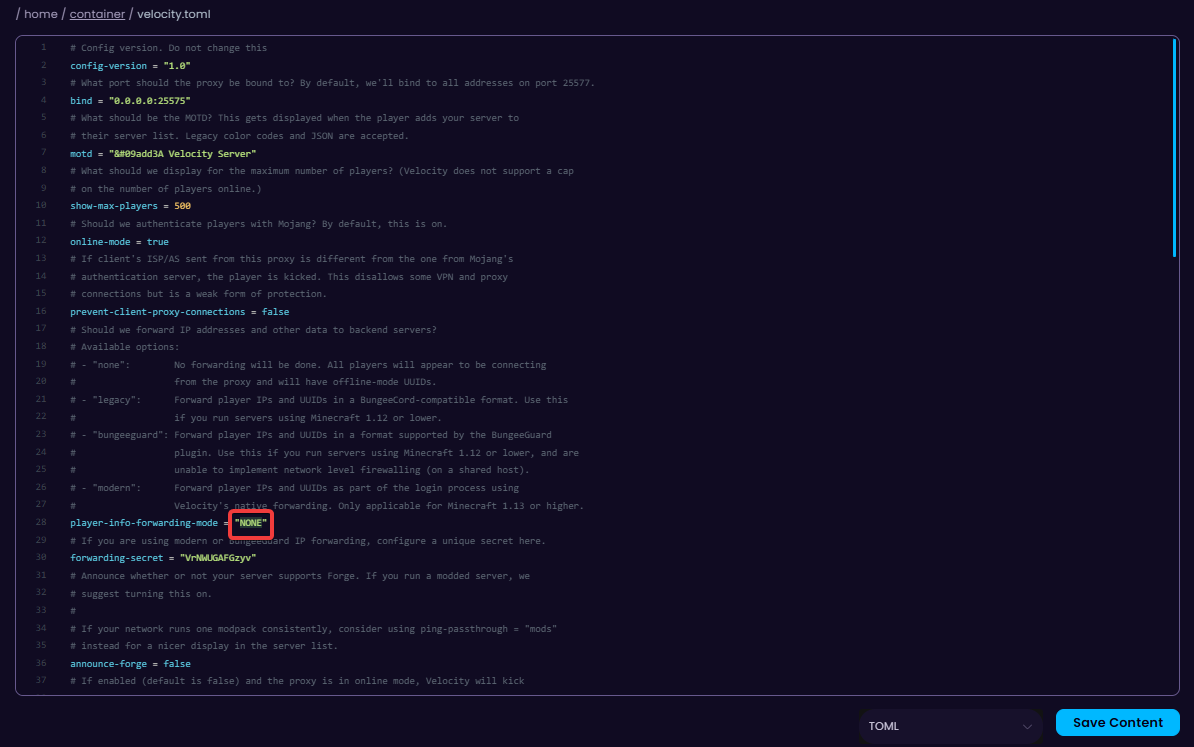
- Change the
player-info-forwarding-modevalue to modern. This makes sure that players can only join the network through the proxy server, which authenticates player identity between proxy and backend.
👉
OPTIONAL: If you'd like to have a cracked Velocity network, you can change the
However, this is not recommended as cracked servers decrease the security of the server.
online-mode value to false.However, this is not recommended as cracked servers decrease the security of the server.
Done! Now we are ready to start connecting other servers to the proxy server.
Step 2: Connecting Servers To The Proxy
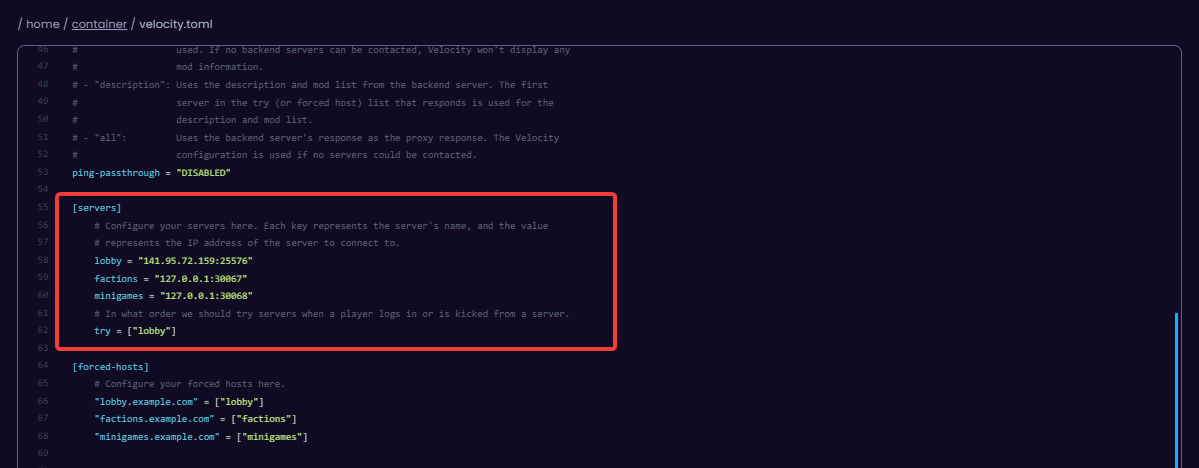
Connecting your server to the proxy is going to be simple. Simply change the lobby values’ IP address to your hub server’s IP address.
💡
NOTE: The connection must be authorized from both servers, so there are going to be two different files we need to modify.
Proxy Server Configuration
- Open the
velocity.tomlfile and scroll to [Servers]. This is where we can modify the connected servers and their IP addresses.
Other Servers Configuration
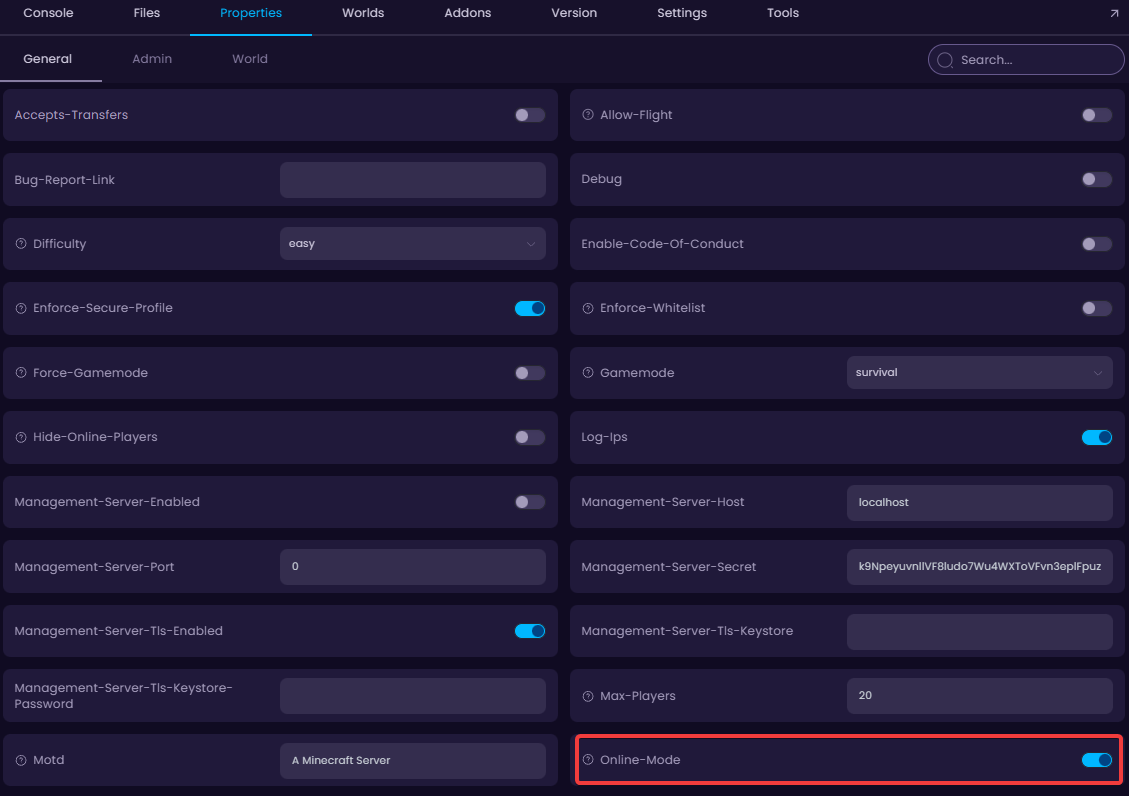
- All the servers (excl. proxy) must have their
online-modeproperty set off since this is already configured on the Proxy server (thevelocity.tomlfile).
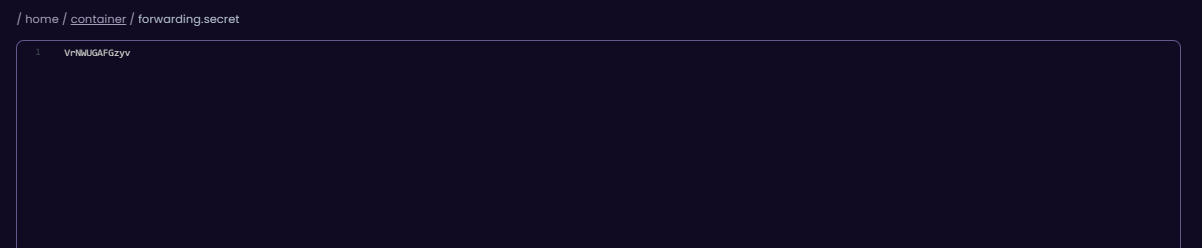
- In the Proxy server, copy the forwarding secret code which can be found in the
forwarding.secretfile. Copy this as this is going to be pasted into the configuration file of all of the other servers.
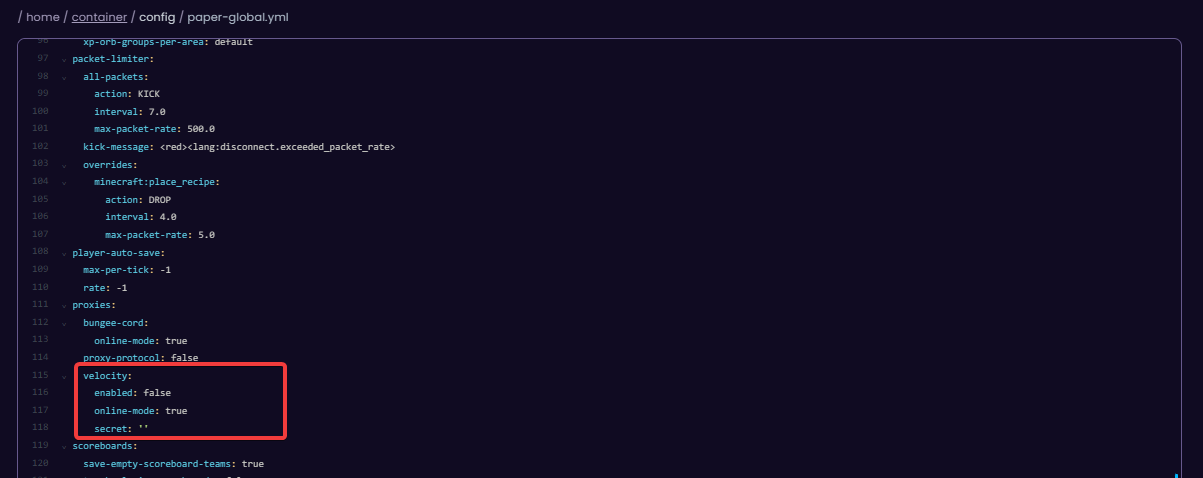
- Go to your server’s
paper-global.ymlfile (if they're running on Paper version), and in the Velocity section, change theenabledvalue to true. Make sure to also paste the secret you copied into thesecretvalue.
- Start both the proxy and the second server, and make sure to connect through the proxy server’s IP address.
If you have multiple servers, you can switch between them with the /server <servername> command. The name of the server depends on what it was named in the Proxy's velocity.toml file.
🧑💻
If you still require assistance, please get in touch with our support team by opening a ticket or by joining our community Discord server.


