

Moving server files is basically the same way you'd move files in a Linux computer with commands. You can also drag-and-drop files into different folders to move them, the same way as you would in a Windows or Mac computers.
Moving a File to a Folder
- Navigate to the Files tab and select the file you wish to move by checking its box and clicking on the Move button.
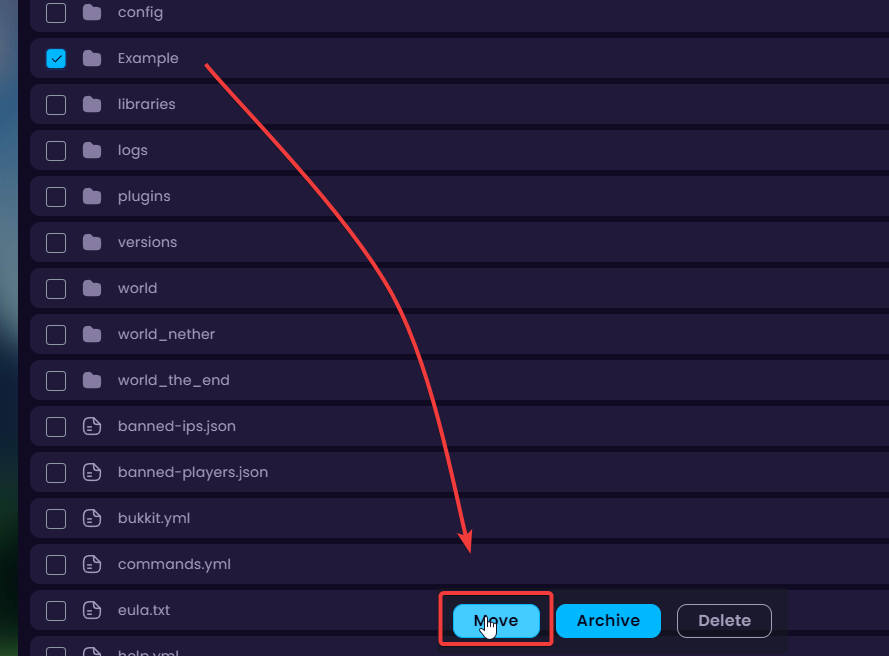
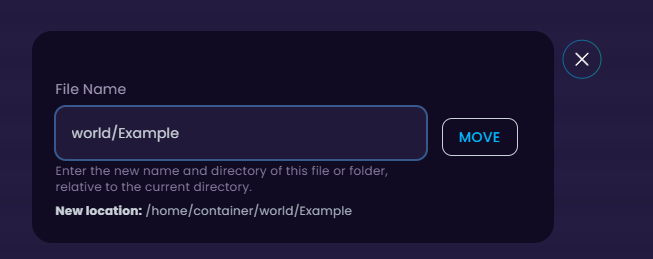
- In this example, I'm going to be moving my server into the world folder like so.
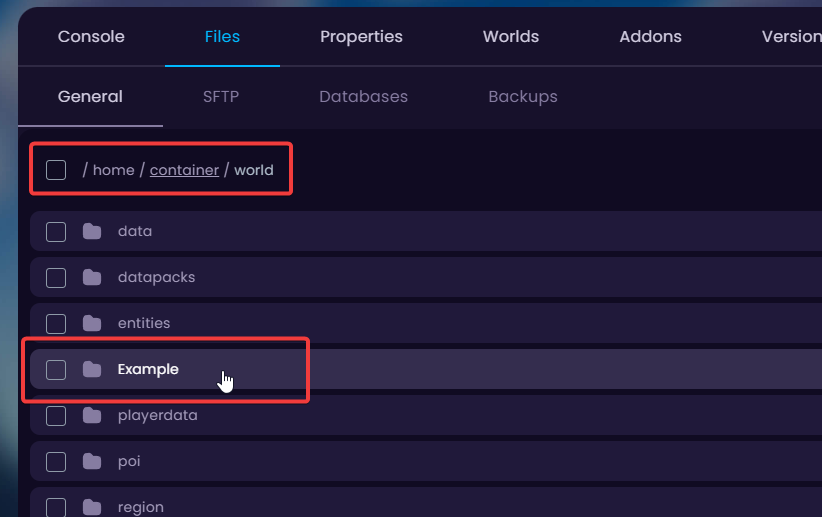
- Now I will check the world folder to see if the Example folder I moved is there.
Moving the File Multiple Directories Up
- To move the file up 1 directory add
../before the file name and click on Move.
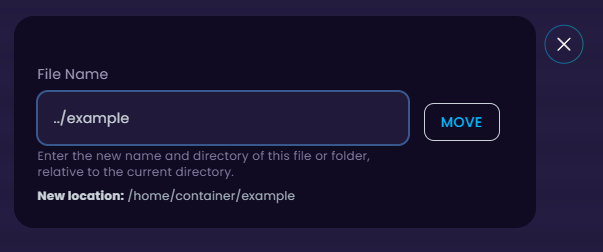
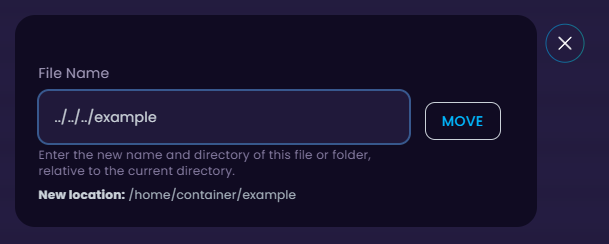
- You can also move the file up multiple directories by adding multiple
../before the file name like so../../../Example.
🧑💻
If you still require assistance, please get in touch with our support team by opening a ticket or joining our community Discord server.


