On Java versions of the game, the whitelist is called "whitelist" and on Bedrock it's called "allowlist".
👉
NOTE: If a player has OP permissions, he’s able to join the server regardless whether they’re added to the whitelist or not. As soon as their OP permissions are removed, they are kicked from the server if they’re not added to the whitelist.
Whitelist Commands
There are various commands that allow you to manage the whitelist either through the console or through in-game commands. Here's a list of the commands:
/whitelist on- This will enable whitelist./whitelist off- This will disable whitelist/whitelist add YourUsername- This will add the player called "YourUsername" to the whitelist./whitelist remove YourUsername- This will remove the player called "YourUsername" from whitelist./whitelist list- This will list all the whitelisted players./whitelist reload- Reloads the list of player profiles in whitelist.json
How to Enable Whitelist?
- Head over to the Game Panel and stop your server.
- Done! Your server is now whitelisted. You can now start the server and run the
whitelist add YourUsernamecommand in the console to add yourself to the whitelist.
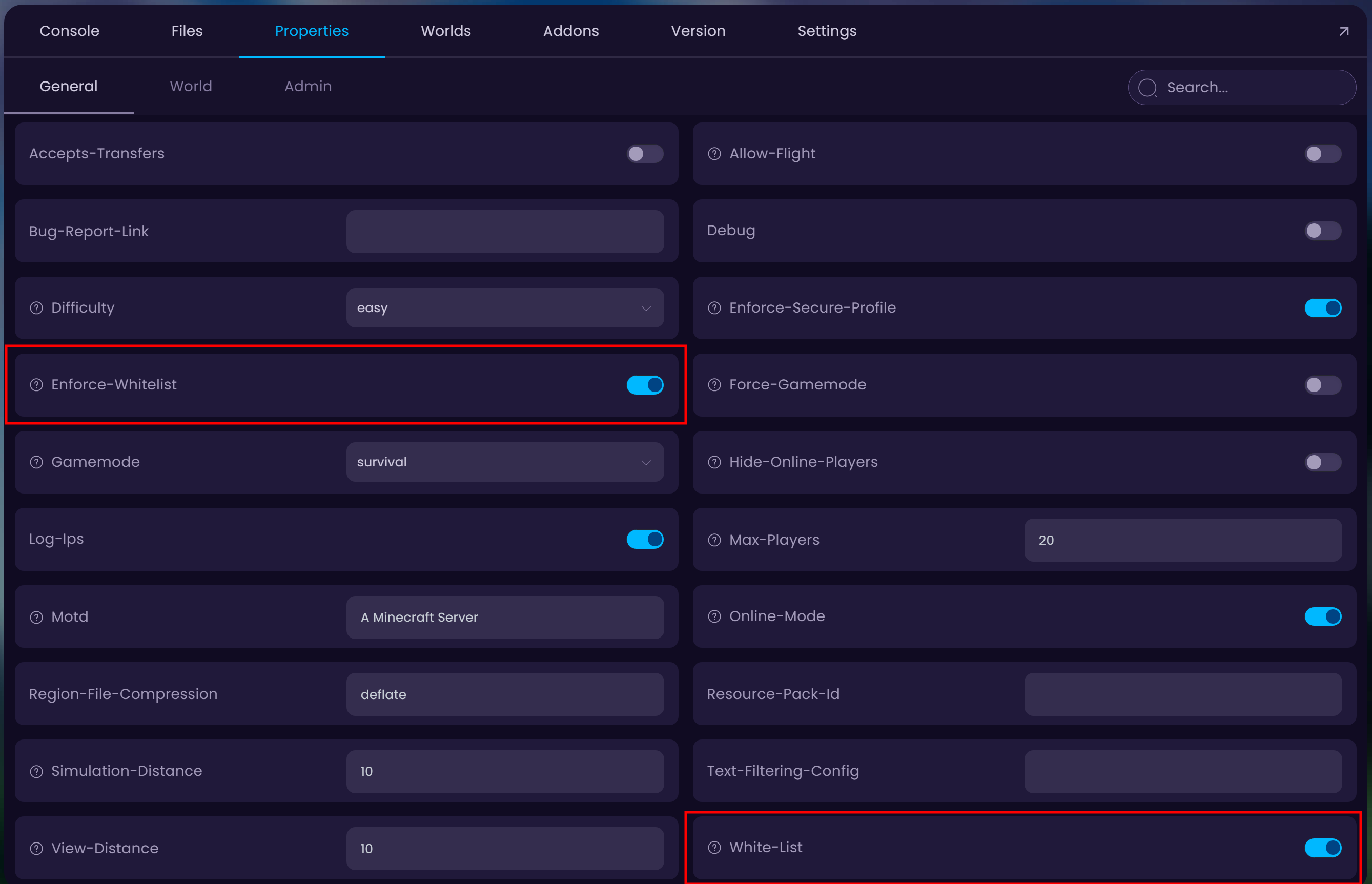
Navigate to the Properties tab and locate the Enforce-Whitelist and White-List options. Toggle these on to enable/disable whitelist.
If you have crossplay enabled on the server (Bedrock & Java) then some users may have a space in their name (Bedrock players). If this is the case, you can add them to the whitelist through the following command:
whitelist add "Your Username"<- The username needs to be between the""symbols.
How to Manage Whitelist through the Player Manager?
- Head over to the Game Panel and stop your server.
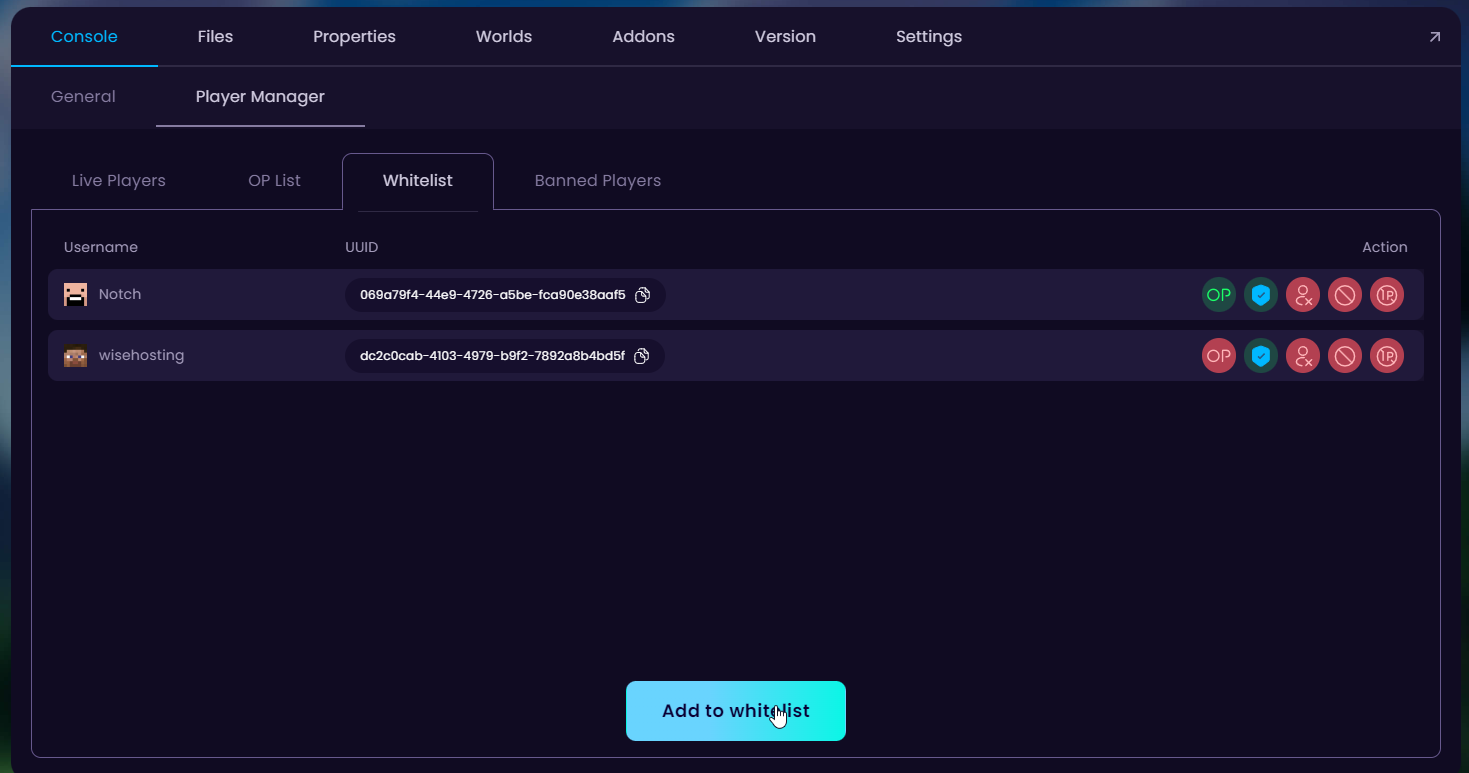
- Navigate to the Console → Player Manager → Whitelist tab and from here you can add/remove players from the whitelist.