

In the WiseHosting Game Panel, we have a built-in addon installer that you can use to install addons and resourcepacks to the server. However, it’s important to note that this does not work with all of the addons due to how some addons are compiled.
💡
Addons come in 3 different ways:
.mcaddon - This contains both the resource- and behavior pack files..mcpack - This contains the resource-pack OR behavior-pack file, not both..zip - This is a compressed folder/file and needs to be extracted manually.👉
Where can I find Bedrock addons?
You’re able to browse thousands of different Bedrock addons on Curseforge or MCPedl website.
You’re able to browse thousands of different Bedrock addons on Curseforge or MCPedl website.
Step 1: Downloading the Addon
- Download the addon of your choice. In this guide, I’ll be downloading the Better on Bedrock addon which includes both the resource-pack and behavior-pack.
- After downloading the addon, rename the file to
.zipinstead of whatever it is (it can be.mcaddonor.mcpack).
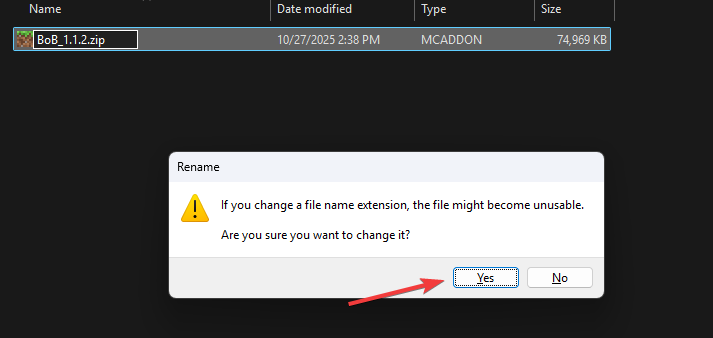
- Now that you’ve converted the file to a
.zip, open it and inside you should find either files or additional folders representing whether it’s a behavior-pack or a resource-pack.
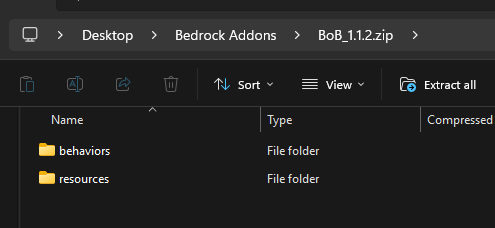
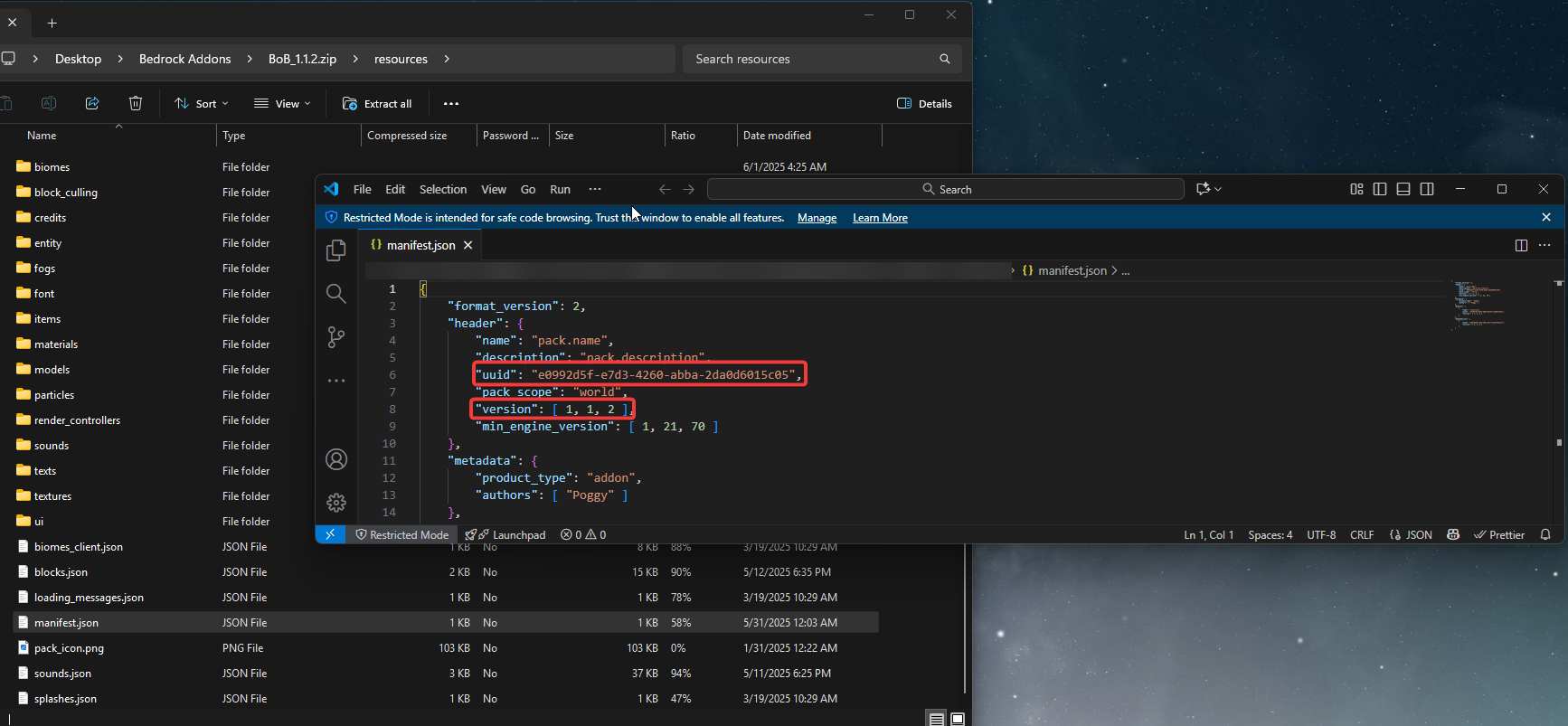
- Inside them, open the
manifest.jsonfiles of each one and copy the UUID and version of them. This information will be used later on.
Step 2: Uploading the Addons to the World
- Head over to the Game Panel and stop your server.
- Navigate to the Files tab and upload your behavior pack or resource pack into its designated folder (e.g., resource pack to
resource_packsfolder).
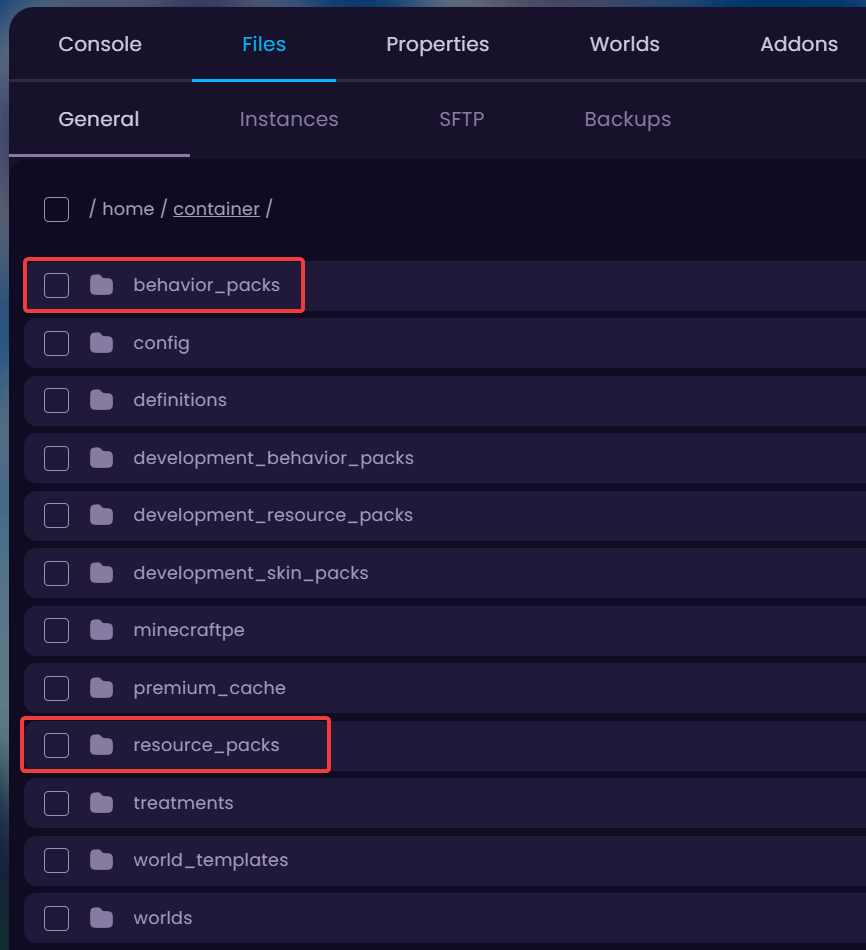
- Since I’m going to be uploading the Better on Bedrock -addon which includes both, I will be uploading the resource-pack to
resource_packsfolder and behavior-pack tobehavior_packsfolder.
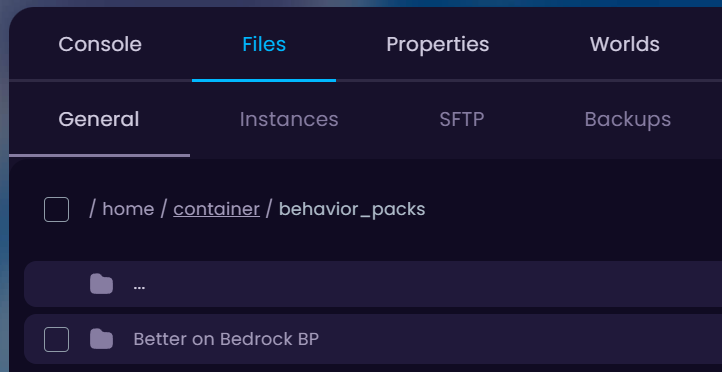
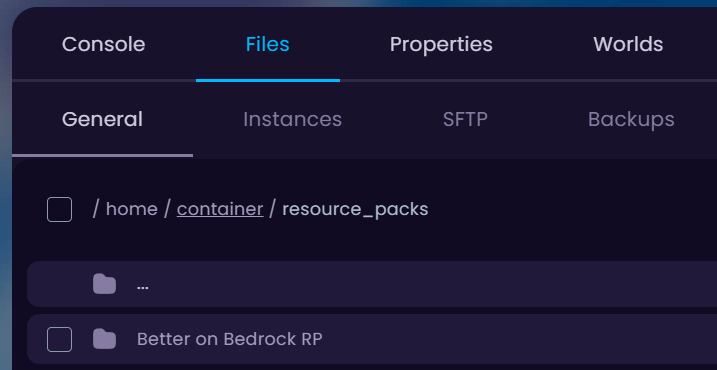
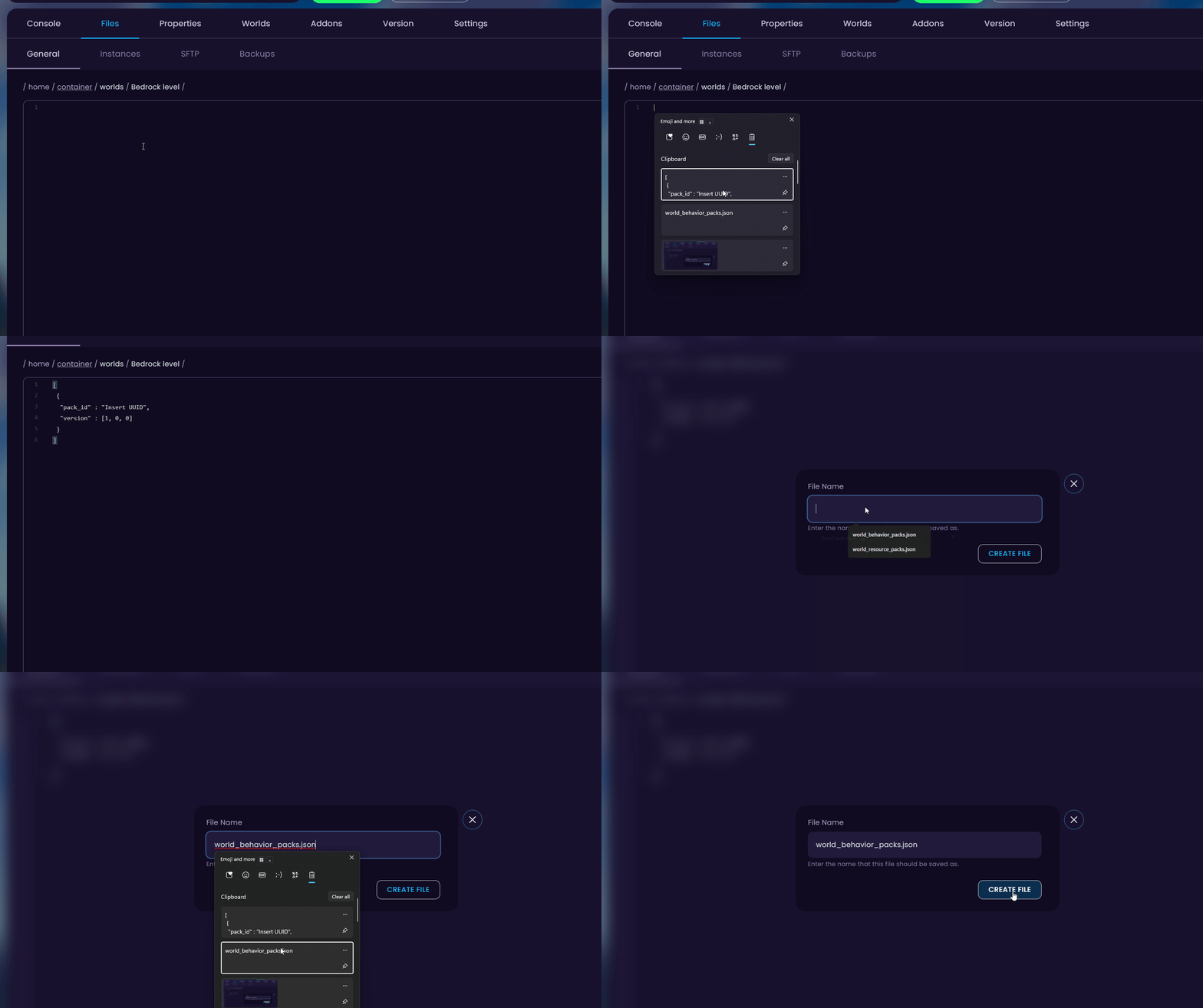
- After uploading, head over to the main directory (…) and into your worlds folder. If you don’t have files in there called
world_behavior_packs.jsonandworld_resource_packs.json, create them by clicking on the New File -button and inserting the following data in them:
[
 {
  "pack_id" : "Insert UUID",
  "version" : [1, 0, 0]
 }
]
- Once you have these files in your world folder, go back to the UUID and version you saved previously Step 1.4 and copy-paste the information into the
world_behavior_packs.jsonandworld_resource_packs.jsonfiles.
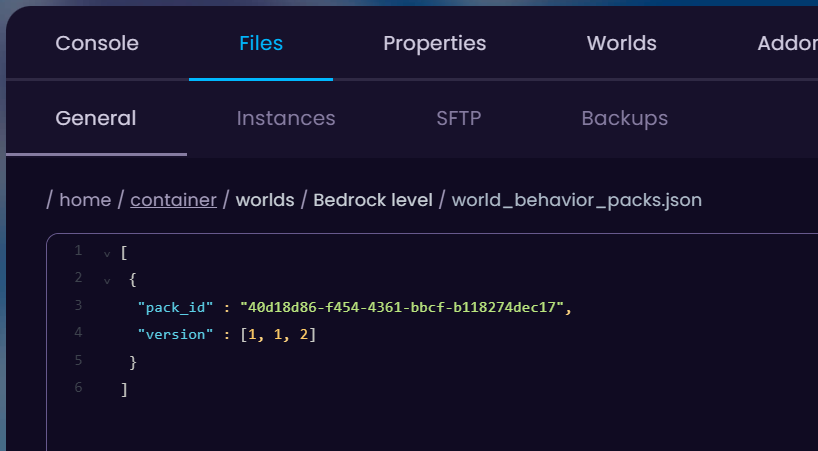
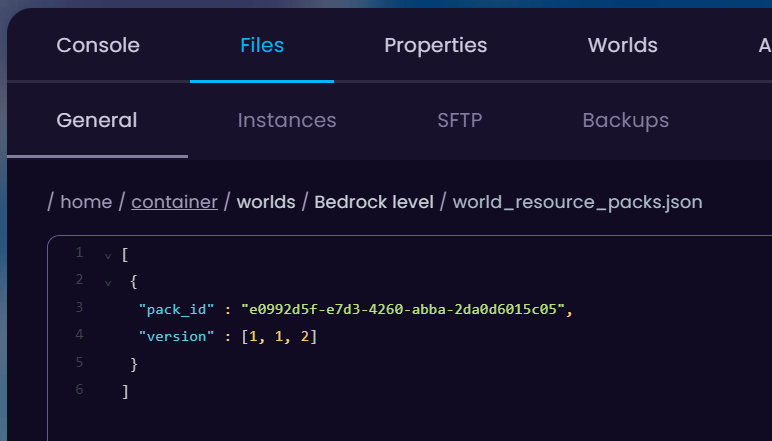
- Done! Start your server and the addon is installed in your Bedrock world successfully! To add more addons to the list later on, follow these steps and expand the .json files like this:
[
 {
  "pack_id" : "First Addon UUID",
  "version" : [1, 0, 0]
 },
 {
  "pack_id" : "Second Addon UUID",
  "version" : [1, 0, 0]
 }
] 

