

How To Export Your Singleplayer World?
- Open Minecraft and press the Play button.
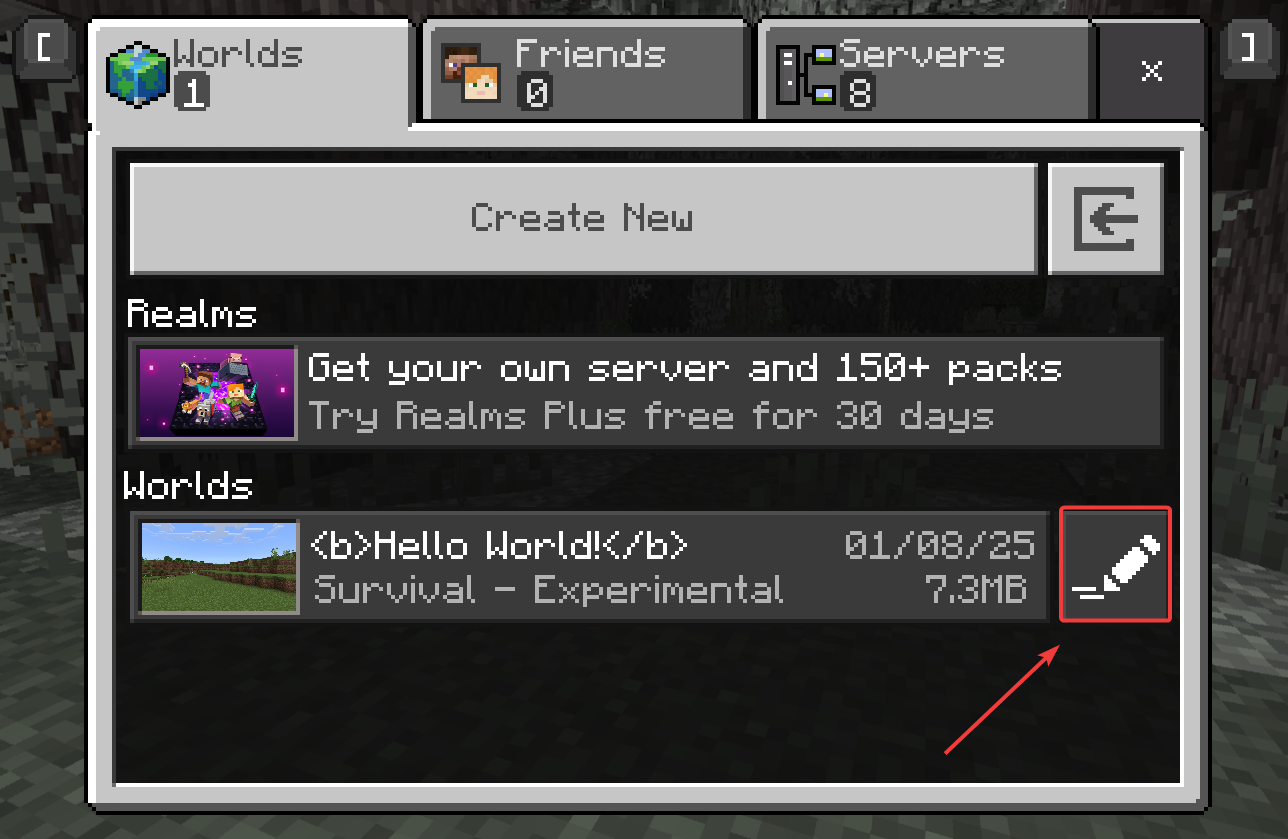
- Click the pencil button next to the world that you’re looking to export.
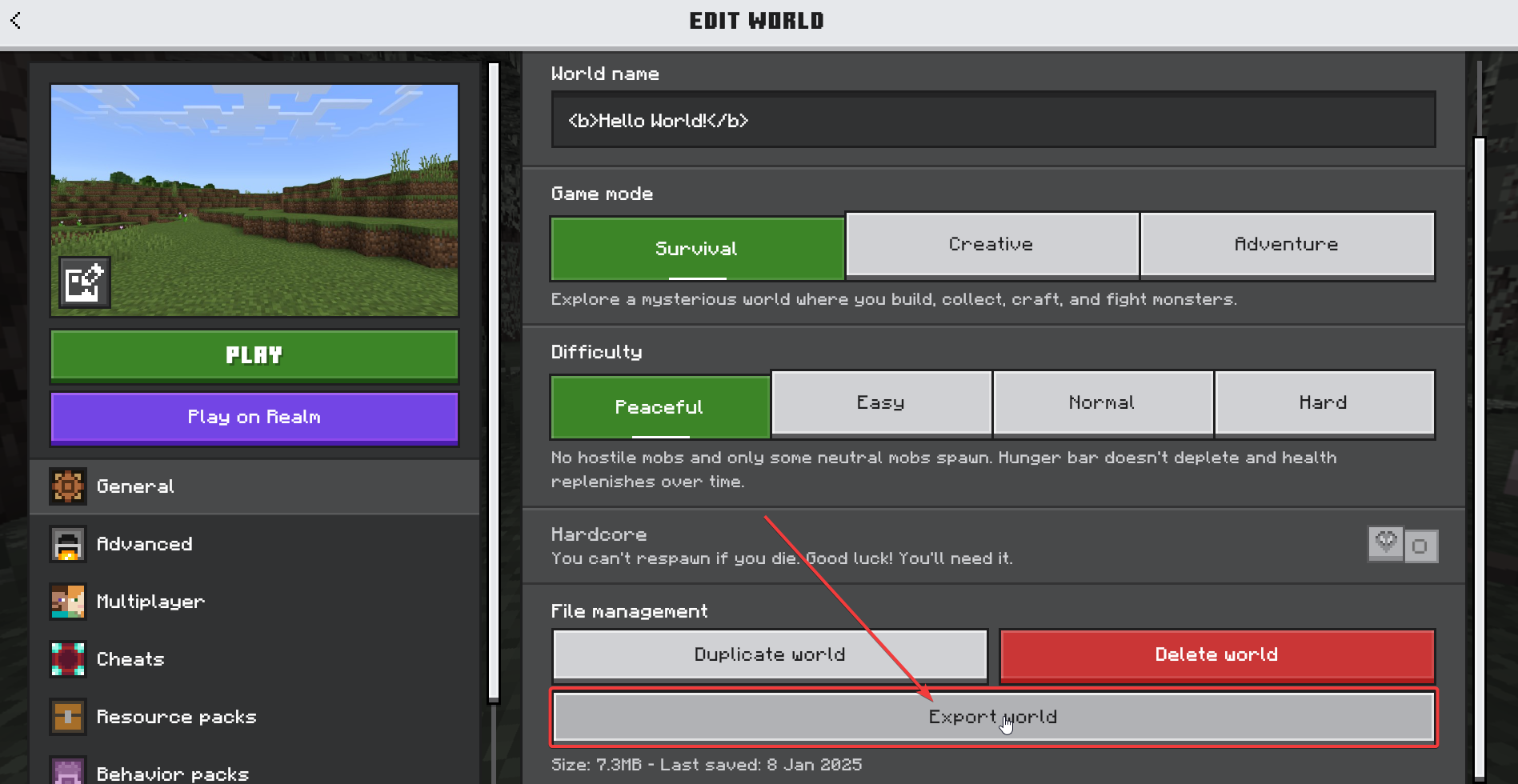
- Scroll down until you see the Export world button. Click it and save it to your computer.
How To Upload Your World?
- Head over to the Game Panel and close your server.
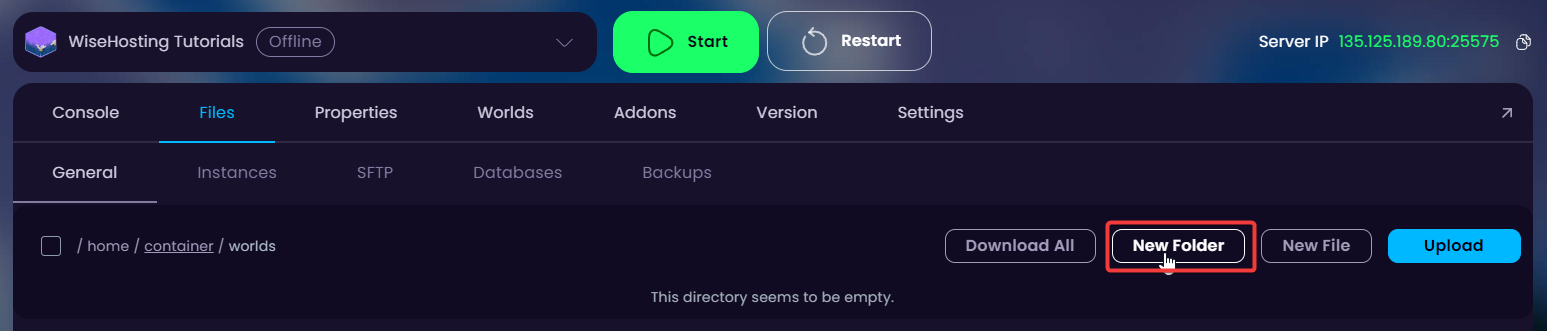
- Navigate to the “Files → /worlds” tab and folder and create a new folder inside of it (this will be the name of your world).
If you do not have a “/worlds” folder in there, start your server AT LEAST ONCE for it to appear.
- Go into the newly generated folder and upload your exported world in there. Right-click it afterwards and unarchive it.
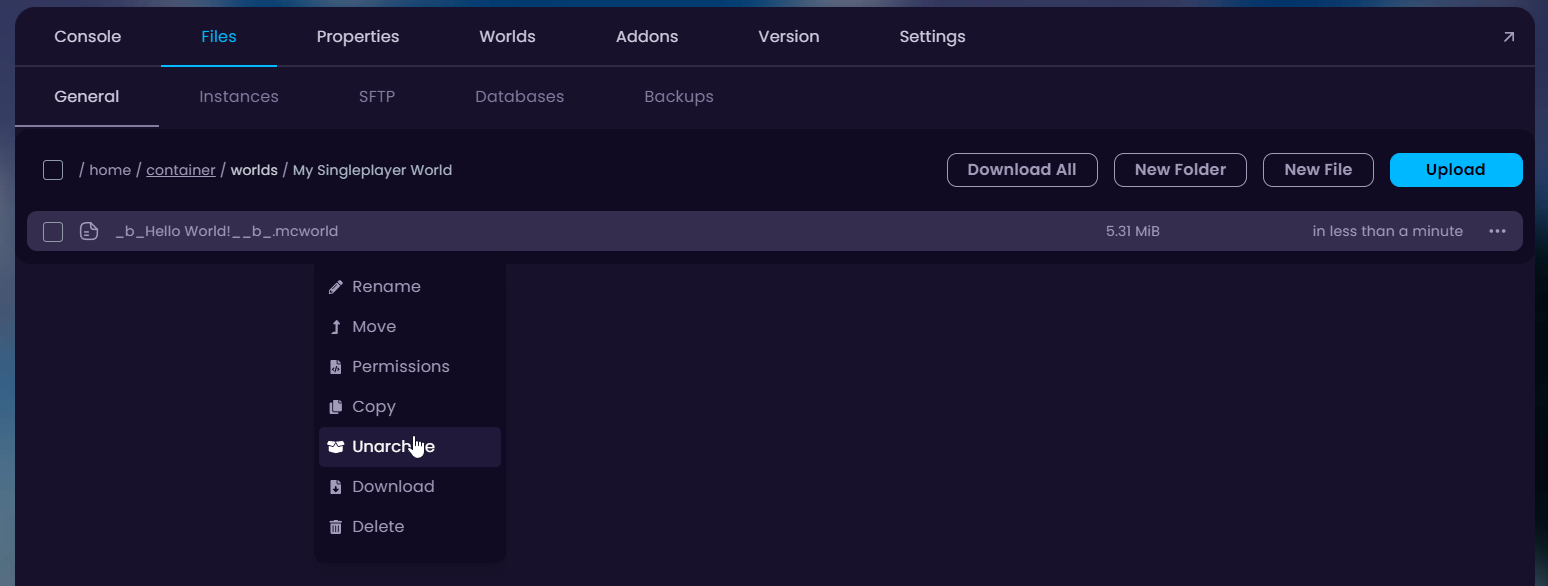
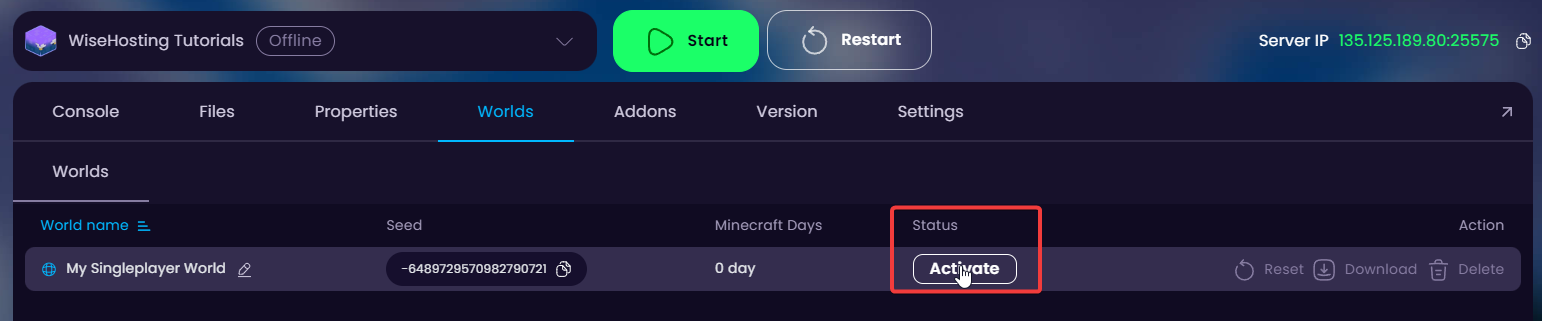
- Delete the .mcworld file from the folder and activate the new world through the “Worlds” tab in the game panel.
- Start your server.


