



💡
New external servers will only be available through the Minehut Partners Program to ensure that every server maintains the friendly, inclusive environment you expect from Minehut.
How To Connect Your Server to Minehut?
- Head over to the Game Panel and close the server.
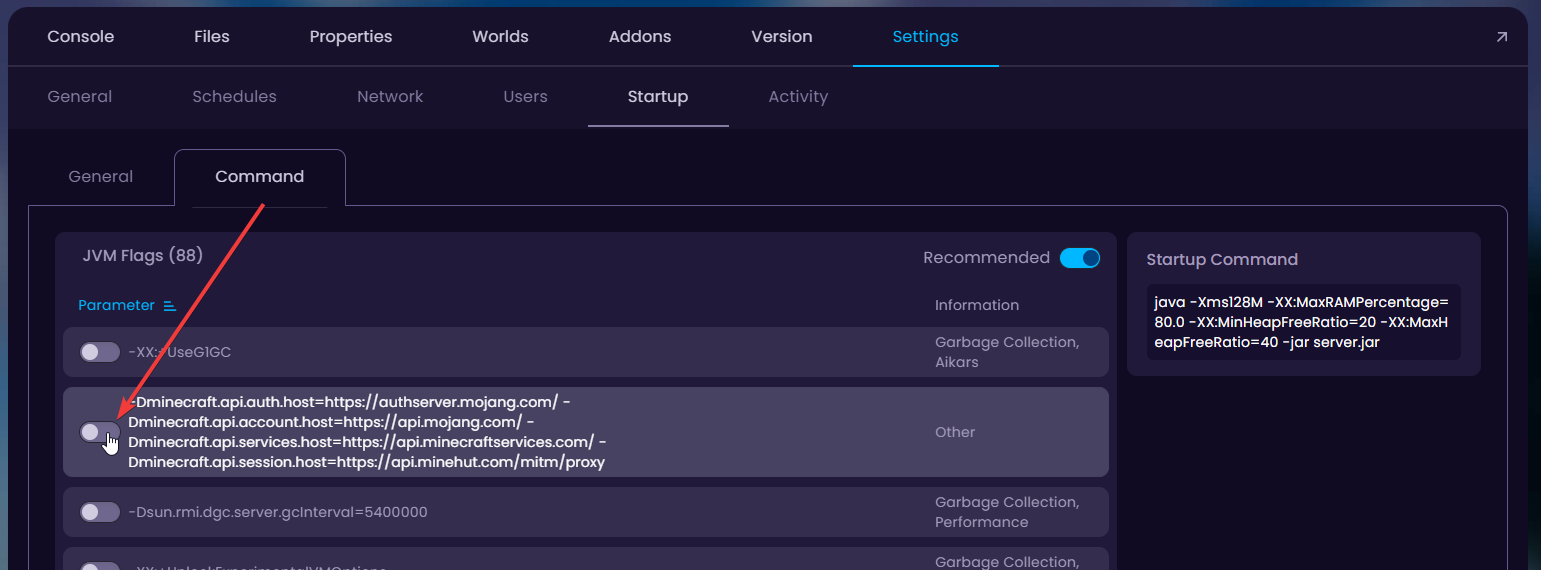
- Navigate to the Settings → Startup → Command tab and enable the minehut parameters as shown in the following screenshot.
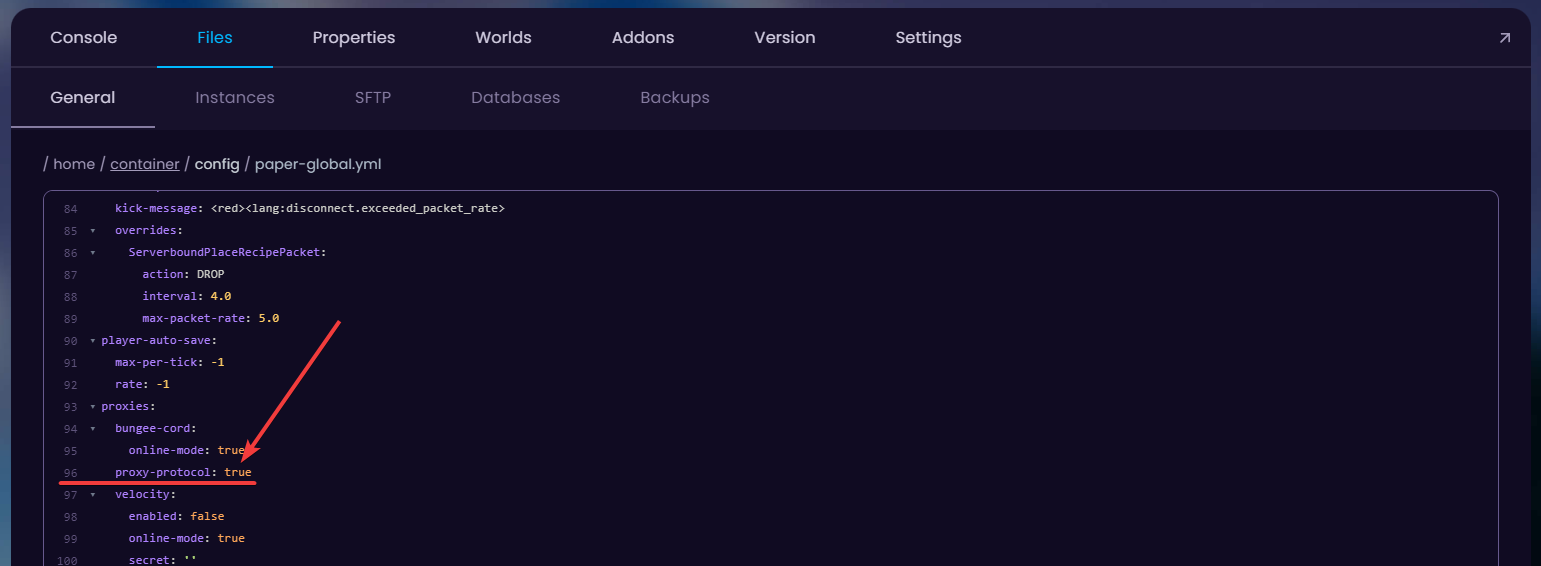
- If your server is running on Paper, navigate to the
/config/paper-global.ymlconfig file in the Files tab and change theproxy-protocol: falsetotrue.
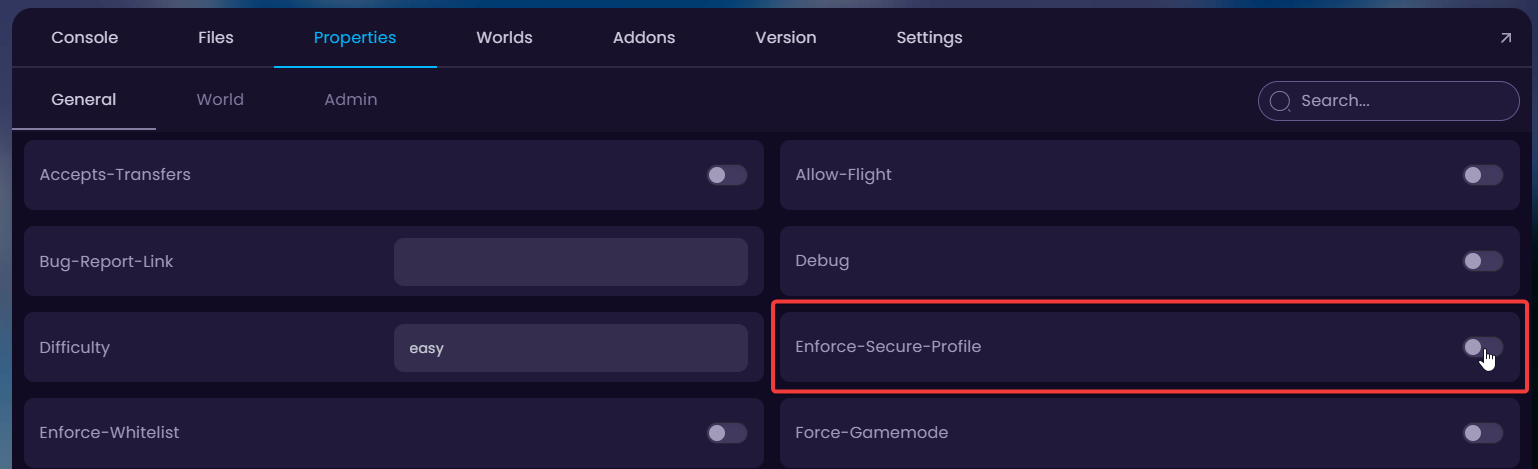
- Navigate to the Properties tab and change the
Enforce-Secure-Profileto OFF.
- Start the server.


