
20% OFF Your first order with SAVE20
Background image of the page

Help Article

How To Enable/Disable PVP In Your Minecraft Server?

A step-by-step guide on how to enable or disable PVP in your Minecraft server.

Last updated on  Feb 25, 2026

PVP enabled or disabled means players can or can not damage other players on your server. By default, PVP is enabled.


How To Disable/Enable PVP?

  1. Head over to the Game Panel and stop your server.
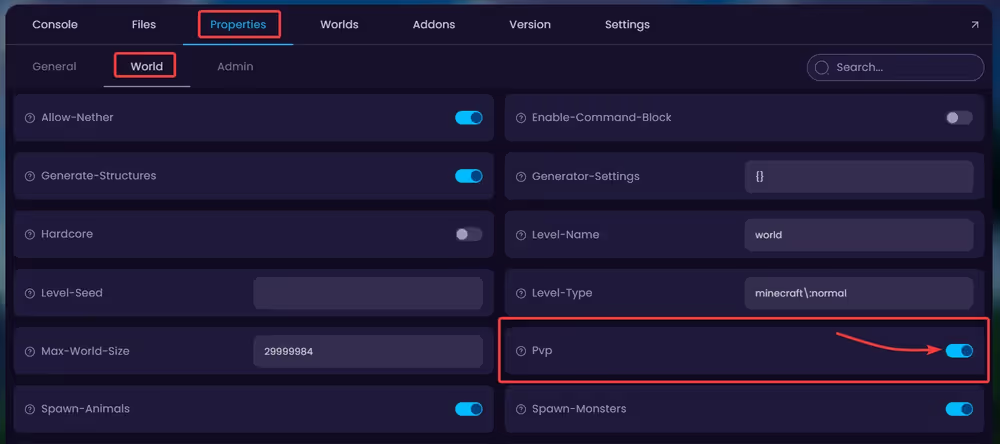
  2. Navigate to Properties → World tab and find the Pvp option. Toggle this option to enable/disable it.
🧑‍💻
If you still require assistance, please get in touch with our support team by opening a ticket or by joining our community Discord server.