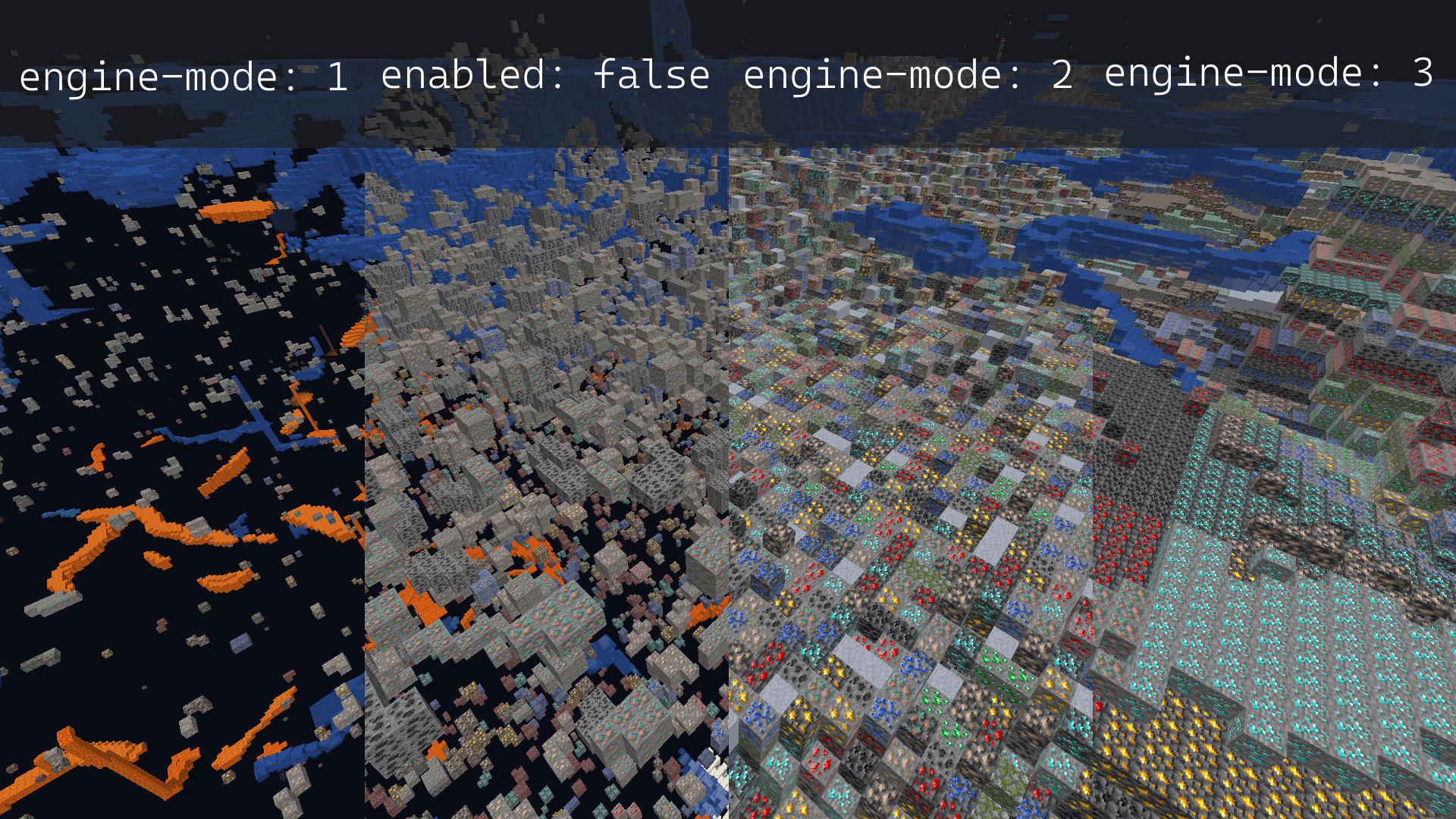
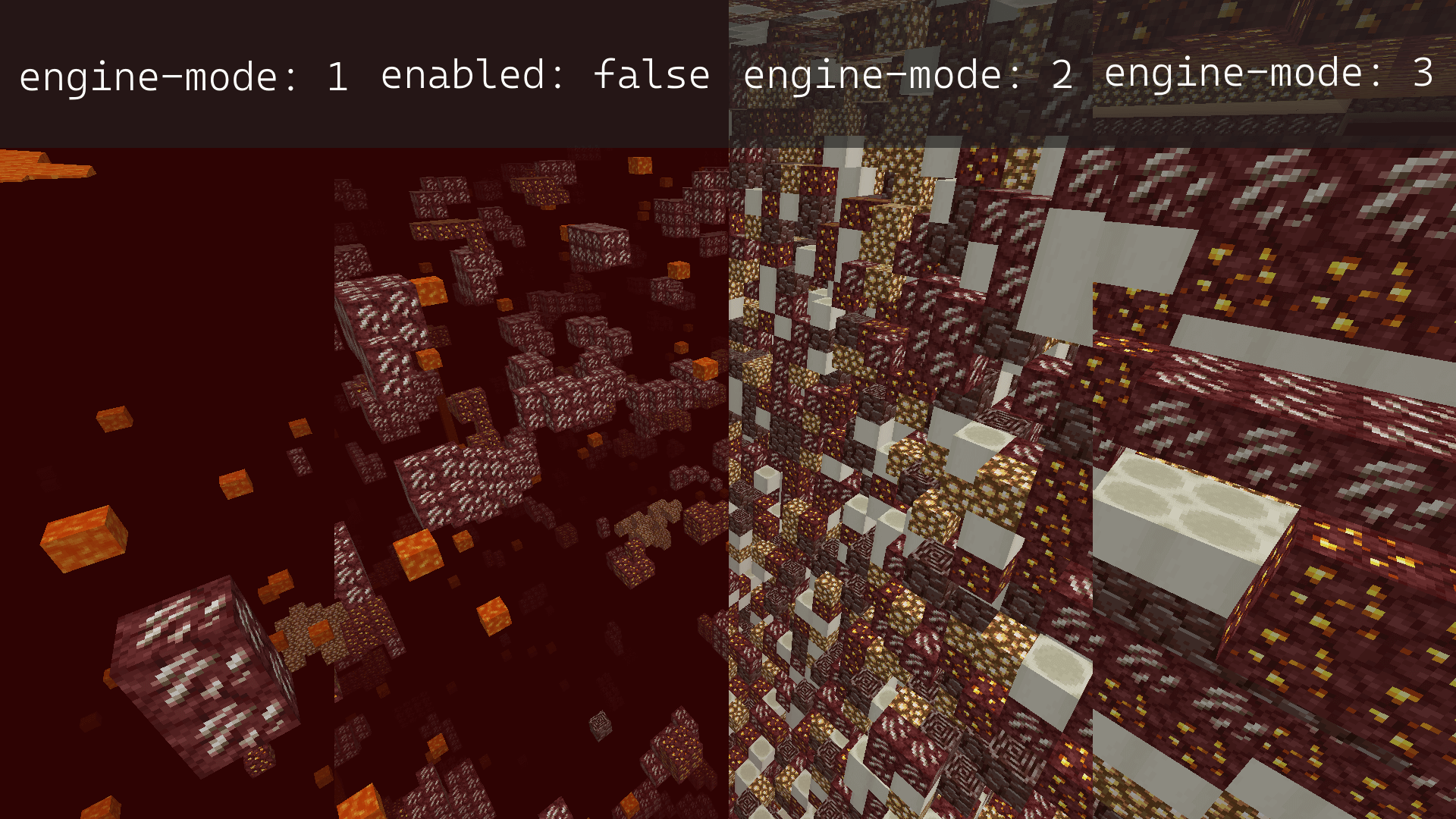
For this tutorial we will be using the built-in anti-xray system on Paper servers. If you're running Spigot, Fabric, Forge, or any other version, you may need to download a third-party anti-xray mod/plugin.
How to Enable AntiXray?
- Head over to the Game Panel and stop your server.
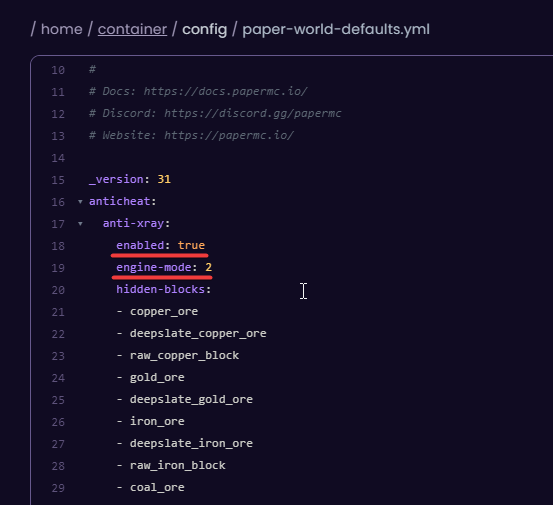
- Navigate to the Files → /config →
paper-world-defaults.ymlfile. - From this file, you're able to enable or disable Anti-Xray and select the engine mode. (how powerfully would you like the anti-xray to work).
Here's an image showcasing each engine-mode affects the anti-xray (overworld and nether).