

How To Download World/Files?
- Head over to the Game Panel and stop your server.
- Navigate to the Files tab.
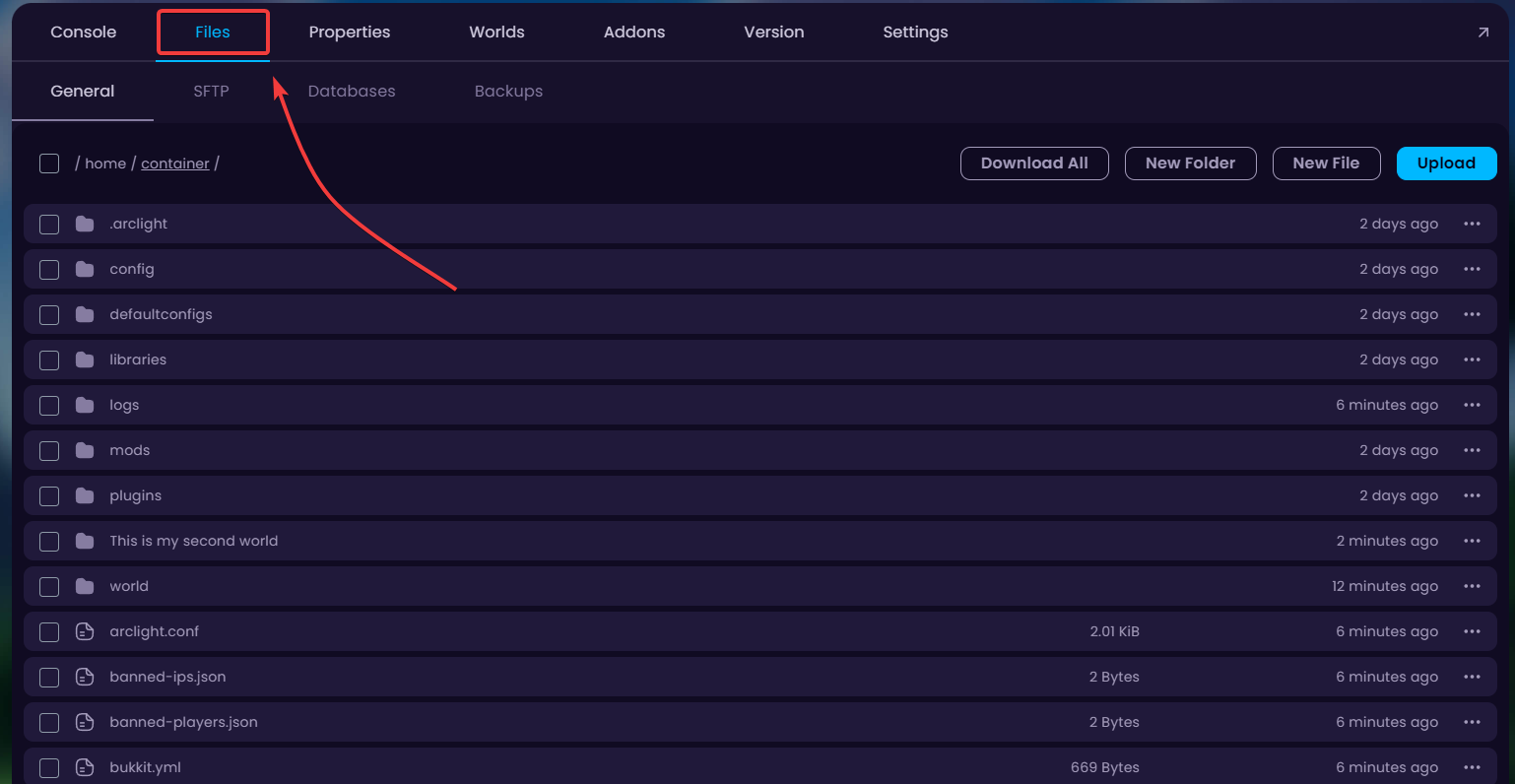
- This is the main directory of all your Minecraft server's files. Go ahead and tick all the boxes of the files/folders you'd like to download.
When clicked, buttons appear on the bottom of your screen to Move/Archive/Delete the selected files. To download, first we have to Archive the files.
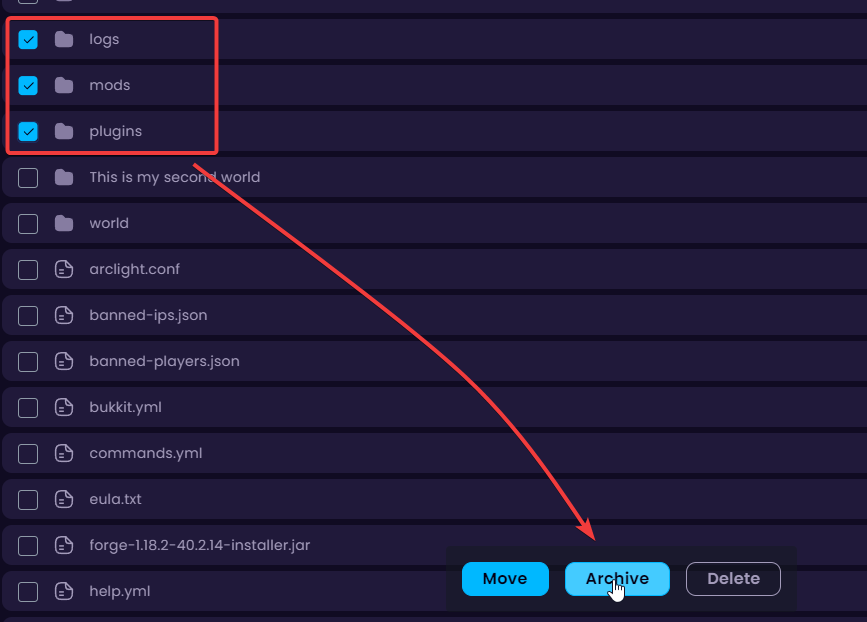
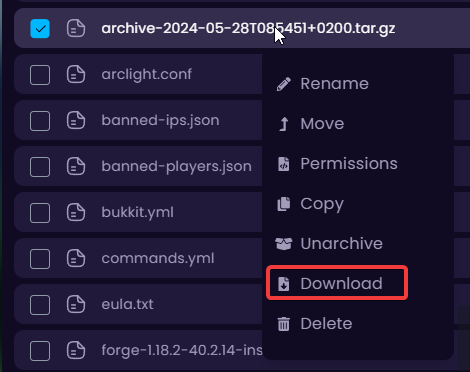
- It takes a few seconds to archive all the files. Once it's done, a new file will be generated which is named something like
archive-... .tar.gz. Right-Click on it and click on Download.
You might need to install 7-Zip or WinRAR to be able to extract the downloaded file.


