

In this guide we will be using the MCASelector software. Please download the latest version of MCASelector here.
How To Delete Specific Chunks in Your World?
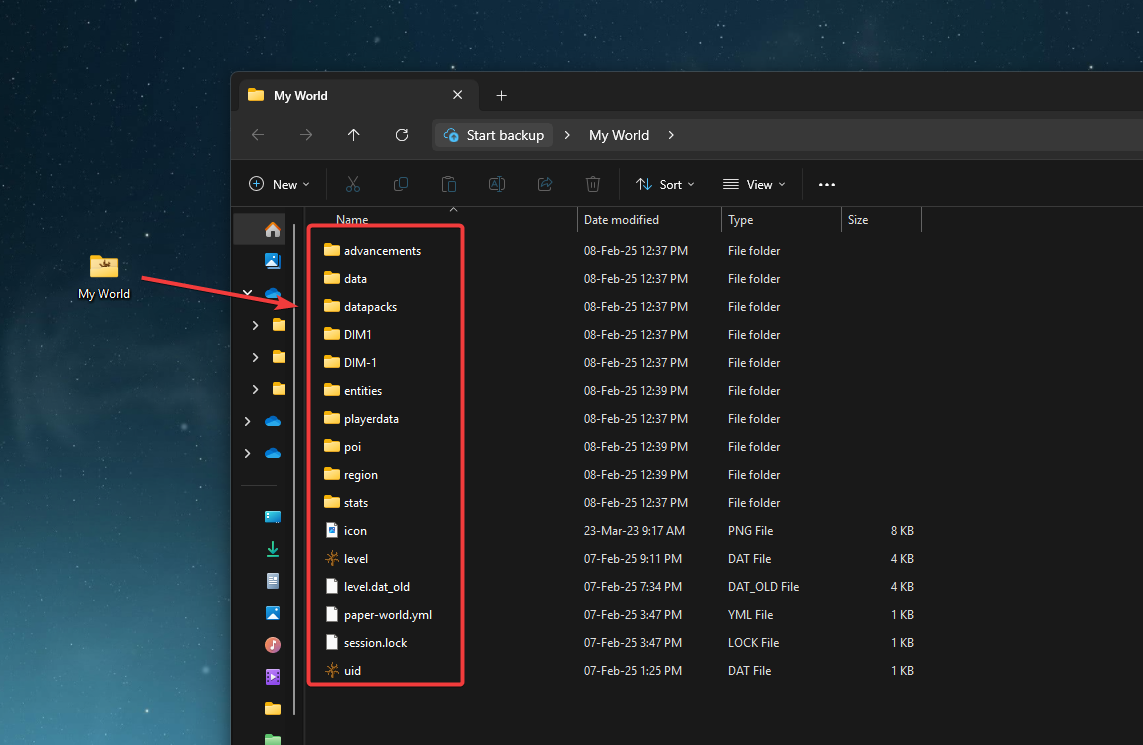
- Download the world you wish to delete chunks from and make sure all the world data is inside a folder like this:
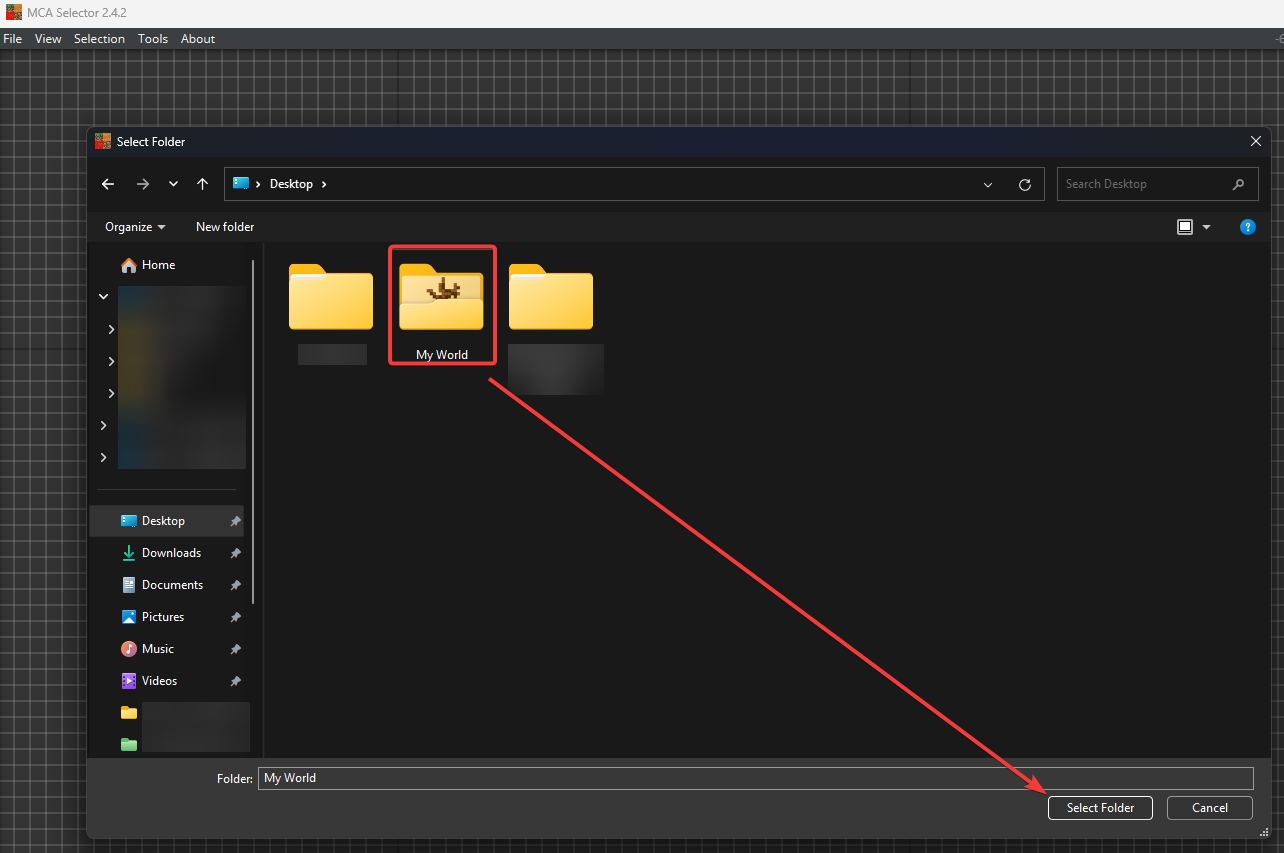
- Install and open MCASelector and navigate to File → Open World. Find the world’s folder and click on Select Folder.
- Now you can select the dimension you would like to edit.
<world_name>: Overworld
DIM-1: The Nether
DIM1: End

- You can edit the world with the following buttons:
Press Scroll Wheel / Middle-Mouse-Button: Move Around
Left-Click: Select Chunks/Area
Right-Click: De-Select Chunks/Area
After selection, open the Navigation tab and from there you can run specific actions such as deleting the chunks (CTRL + D), export selected chunks (CTRL + Shift + E), and more. - Once you have edited the world to your liking, you can simply close the program and upload the same files back onto the server.
🧑💻
If you still require assistance, please get in touch with our support team by opening a ticket or by joining our community Discord server.


