How To Create a New World?
- Head over to the Game Panel and stop your server.
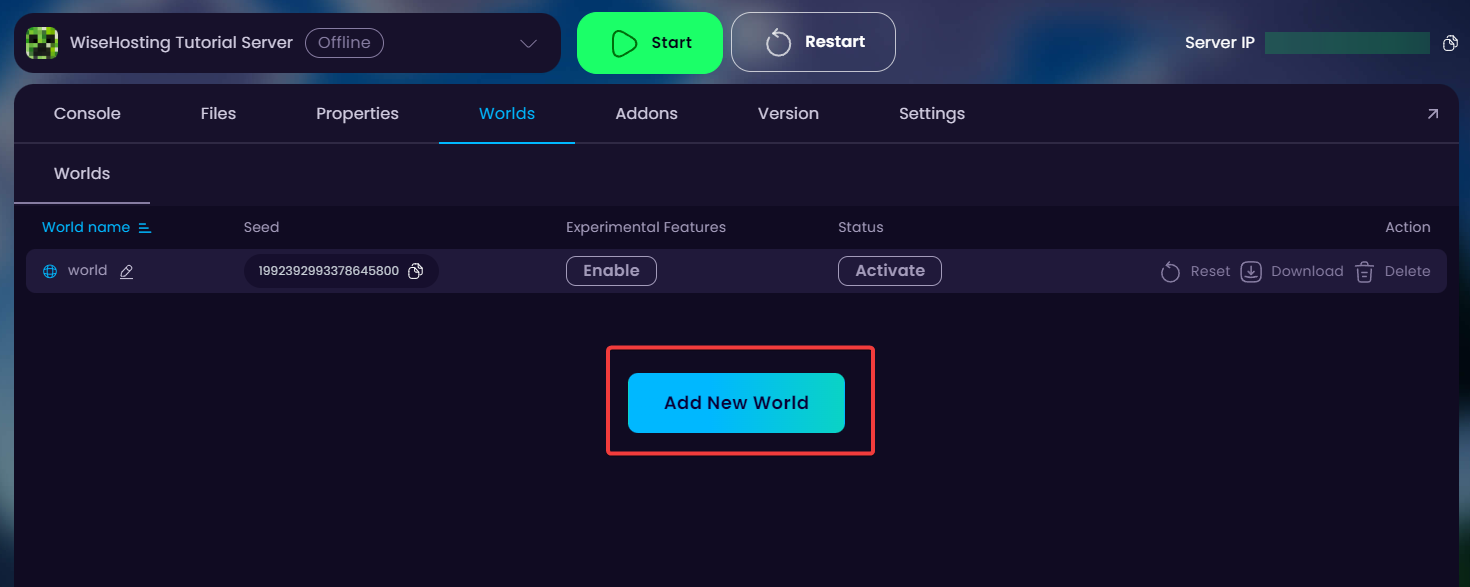
- Navigate to the Worlds tab and click on Add New World → Create New World button.
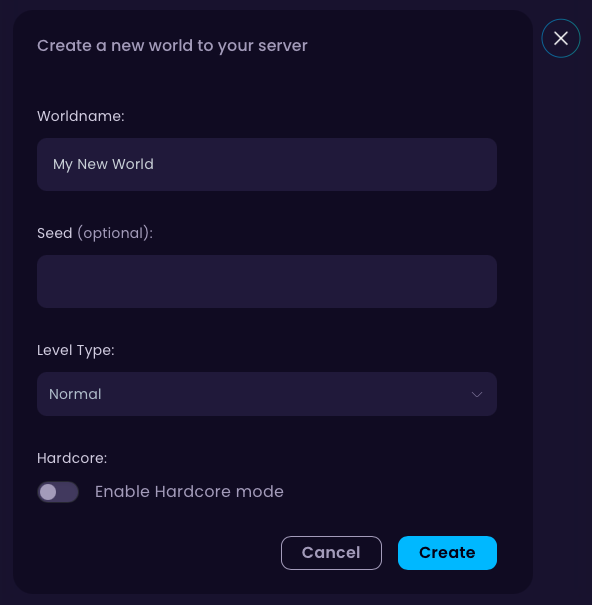
- Choose your preferred world name, seed (optional) and the level type. After that, click on the Create button.
- Done! Start your server for all the necessary files for the new world to be generated.
👉
NOTE: Your old world files will be kept on your server storage until you manually delete the world.
How To Change Back To My Previous World?
- Head over to the Game Panel and stop your server.
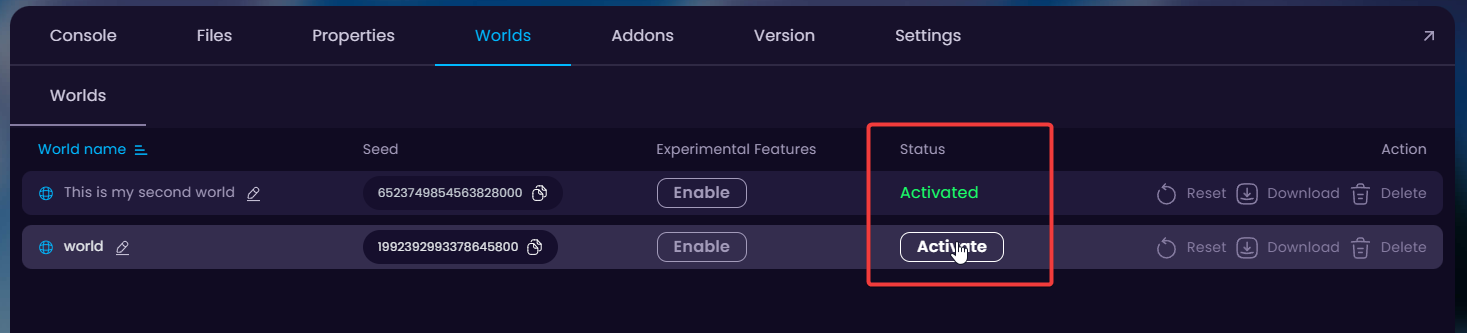
- Navigate to the Worlds tab and click on Activate on the world that you wish to change back to.