



How To Create a Custom Subdomain?
- Log in to your Game Panel account and select the server you wish to add the subdomain to.
👉
NOTE: Make sure your server has been TURNED OFF before proceeding.
- Head over to the Settings → Network → Subdomain tab.
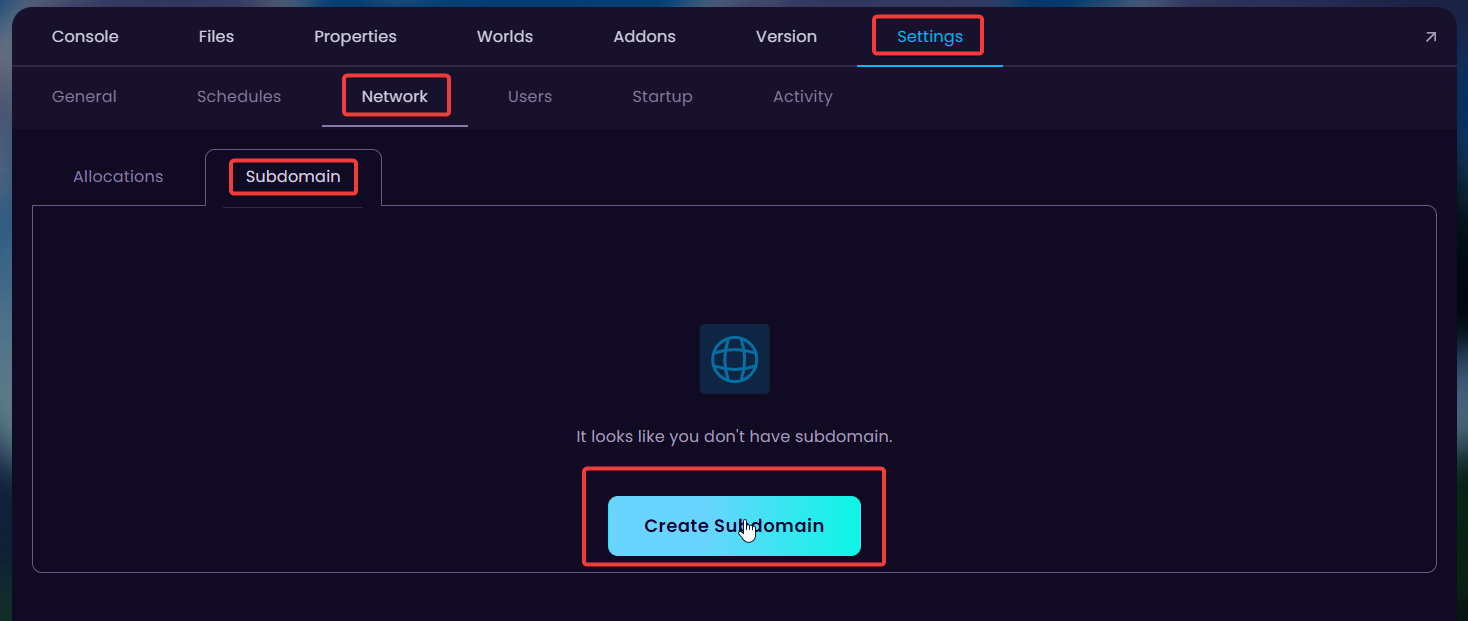
- Click on the Create Subdomain button to type and select the domain you wish to use.
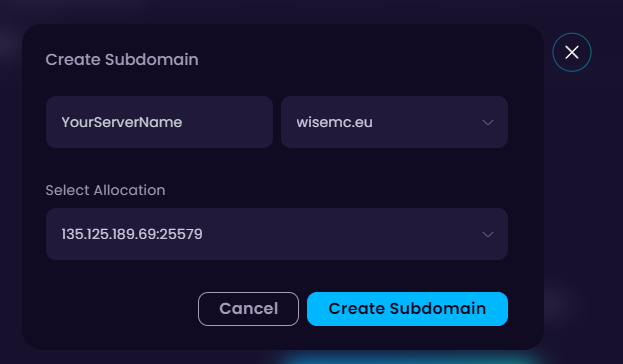
- Click on Create Subdomain and you're done! Make sure to start the server to enjoy the brand new domain.


