By default it's not possible to upload your Bedrock world to a server which is in Java Edition. However, in this tutorial we'll be showing you step-by-step on how to do that.
👉
NOTE: The software we're going to be using here is called "Chunker". This software is still in development and may not work with large worlds.
Please back up your data before proceeding.
Step 1: Download Your World
- Head over to the Game Panel and stop your server.
- Navigate to the Files tab and download your world that you'd like to convert.
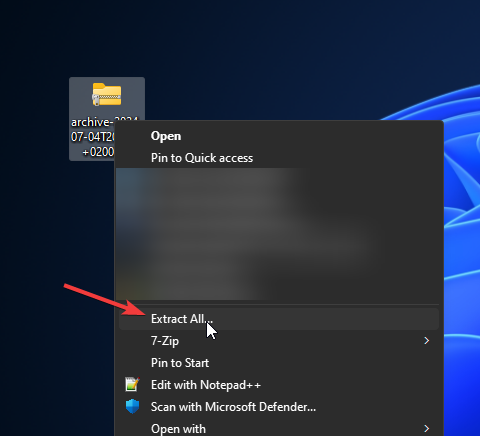
- Once you have the archive download, click on Extract All to extract all the files.
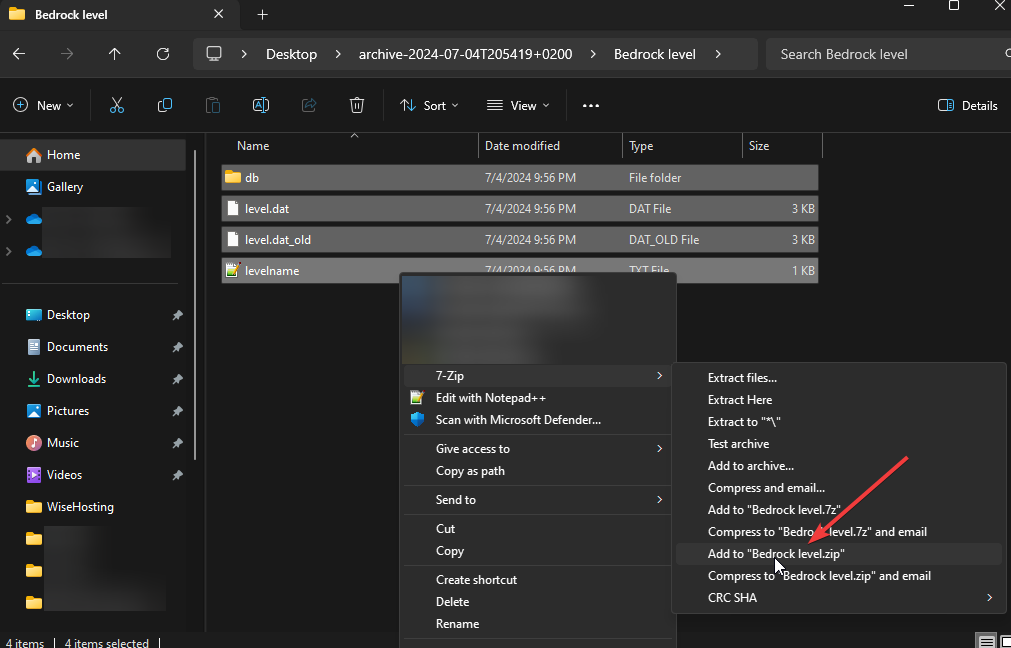
- When extracted, open the folder and select the contents to zip it. This requires 7zip (or a similar program) to be installed on your device.
- Great work! You're ready to proceed to the next step and convert the world.
Step 2: Converting The World using Chunker
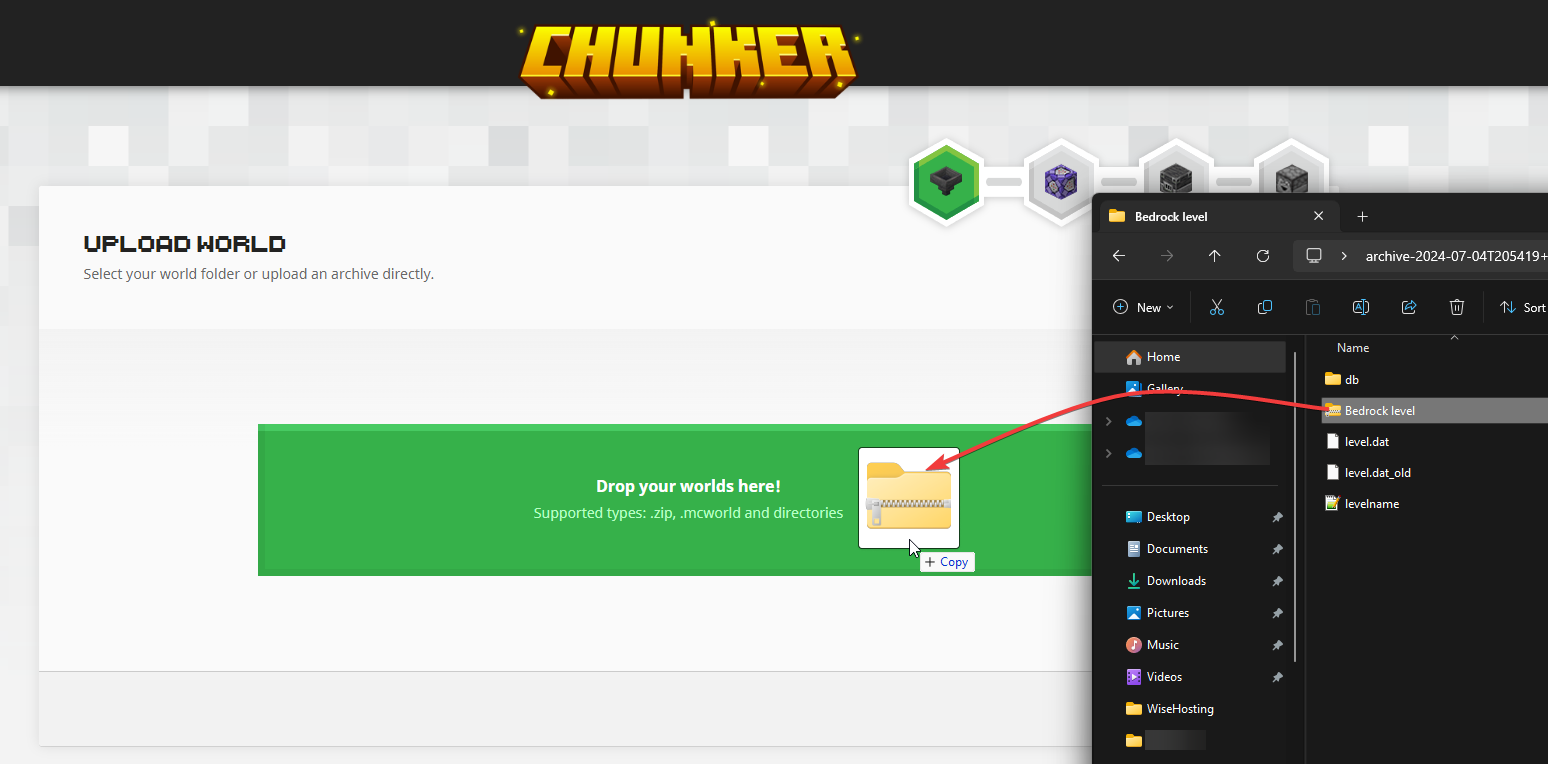
- Head over to the Chunker's website and upload the zip folder in there.
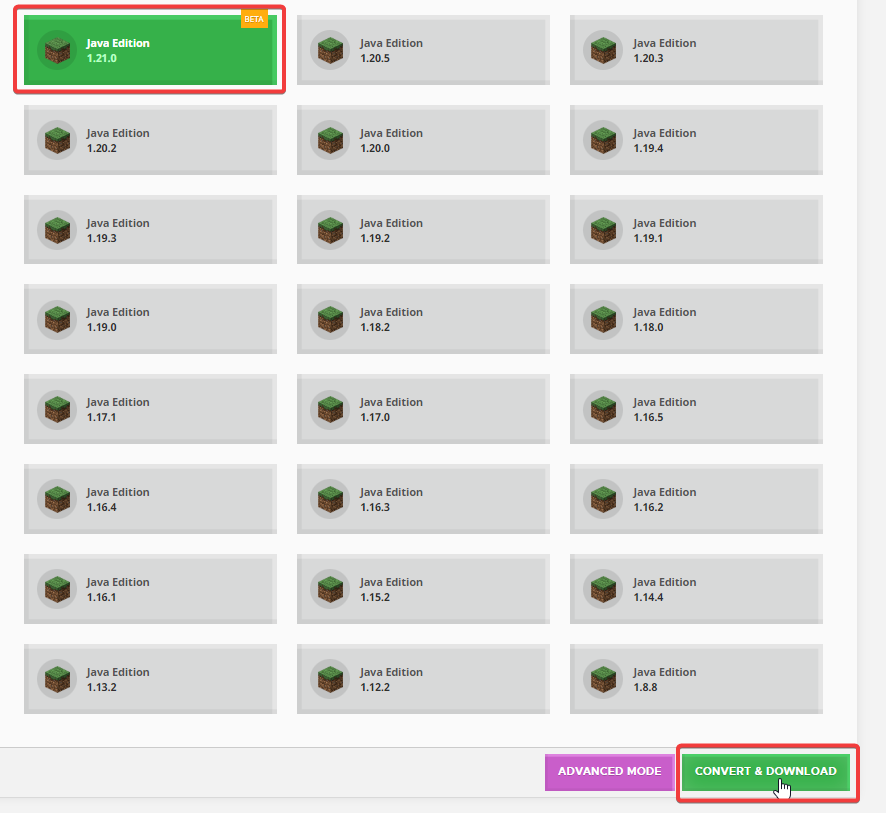
- Select the version you'd like to convert the world to and click on Convert & Download in the bottom.
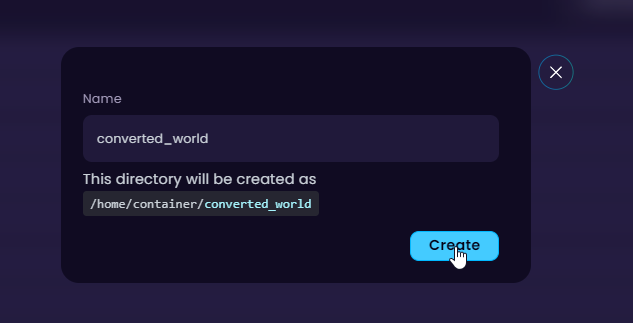
- Once converted, navigate to your Java Edition server and create a new folder where we will upload these files to.
- Navigate to the newly generated folder, upload the zip there and unarchive it.
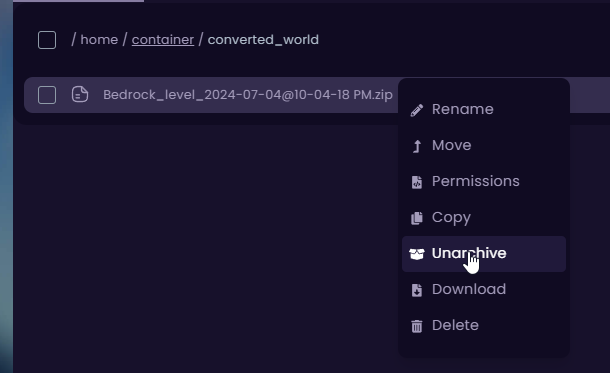
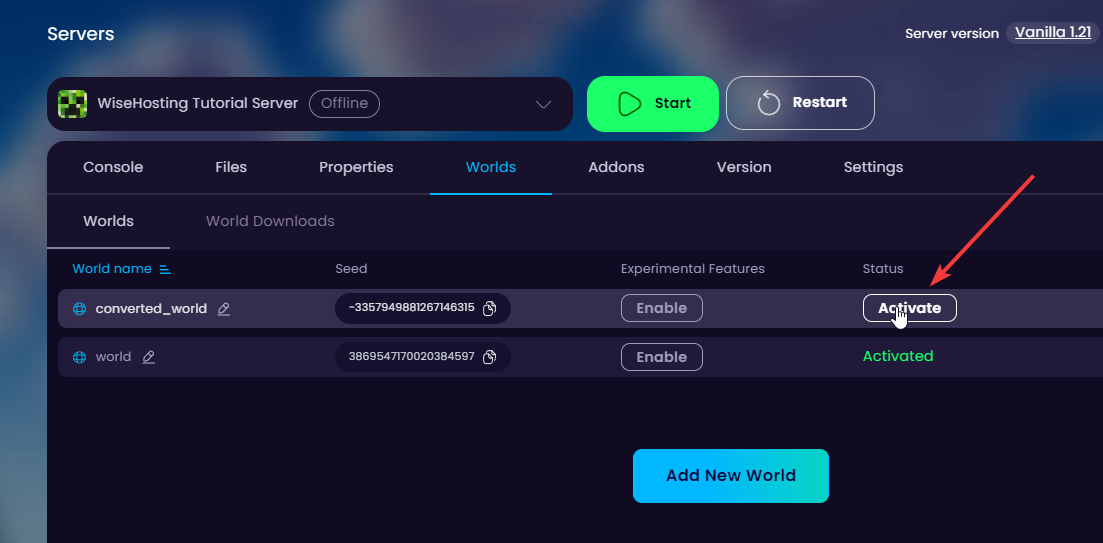
- Once unarchived, navigate to the Worlds tab and activate the new world.