

Through Namecheap you’re able to buy and manage domains. With a domain, you’re able to transfer your regular server IP (135.125.1.2:25492) to something like play.wisehosting.com!
👉
For this you need to purchase a domain through Namecheap.
How To Connect Your Domain (e.g., yourserver.com)?
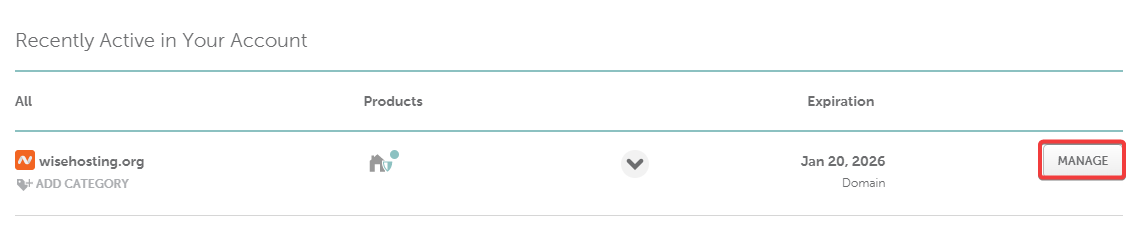
- Head over to your Namecheap’s Dashboard and click on the Manage button.
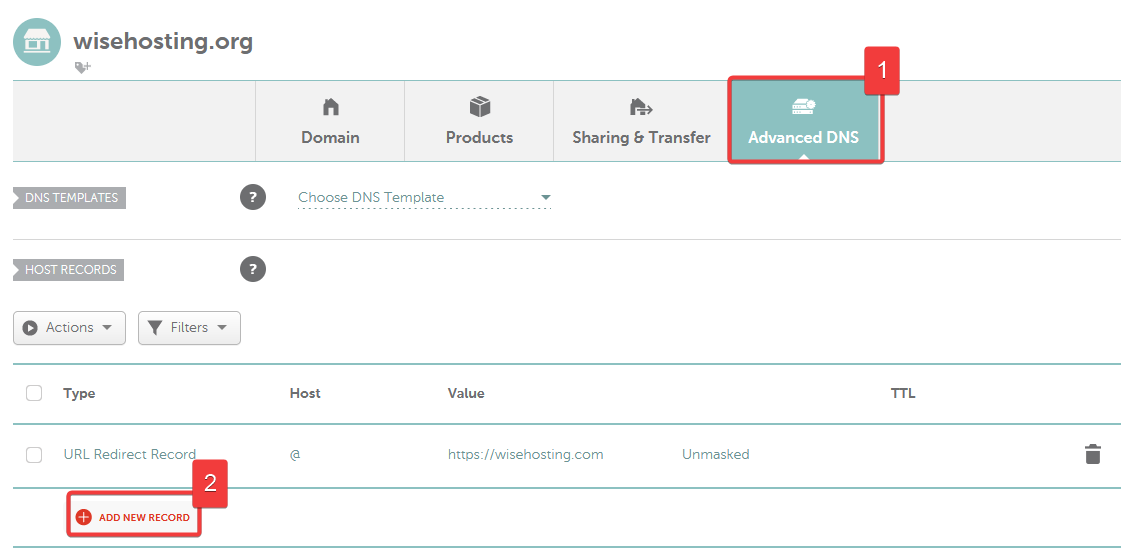
- Navigate to the Advanced DNS tab and click on the Add New Record button.
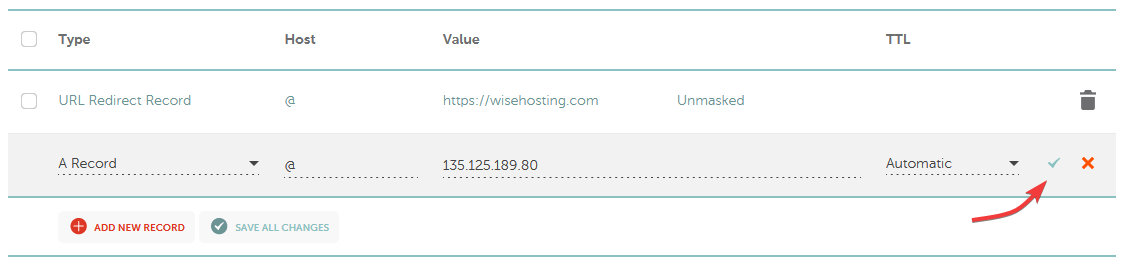
- After clicking on Add New Record, enter the following values:
Type: A Record
Host:@
Value: Your Minecraft Server IP (e.g., 135.125.181.30)
TTL: Automatic
- (Optional) This step is optional and only applies if your Minecraft server does not have the Dedicated IP addon purchased (:25565 port).
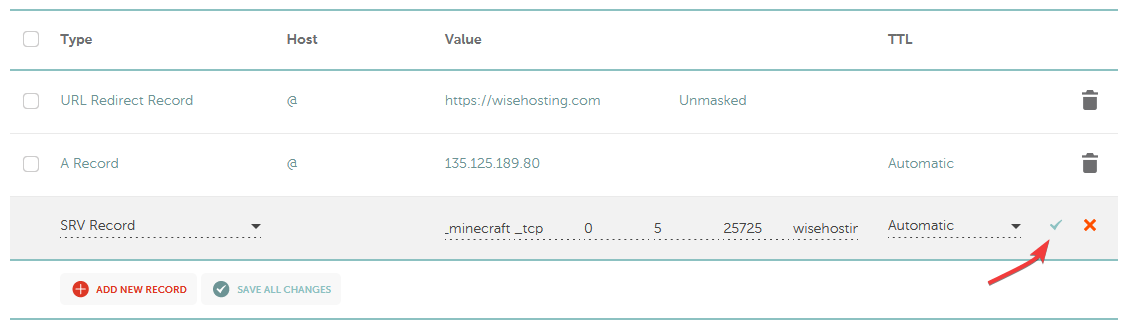
Click ‘Add New Record’ again and enter the following values:
Type: SRV Record
Service:_minecraft
Protocol:_tcp
Priority:0
Weight:5
Port: Your Minecraft Server Port (e.g., 25725)
Target: Your Domain (e.g., wisehosting.org)
TTL: Automatic
- Done! It may take up to 48 hours for the DNS records to be updated globally, but in most cases it’s pretty instant.
How To Create a Subdomain (e.g., play.yourserver.com)?
- Head over to your Namecheap’s Dashboard and click on the Manage button.
- Navigate to the Advanced DNS tab and click on the Add New Record button.
- After clicking on Add New Record, enter the following values:
Type: A Record
Host:play- This can be changed to your liking.
Value: Your Minecraft Server IP (e.g., 135.125.181.30)
TTL: Automatic

- (Optional) This step is optional and only applies if your Minecraft server does not have the Dedicated IP addon purchased (:25565 port).
Click ‘Add New Record’ again and enter the following values:
Type: SRV Record
Service:_minecraft
Protocol:_tcp
Priority:0
Weight:5
Port: Your Minecraft Server Port (e.g., 25725)
Target: Your Subdomain (e.g., play.wisehosting.org)
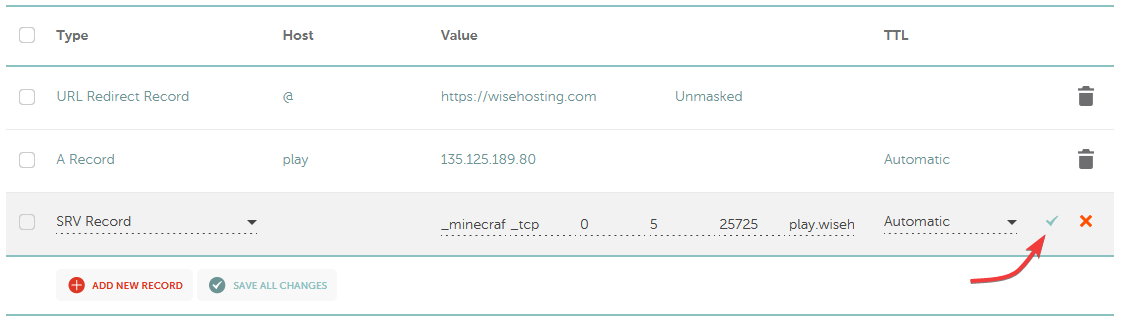
- Done! It may take up to 48 hours for the DNS records to be updated globally, but in most cases it’s pretty instant.
🧑💻
If you still require assistance, please get in touch with our support team by opening a ticket or by joining our community Discord server.


