

Through GoDaddy you’re able to buy and manage domains. With a domain, you’re able to transfer your regular server IP (135.125.1.2:25492) to something like play.wisehosting.com!
👉
For this you need to purchase a domain through GoDaddy.
How To Connect GoDaddy Domain (w/ Dedicated IP)?
For this you must have the Dedicated IP addon purchased on your server. If you have not purchased it, scroll down for the No Dedicated IP step-by-step guide.
- Head over to your GoDaddy’s Domain Portfolio and click on the “… → Edit DNS” button.
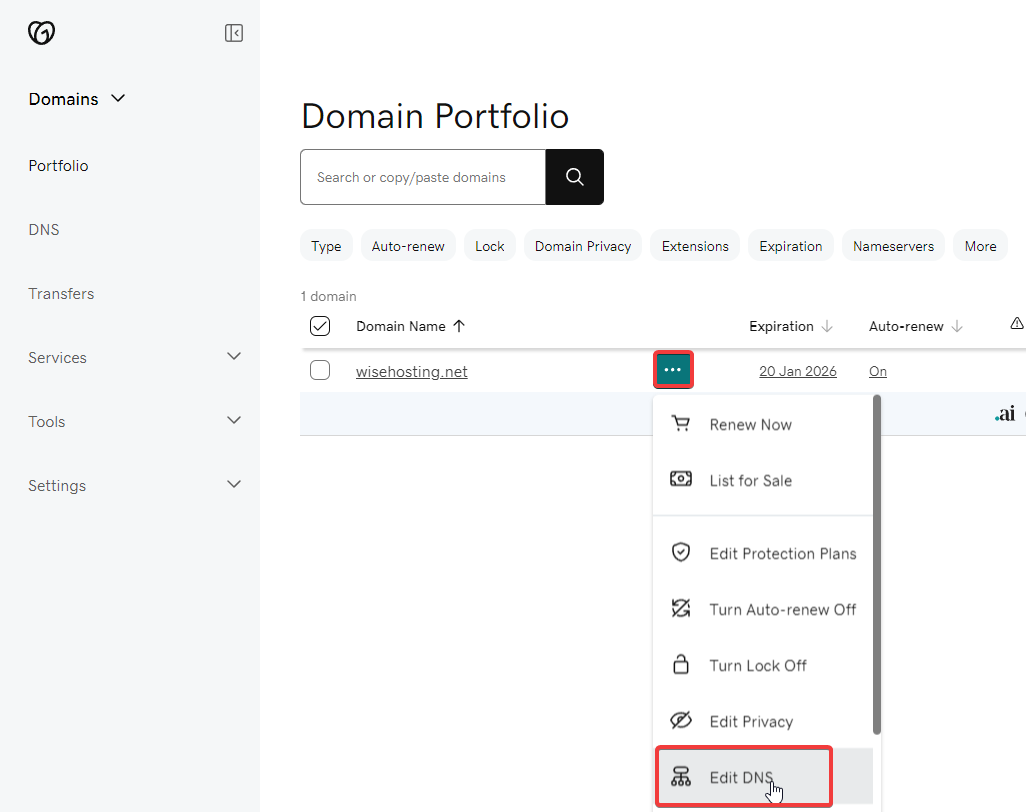
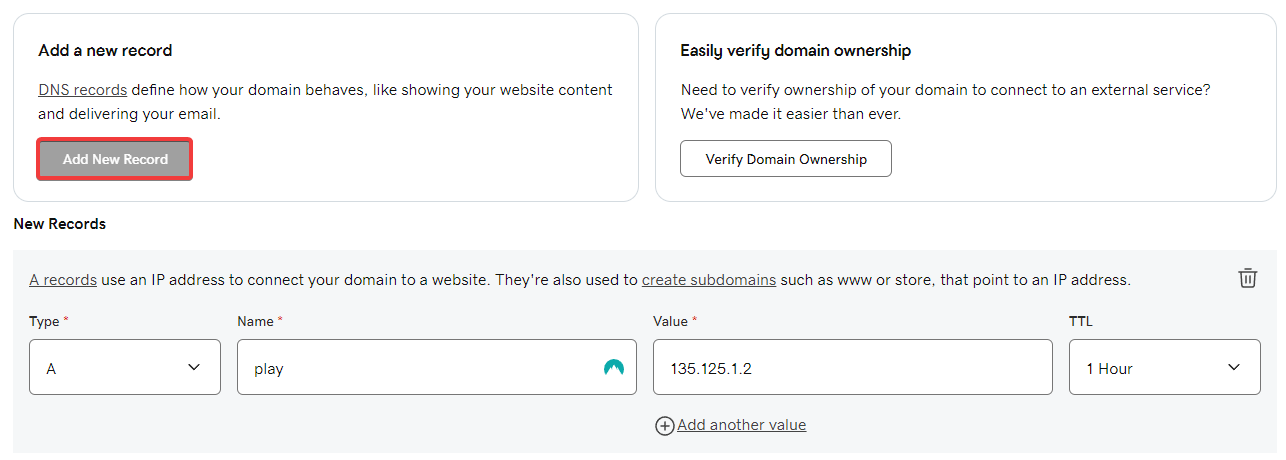
- Click on the Add New Record button and use the following format:
Type:A
Name:play- This is going to be the address you will use to join the server. In this case it’d be play.wisehosting.com.
Value:<server_ip>- This is going to be your server’s IP without the port.
TTL:1 Hour
Everything should look similar to the following:
- Done! It may take up to 48 hours for the DNS records to be updated globally, but in most cases it’s pretty instant.
How To Connect GoDaddy Domain (No Dedicated IP)?
- Head over to your GoDaddy’s Domain Portfolio and click on the “… → Edit DNS” button.
- Click on the Add New Record button and use the following format:
Type:A
Name:play- This is going to be the address you will use to join the server. In this case it’d be play.wisehosting.com.
Value:<server_ip>- This is going to be your server’s IP without the port.
TTL:1 Hour
Everything should look similar to the following:
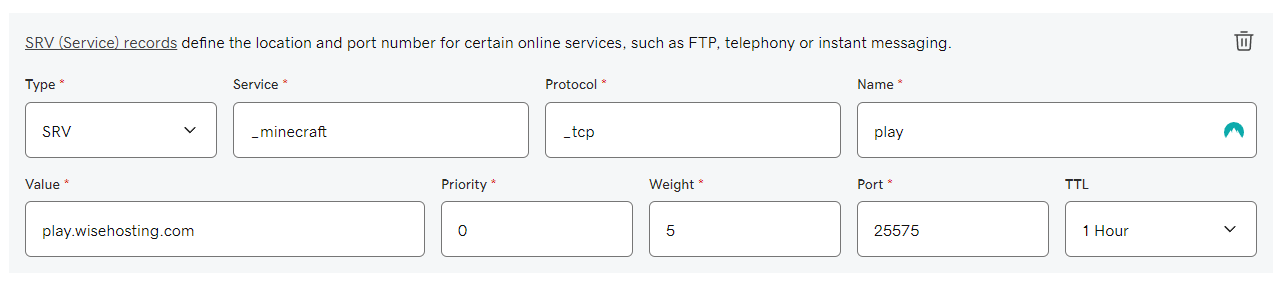
- Now we’re going to be creating a new record by using the following format:
Type: SRV
Service:_minecraft
Protocol:_tcp
Name:play- The same one as in step 4.
Value:<name>.<domain>- This is going to be the entire address. In this case it’d be play.wisehosting.com.
Priority:0
Weight:5
Port:<primary_port>- This is going to be the primary port of your server.
TTL:1 Hour
Everything should look similar to the following:
- Done! It may take up to 48 hours for the DNS records to be updated globally, but in most cases it’s pretty instant.


