

Adapting to mod loader changes and ensuring your server is in sync with the latest version is now easier than ever with our built-in system. You can still do it manually and in this guide we'll be going over both ways.
💡
If your world is important to you, we strongly advise caution when considering a downgrade. It's recommended to create a backup of your world before attempting any version changes, allowing you to restore it in case of unexpected issues.
Fabric Loader, the powerhouse behind many Minecraft mods, evolves over time to bring bug fixes, performance enhancements, and new features. However, as it progresses, mods may require specific Fabric Loader versions to run smoothly or even start up in some cases.
Method 1: How To Change the Fabric Loader?
- Head over to the Game Panel and stop your server.
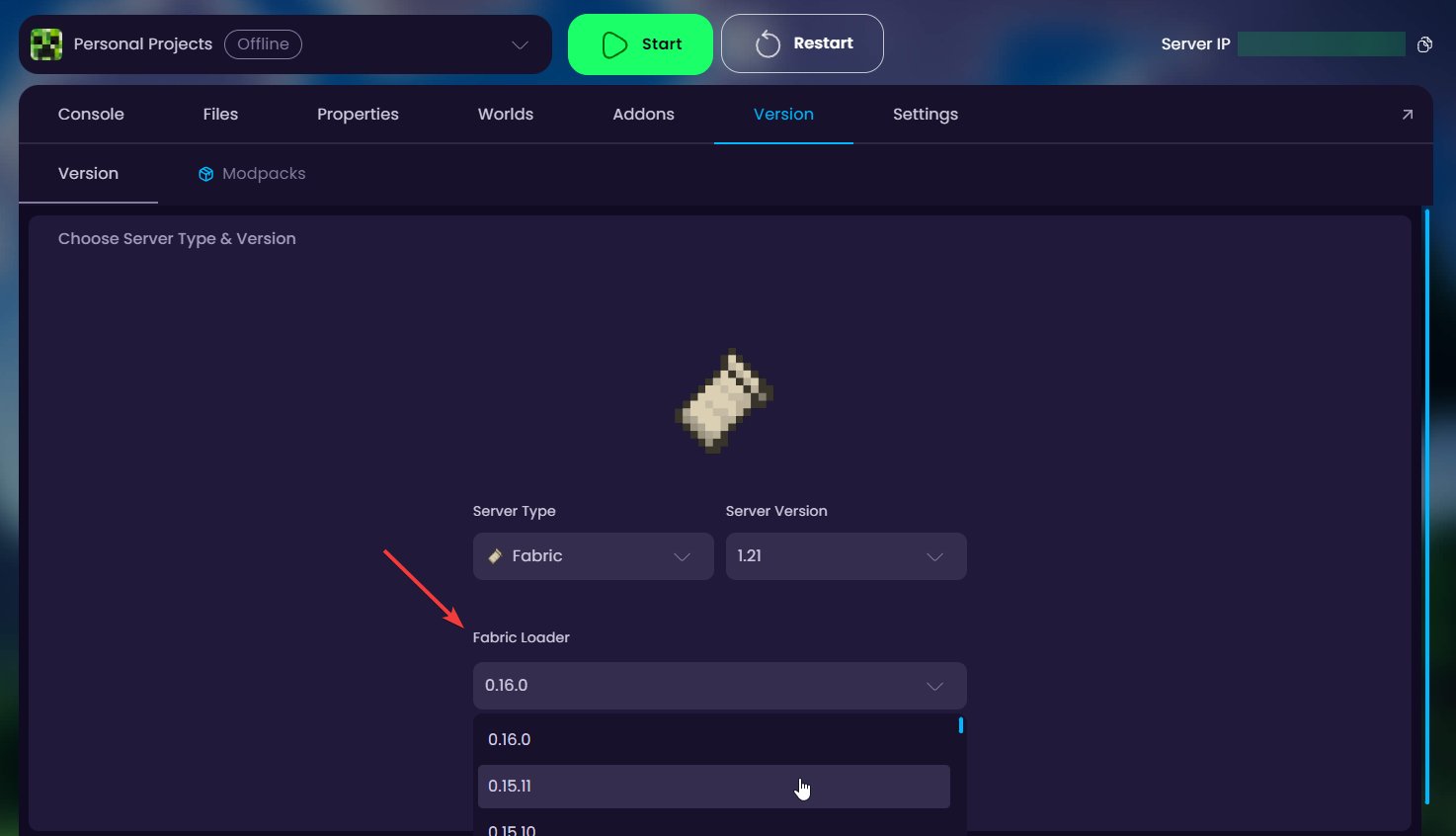
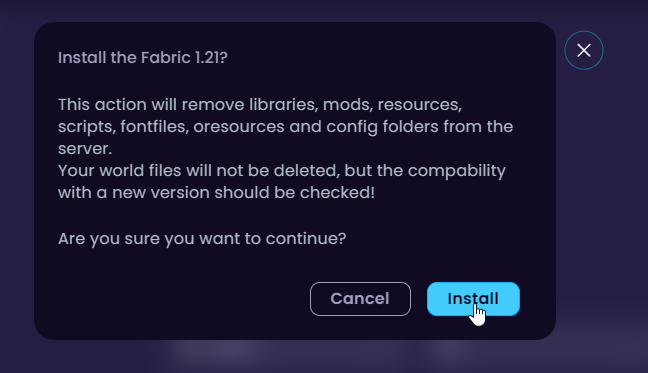
- Navigate to the Version tab and select Fabric as the server type. After that, the Fabric Loader selector pops up.
Method 2: How To Change the Fabric Loader?
- Head over to the Game Panel and stop your server.
- Navigate to the Settings → Startup tab.
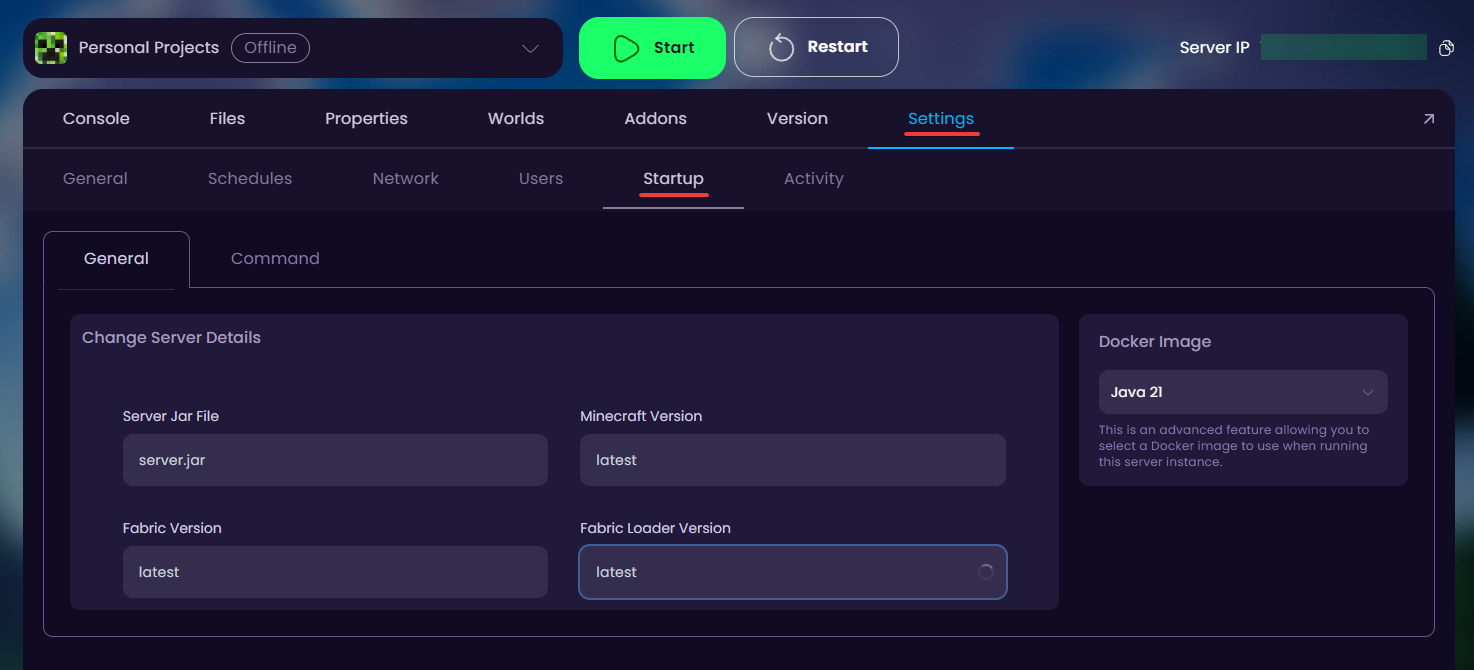
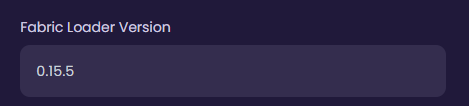
- Change the Fabric Loader Version to your desired loader version.
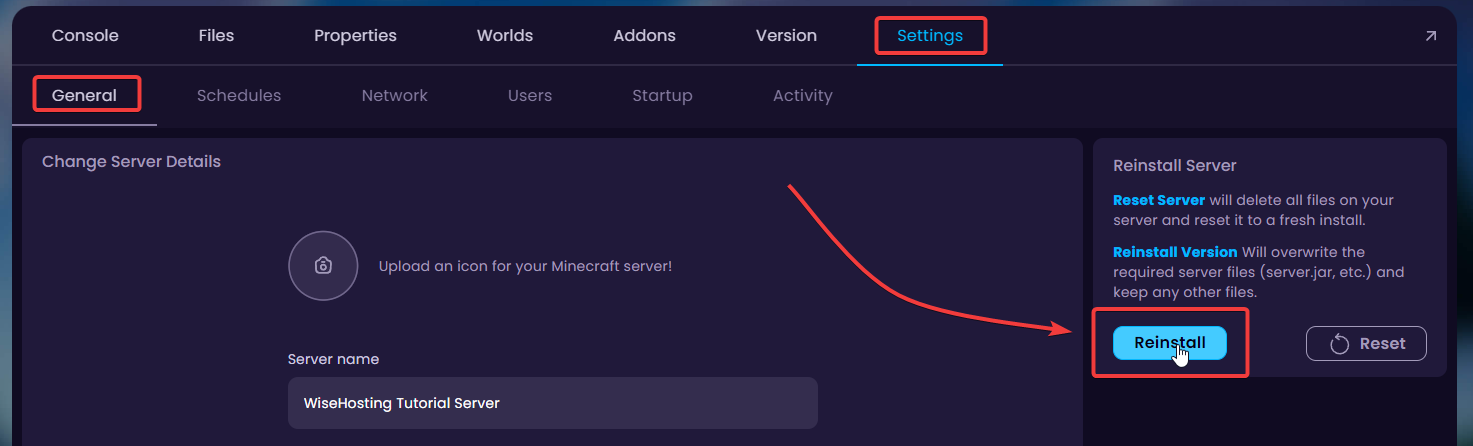
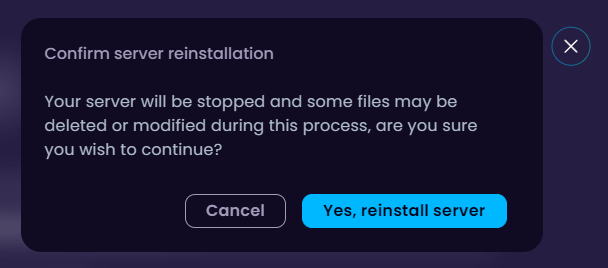
- Go to Settings → General and reinstall your server files.
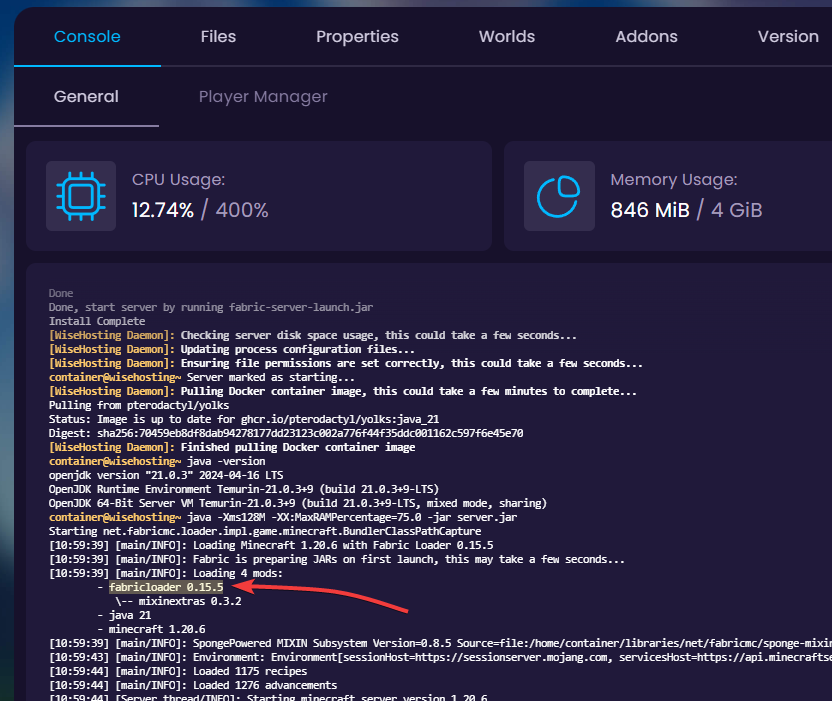
- Check the console to confirm if the server started up with the new loader version.
🧑💻
If you still require assistance, please get in touch with our support team by opening a ticket or joining our community Discord server.


