



To prevent griefers and hackers from accessing your server, please make sure to follow the guide on Step 2 and install Authentication plugin.
When you change the line online-mode, your server will reset all the players inventories and statistics as it creates new (local) UUIDs for every player.
How to Enable Cracked Players?
- Head over to the Game Panel and stop your server.
- Navigate to the Properties tab.
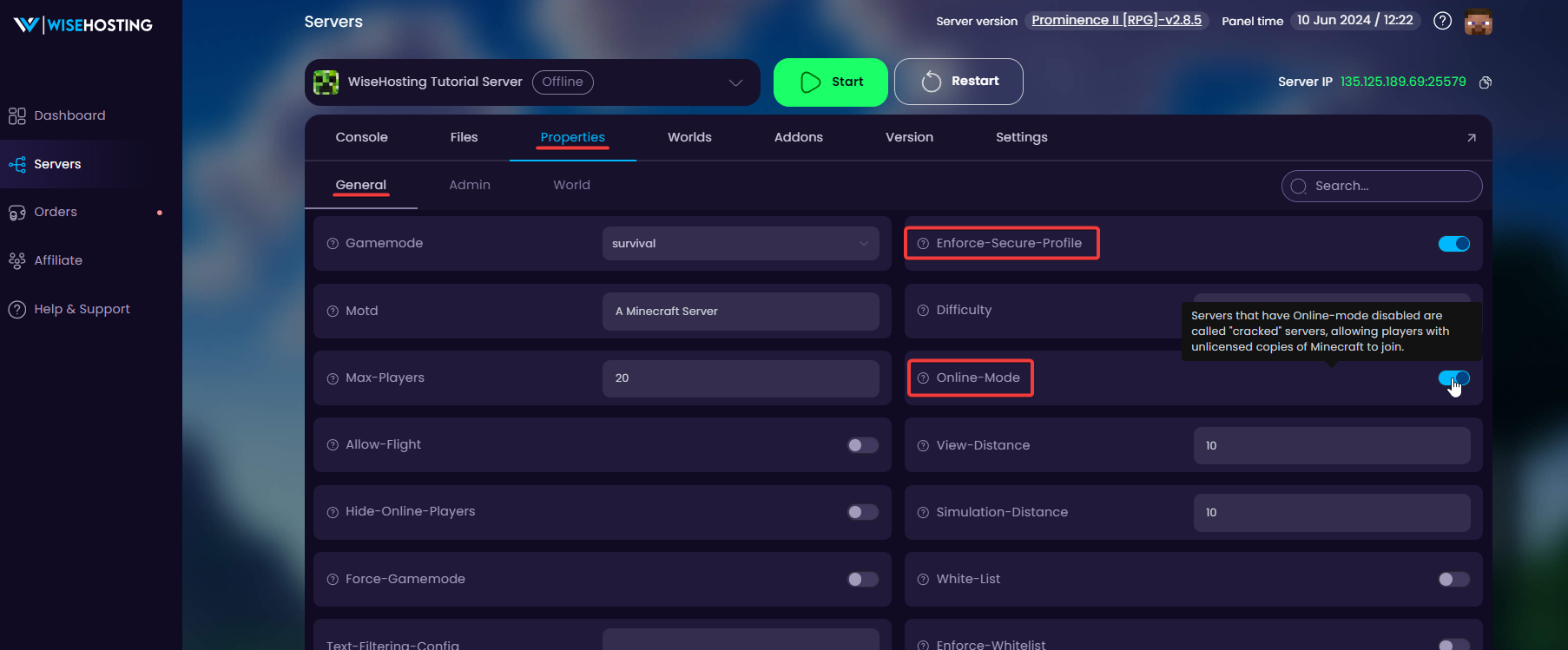
- Find the following options, and change their values from "enabled" to "disabled":
enforce-secure-profile
online-mode- Done! You can now start the server for changes to take effect.
How to Prevent Username Stealing on Your Cracked Server?
When online-mode is disabled, players are not authenticated by Mojang's servers before connecting, meaning anyone could log in using another player's username.
To prevent unauthorized account access, you'll need to install an authentication plugin such as AuthMeReloaded.
- Plugin Server: Install and configure AuthMeReloaded automatically via Addons → Presets in the game panel.
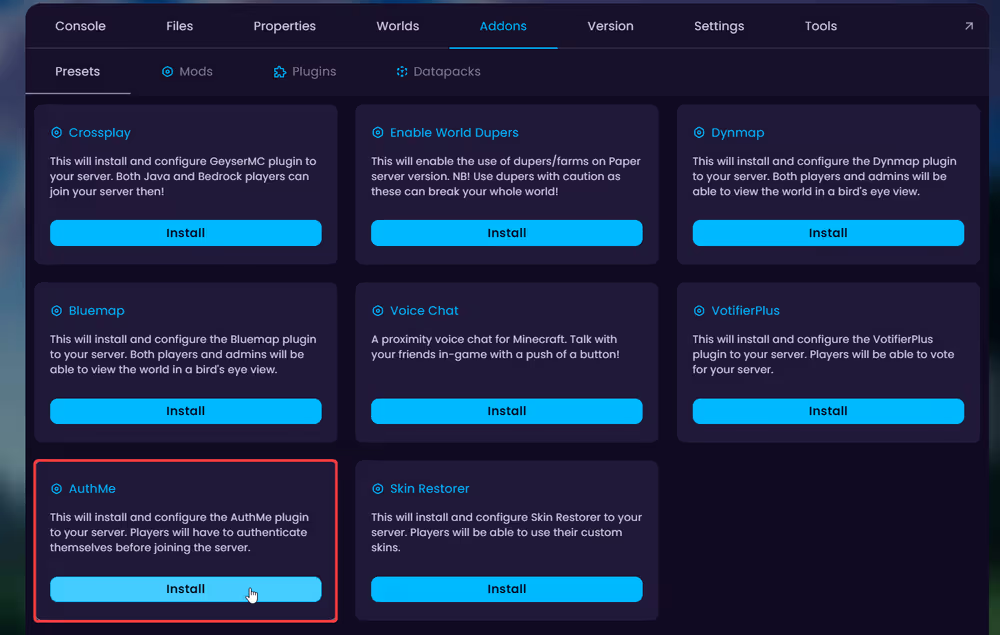
- Modded Server: Use the EasyAuth preset instead.
/register command. Until they log in, they won't be able to move, place blocks, use commands, or access their inventory, keeping their account safe.How to Get Skins Back?
With online-mode disabled, all players will appear with the default Steve or Alex skin. You can restore custom skins using the SkinsRestorer plugin/mod, which supports Paper, Spigot, Fabric, and Forge.
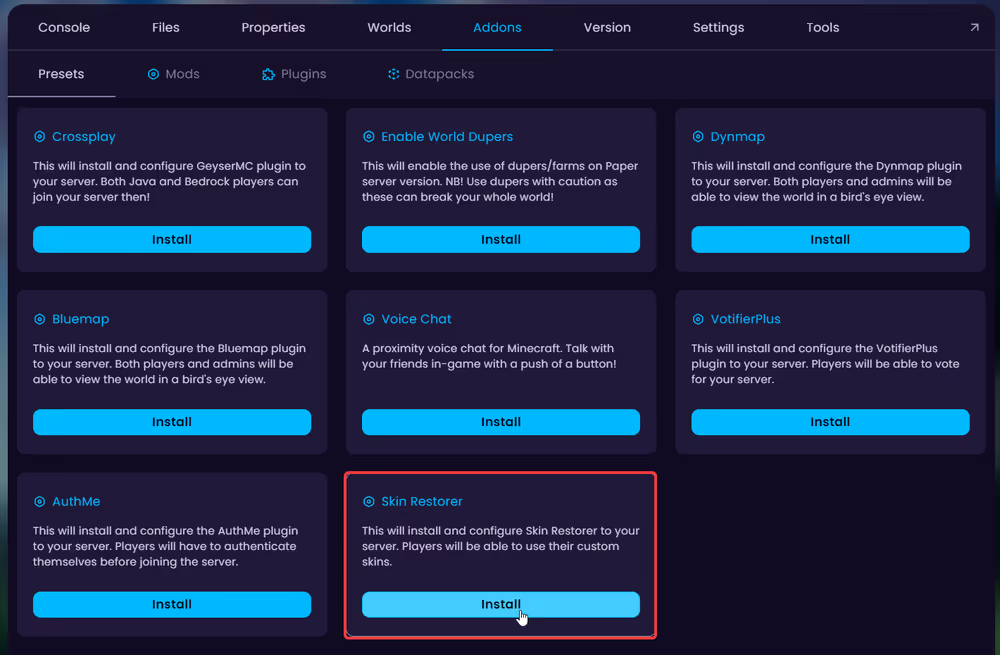
Install and configure it automatically via Addons → Presets in the game panel.


