



Once you add a sub-user, the panel will generate them an account that they have to set up through the email they received.
How To Add Subusers?
- Head over to the Game Panel.
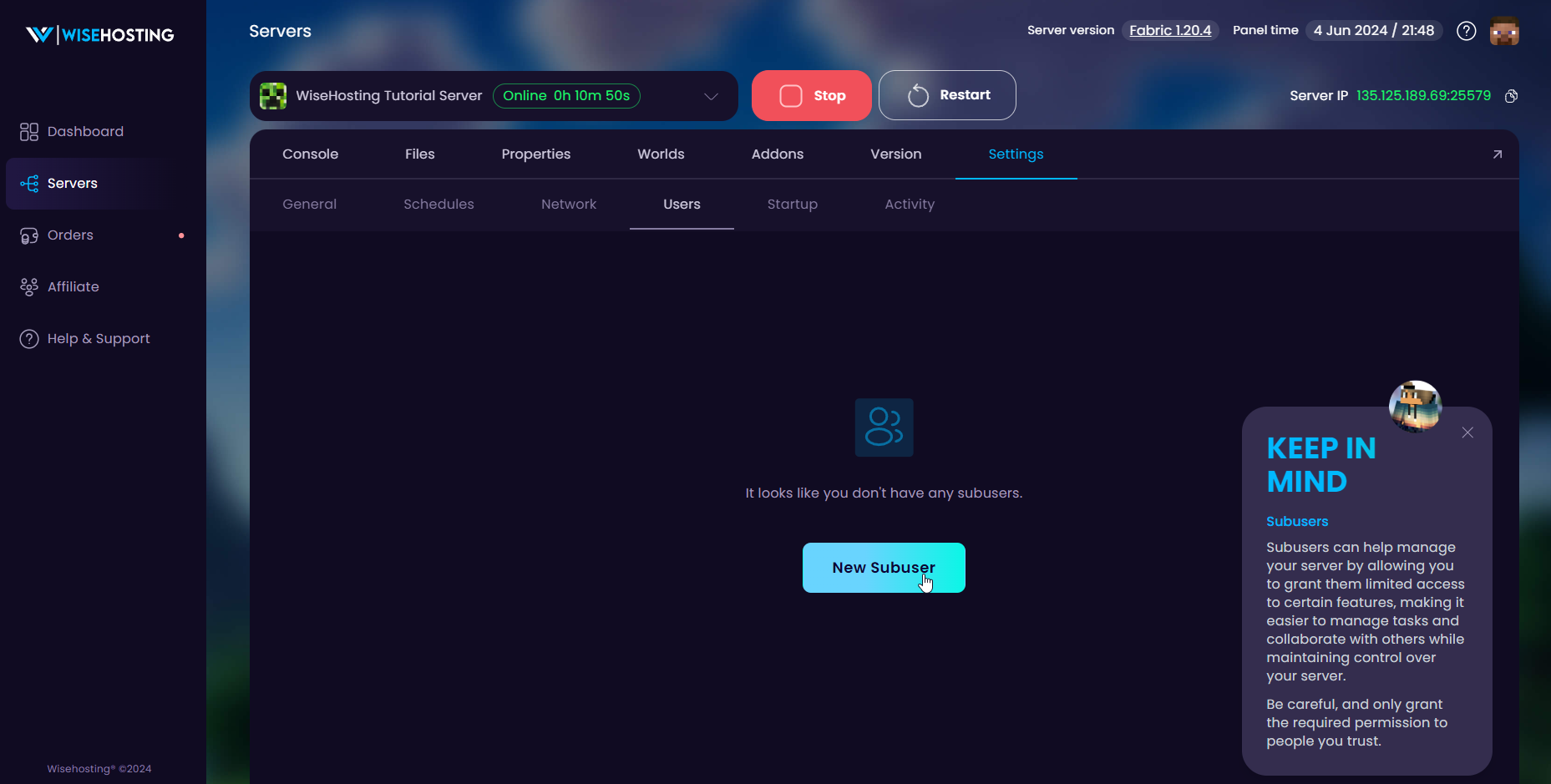
- Navigate to the Settings → Users tab and click on New Subuser button.
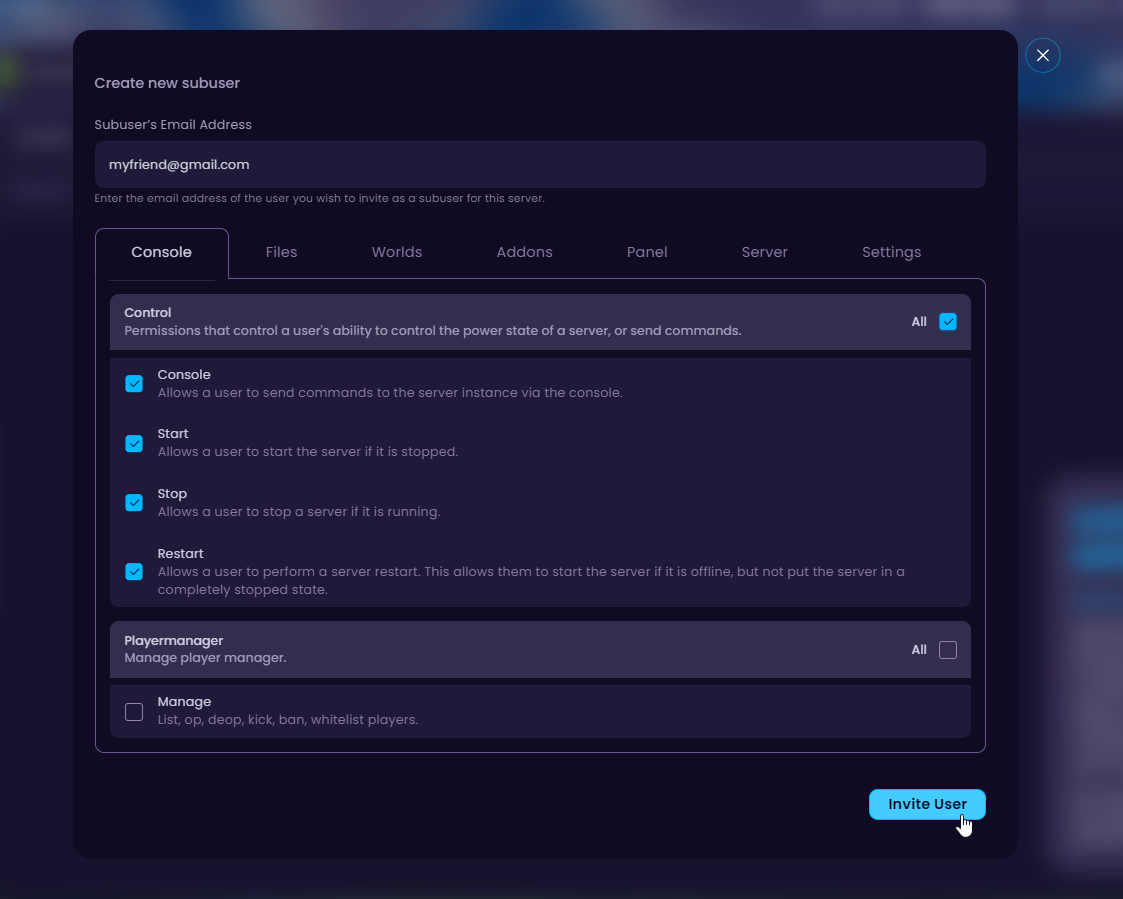
- Insert your friend's email address and select the permissions you want to give them. Once done, click on Invite User.
- Let you friend know to check their email to set up their panel account. When set up, they have access to your server with the permissions you gave them.


