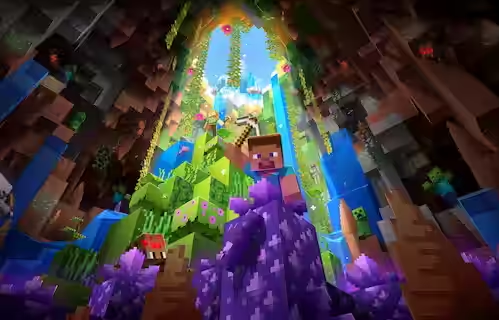

Bedrock Edition is the cross-platform version of Minecraft for consoles, mobile, and Windows that focuses on performance and easy multiplayer. Built from the ground up using C++ (instead of Java), Bedrock delivers smooth gameplay across a massive range of devices, from smartphones and tablets to Xbox, PlayStation, Nintendo Switch, and Windows 10/11. It's designed for accessibility, letting friends play together regardless of their platform.
What Is Bedrock Edition?
Bedrock Edition is one of two main versions of Minecraft, designed to unify the game experience across all platforms. Originally called "Pocket Edition" on mobile, it evolved into the universal version that now powers Minecraft on:
- Mobile devices: iOS (iPhone/iPad) and Android
- Consoles: Xbox One, Xbox Series X/S, PlayStation 4/5, Nintendo Switch
- Windows PCs: Windows 10 and 11 (via Microsoft Store)
Unlike Java Edition (which only runs on PC, Mac, and Linux), Bedrock is built for cross-platform play from the ground up.
Key Features
Native Cross-Platform Multiplayer
Bedrock's biggest advantage is seamless crossplay. Players on any Bedrock-compatible device can join the same world without plugins or workarounds. Whether your friend is on mobile, Xbox, or PC, you just add them as a Microsoft friend and invite them to your world.
This makes Bedrock ideal for:
- Families playing across different devices
- Friend groups with mixed platforms
- Server owners wanting the largest possible player base
Superior Performance
Bedrock is optimized for performance, especially on lower-end devices. Built in C++ rather than Java, it runs significantly faster and uses less RAM. Key performance features include:
- Higher render distances: Up to 96 chunks on powerful devices (compared to Java's typical 32 max)
- Better FPS: Smoother frame rates on equivalent hardware
- Lower system requirements: Runs on mobile phones and budget devices
- Faster chunk loading: More efficient world generation and loading
Players can tweak settings like render distance (10-20 chunks recommended), graphics quality, and particle effects to optimize performance even further.
Marketplace and Add-Ons
Bedrock features the Minecraft Marketplace, where players can purchase official maps, skins, texture packs, and mash-up packs. It also supports Add-Ons—custom content created using behavior packs and resource packs that work similarly to Java mods, but without requiring external mod loaders.
While Bedrock doesn't have the extensive mod library Java does, its Add-On system is growing and allows for significant customization.
Comparison: Bedrock vs. Java Edition
While both versions share the core Minecraft experience, there are significant differences:
| Feature | Bedrock Edition | Java Edition |
|---|---|---|
| Cross-Platform Play | Native support across all platforms | PC-only (or via GeyserMC plugin) |
| Performance | Faster, optimized for low-end devices | More resource-intensive |
| Modding | Add-ons and Marketplace content | Extensive mod libraries (Forge, Fabric) |
| Redstone | Different mechanics, simpler behavior | Complex redstone with quasi-connectivity |
| Combat | Old combat system (no cooldown) | Combat Update (attack cooldown, shield) |
| Multiplayer | LAN, Realms, easy world hosting | LAN, Community servers, modded servers |
| World Format | LevelDB format | Anvil format |
Bedrock Servers
Bedrock supports dedicated servers through the Bedrock Dedicated Server (BDS) software. While it doesn't have the same robust plugin ecosystem as Java, server owners can use:
- LeviLamina/LeviOptimize: Performance optimization mods for BDS
- Add-ons: Custom content and behavior modifications
- Marketplace integration: Official content for server themes
At WiseHosting, Bedrock servers are fully supported with automatic updates, easy Add-on installation, and built-in backup systems.
Redstone Differences
One major gameplay difference between editions is redstone behavior. Bedrock redstone:
- Doesn't support quasi-connectivity (Java-specific mechanic)
- Processes updates differently, breaking some Java contraptions
- Allows moving tile entities (like chests) with pistons which is something Java can't do
If you're building complex redstone circuits, test them specifically for your edition, many designs aren't cross-compatible.
Why Choose Bedrock Edition?
Bedrock is ideal if you want:
- Multiplayer with console or mobile friends
- Better performance on lower-end hardware
- Official marketplace content and streamlined updates
- Easy server hosting without complex mod installations
Bedrock Edition brings Minecraft to everyone, everywhere, with seamless cross-platform play and optimized performance across devices.
While it lacks Java's extensive modding ecosystem and some advanced redstone mechanics, Bedrock makes up for it with accessibility, smooth gameplay, and the ability to play with friends no matter what device they're using.