



Support is one of the most important parts of WiseHosting. When something goes wrong, you should not have to fight the interface just to get help. You should be able to open the Help tab, see what you need, and either solve it yourself or reach our team in a few clicks.

We have now shipped a set of improvements to both our ticketing system and our knowledge base, all focused on the same goal: make it faster and easier for you to get clear answers.
What Changed in the Ticketing System
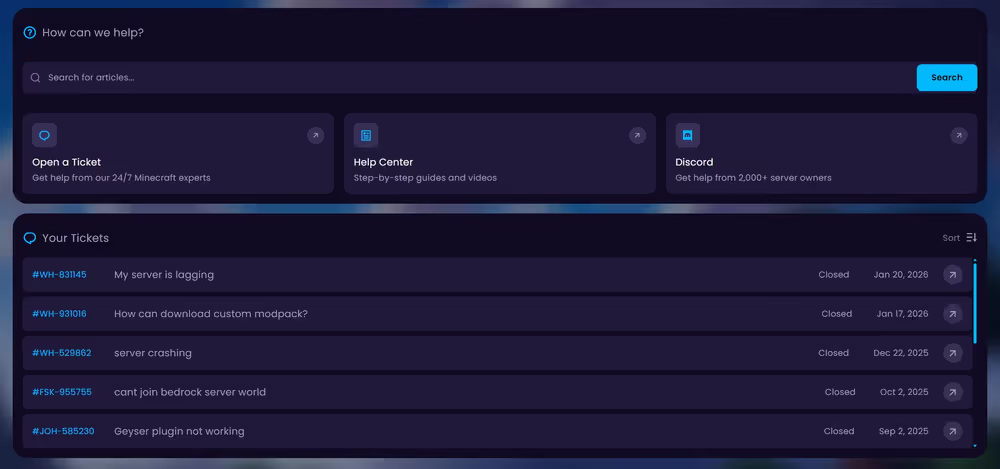
We redesigned the ticketing experience from the ground up so that everything you need is in one place and simpler to use. No more jumping around or guessing where to click. Everything related to support lives in one place.
- New Ticket Creation Design
- Opening a ticket should be straightforward, not overwhelming. The new ticket creation design is built around three simple fields: related service, subject, and the message.
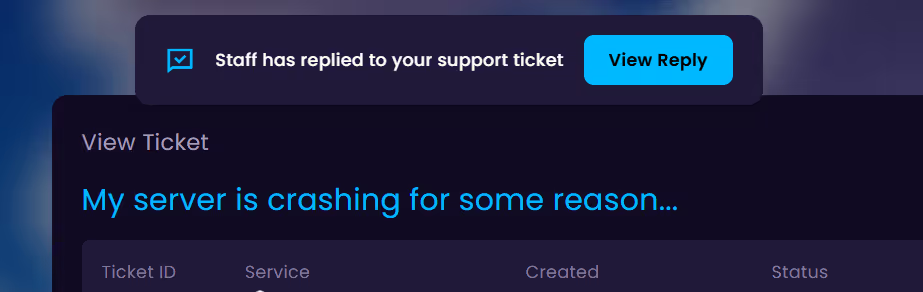
- New Ticket Reading Experience
- Once a ticket is open, the ticket reading view is where most of the work happens. We improved it so conversations are easier to follow and respond to.
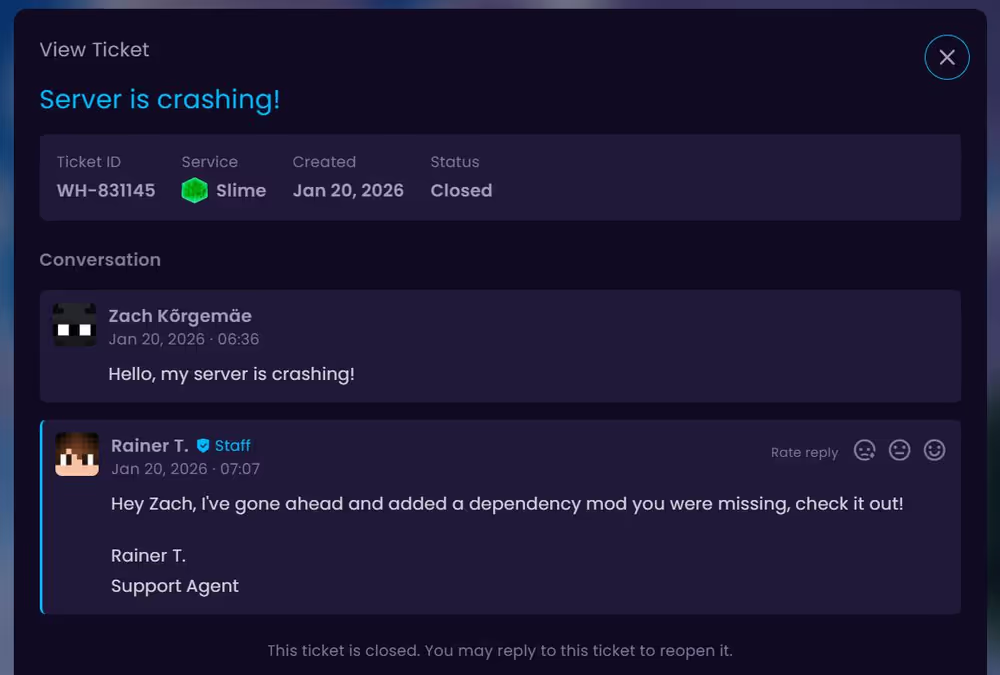
Oh, and alerts have been added too... no more constantly refreshing the page or waiting for an email notification. 😉
What Changed in the Knowledge Base
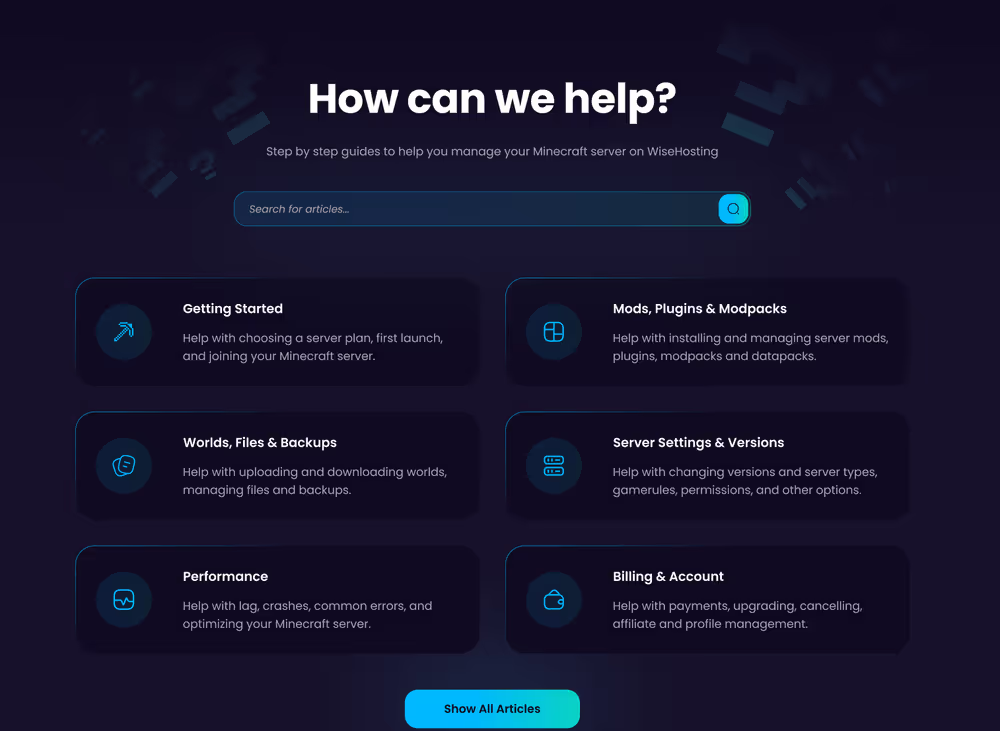
We also spent time improving the knowledge base, so it feels like a natural part of WiseHosting, not a separate site.
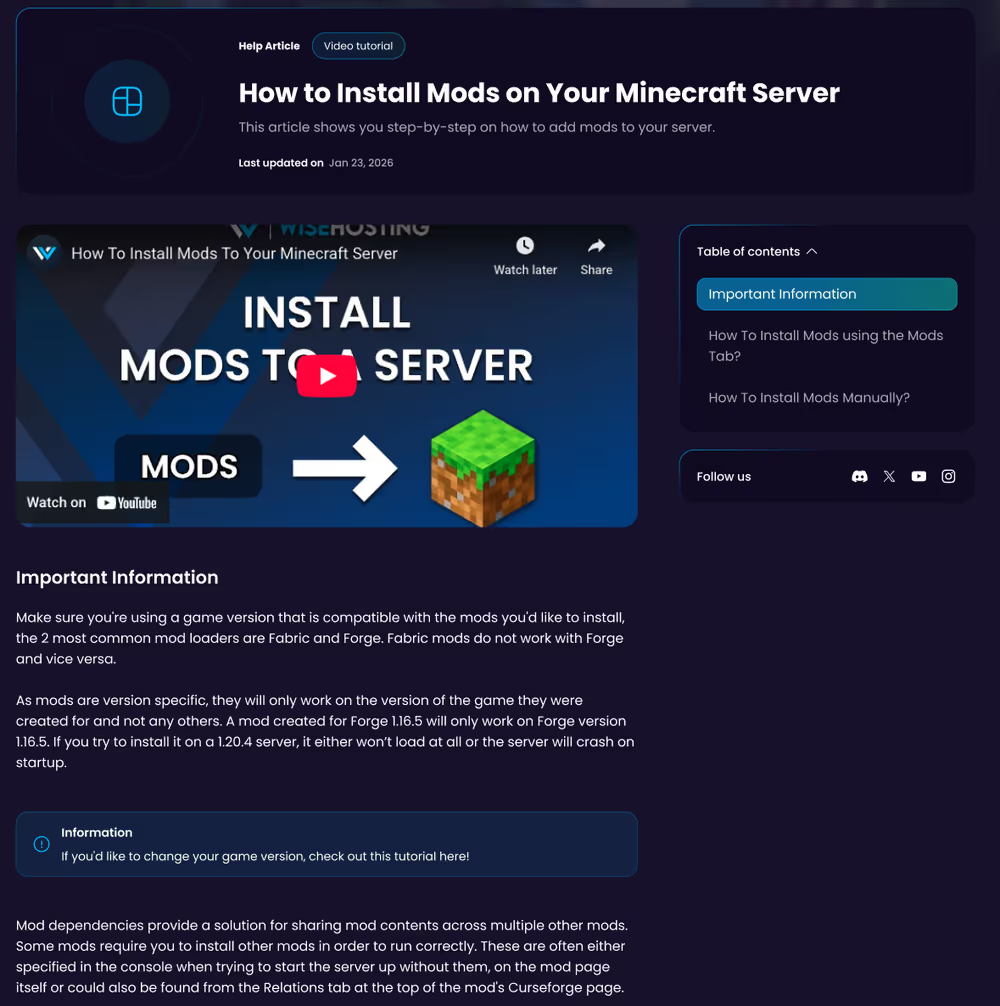
The knowledge base now matches the same visual style as our website, so there are no more jarring “flashbang” white pages. It looks and feels consistent with the rest of WiseHosting, which makes it more comfortable to use.
- Properly Categorized and Up-to-Date Articles
- We went through all existing content to ensure they're properly categorized and up-to-date.
- Better Formatting and Easier on Your Eyes
- The knowledge base now uses better formatting with clearer headings, spacing, and structure. Articles are easier to scan and to follow step by step.
All of these changes are designed around how you actually use support when you are running servers. Most importantly, all of this works across any device. Whether you are managing your Minecraft servers from your desk, your couch, or on the go, support is now easier to access and more comfortable to use everywhere.