Modded servers allow you to add custom textures, features, and so much more to the game. There are tens of thousands of premade modpacks which consists of hundreds of mods to enhance the gameplay with you and your friends.
You can download thousands of modpacks on your server with a simple click, through the Game Panel’s built-in Modpack Installer (located in Version → Modpacks tab).
Different Modded Versions
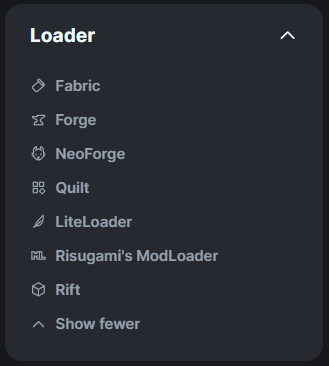
The most commonly used Minecraft versions that allow mods are Forge, Fabric, and NeoForge. Each mod that you download is designed to work on one of these versions and you cannot download Forge mods on Fabric servers for example, and vice-versa - Forge server only accepts Forge mods.
This also applies to mod versions, they are made for specific Forge versions. If your server is running on Forge 1.20.1, the mod must also be made for Forge 1.20.1.
Client-Side and Server-Side
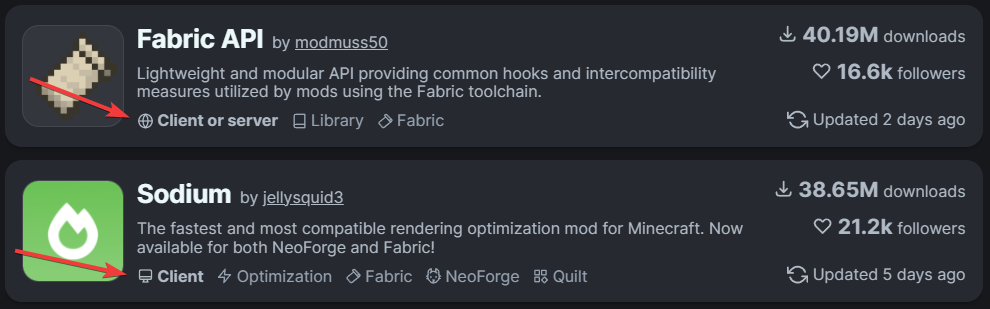
Some mods are made for only the client-side which cannot be installed on servers, and same with server-side mods - they cannot be installed on the client-side. These are pretty nicely shown on Modrinth.

Mod Dependencies
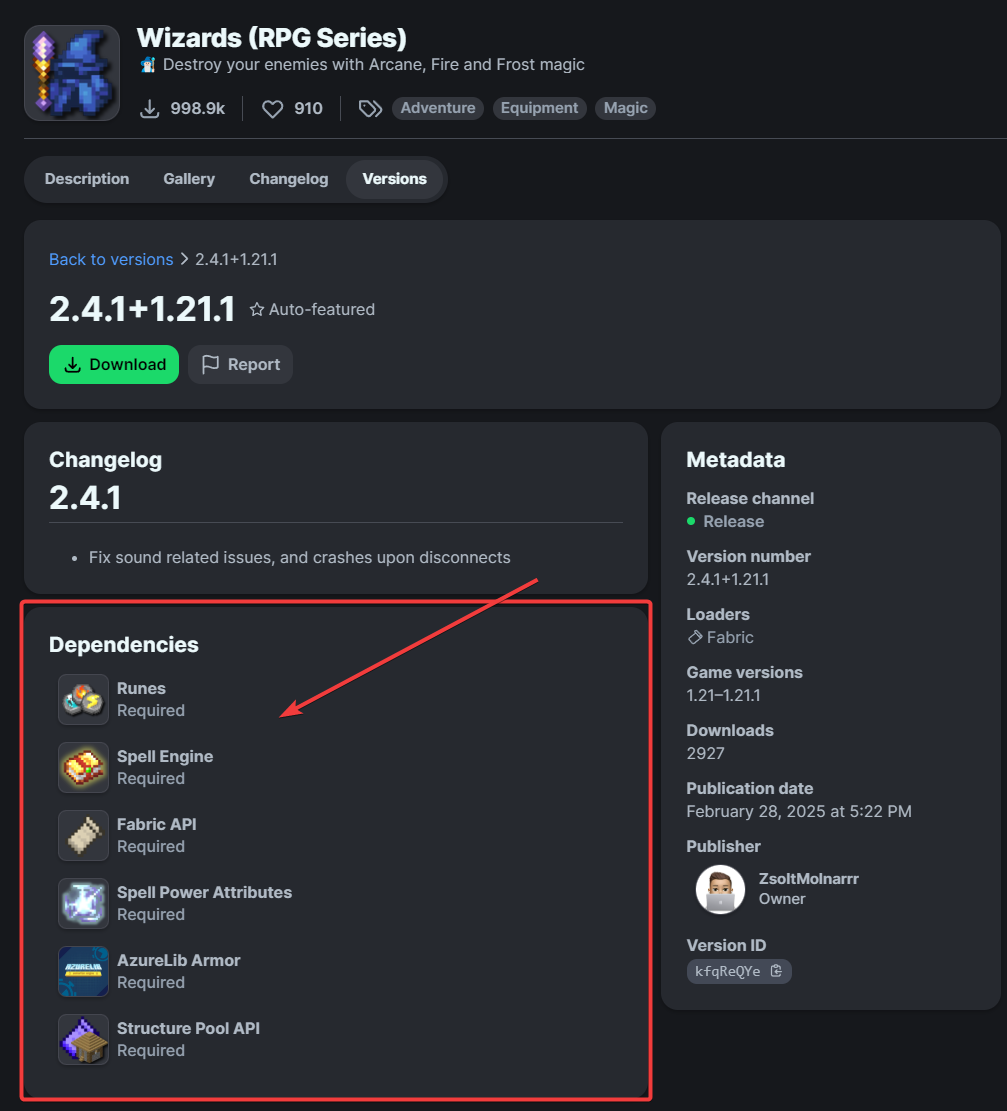
Mod dependencies are additional mods that are required for a mod to function properly. There are different types of dependency mods, such as;
- Mod-specific Libraries
- Core Mods
- API mods
These are pretty nicely mentioned on Modrinth.