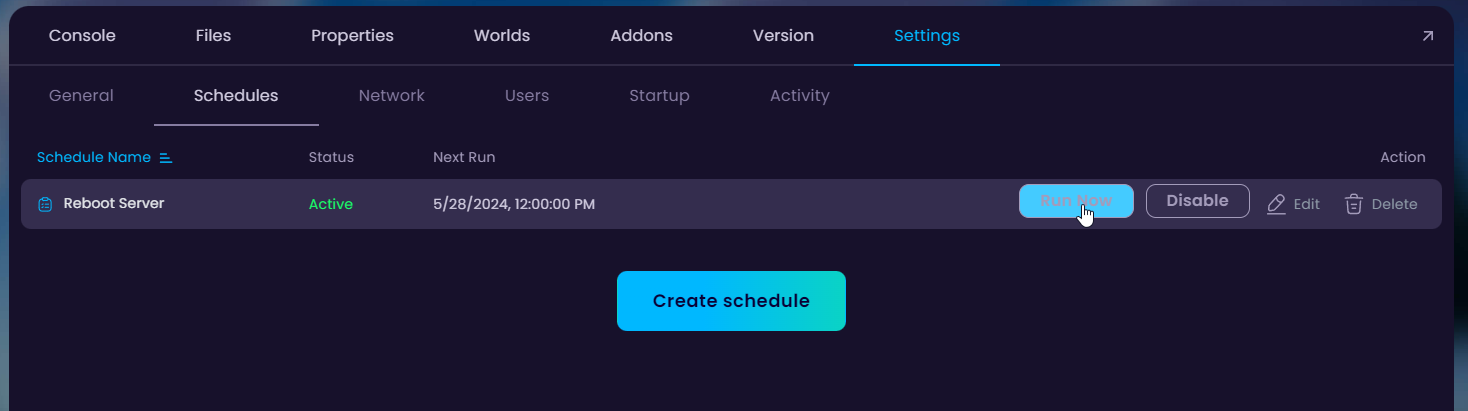
In this tutorial, we will be setting up a schedule which makes the server automatically restart every 12 hours.
How To Create an Automatic Task?
- Head over to the Game Panel and stop your server.
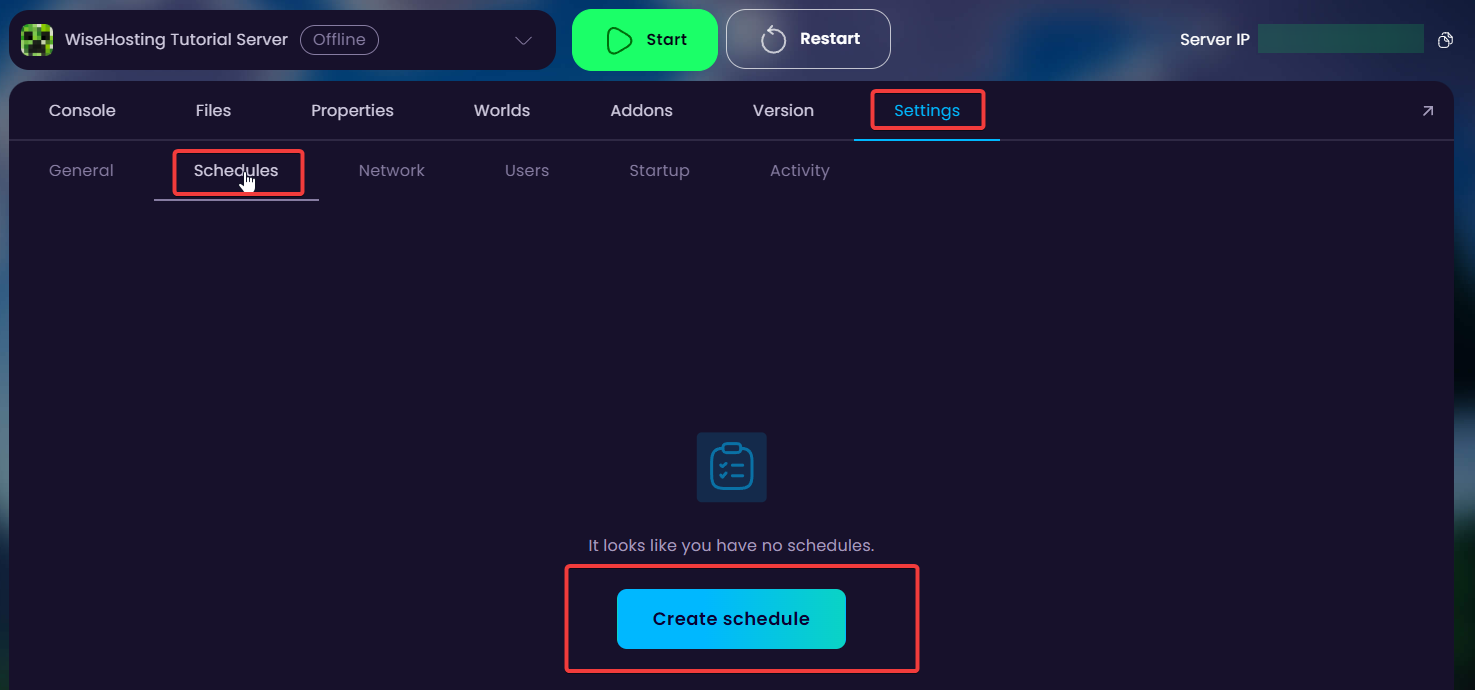
- Navigate to the Settings → Schedules and click on the Create schedule button.
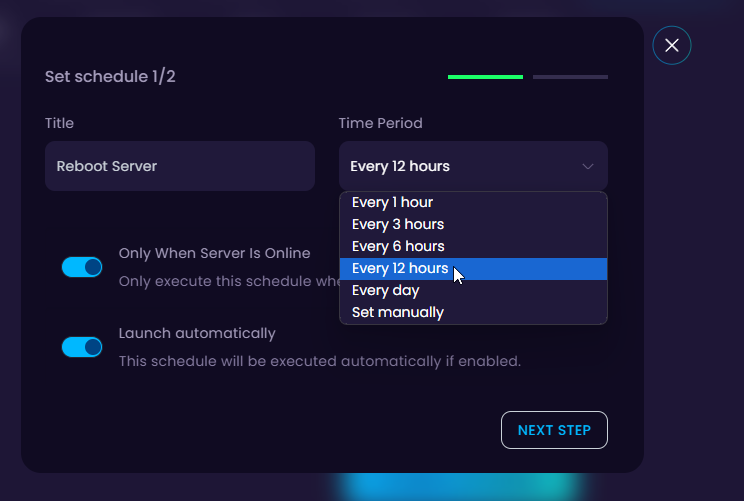
- On the first box we'll go ahead with Reboot Server and on the second dropdown we'll choose Every 12 hours. After these are chosen, click on Next Step.
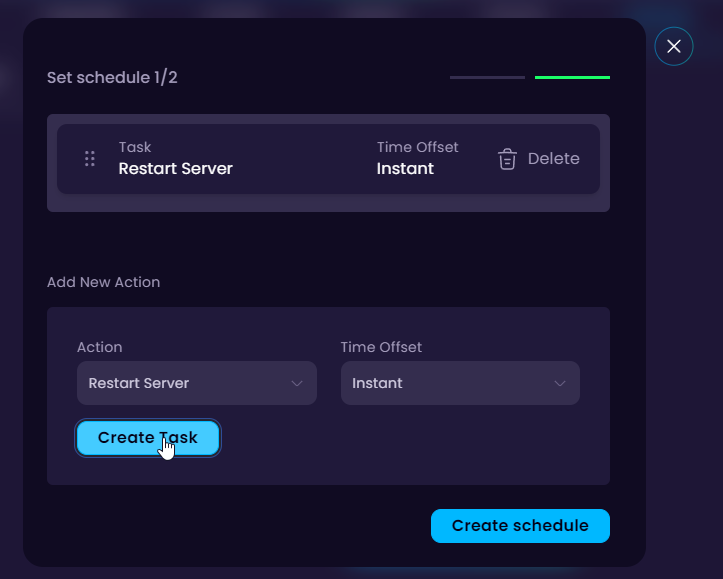
- Once it's created, you can click on the schedule and give it a test by clicking on Run Now. You are also able to add more tasks to it. For example a broadcast before the restart happens so the players are notified that an automatic restart is going to happen.