Datapacks emerge as powerful tools for shaping your gameplay experience. These packs offer a way to customize and enhance various aspects of the game, introducing new features, mechanics, and tweaks to fit your unique vision.
Datapacks enable you to modify game elements without the need for mod loaders. From altering crafting recipes to introducing custom advancements or even creating entirely new structures, the possibilities are vast.
How to Install Datapacks
- Head over to the Game Panel and make sure your server is not running.
- Navigate to the Files tab and open your world folder from there.
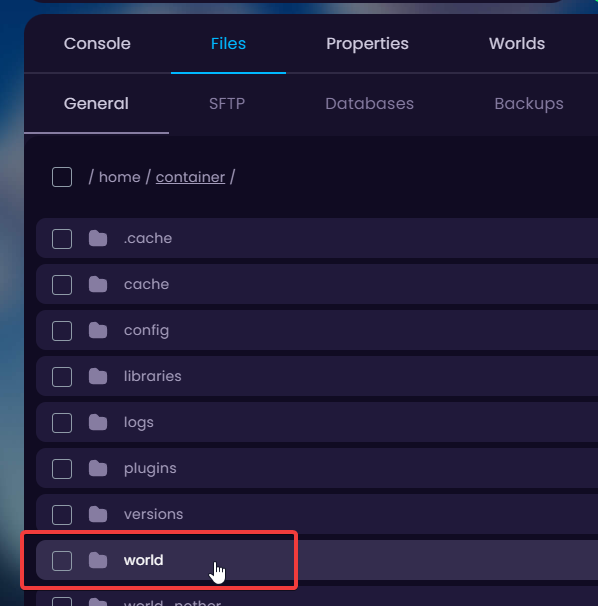
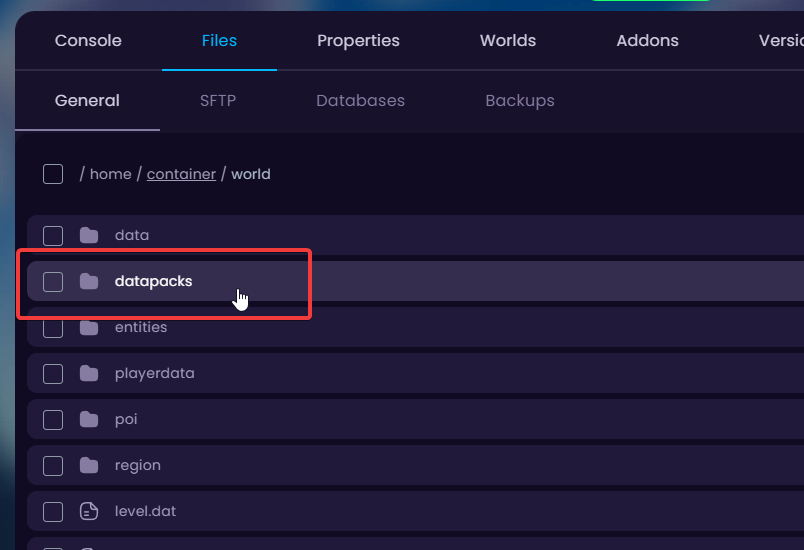
- In there, go into the datapacks folder.
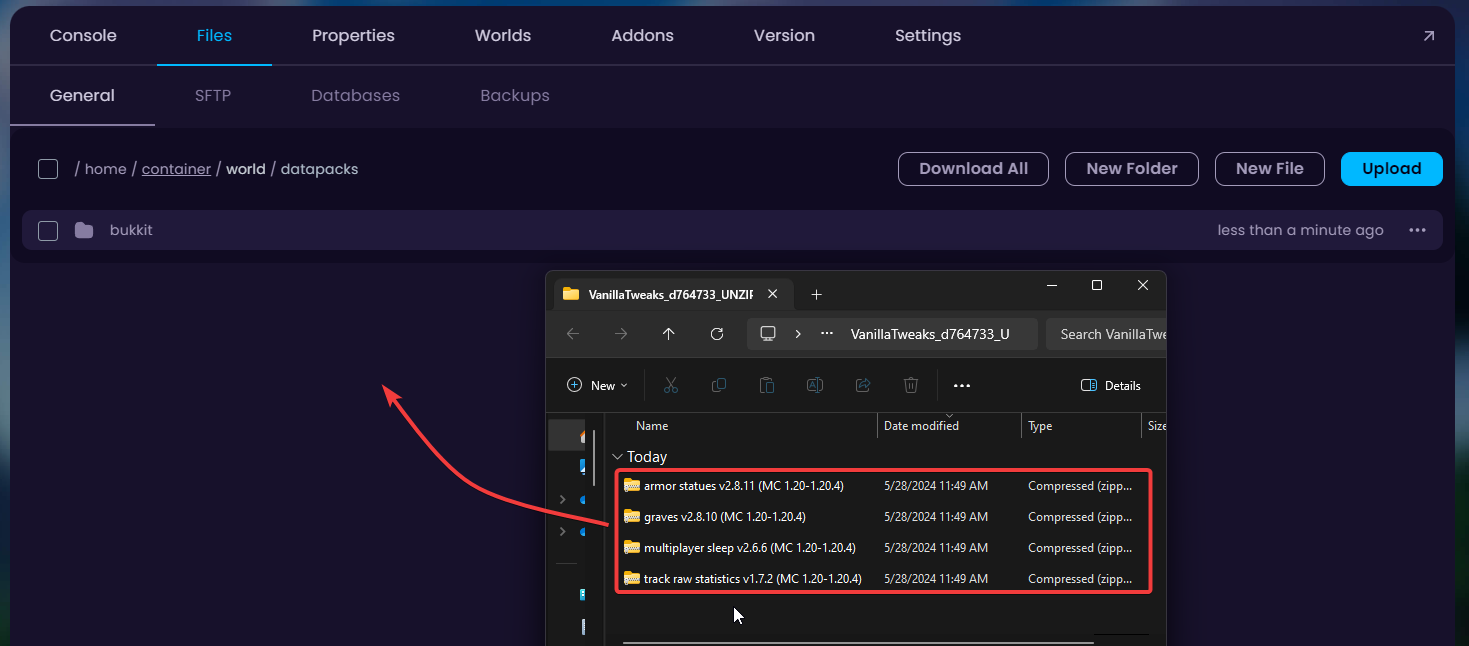
- Upload your datapacks into this folder.
👉
NOTE: If your datapack has UNZIP_ME in the file name then please make sure to also unarchive this datapack.
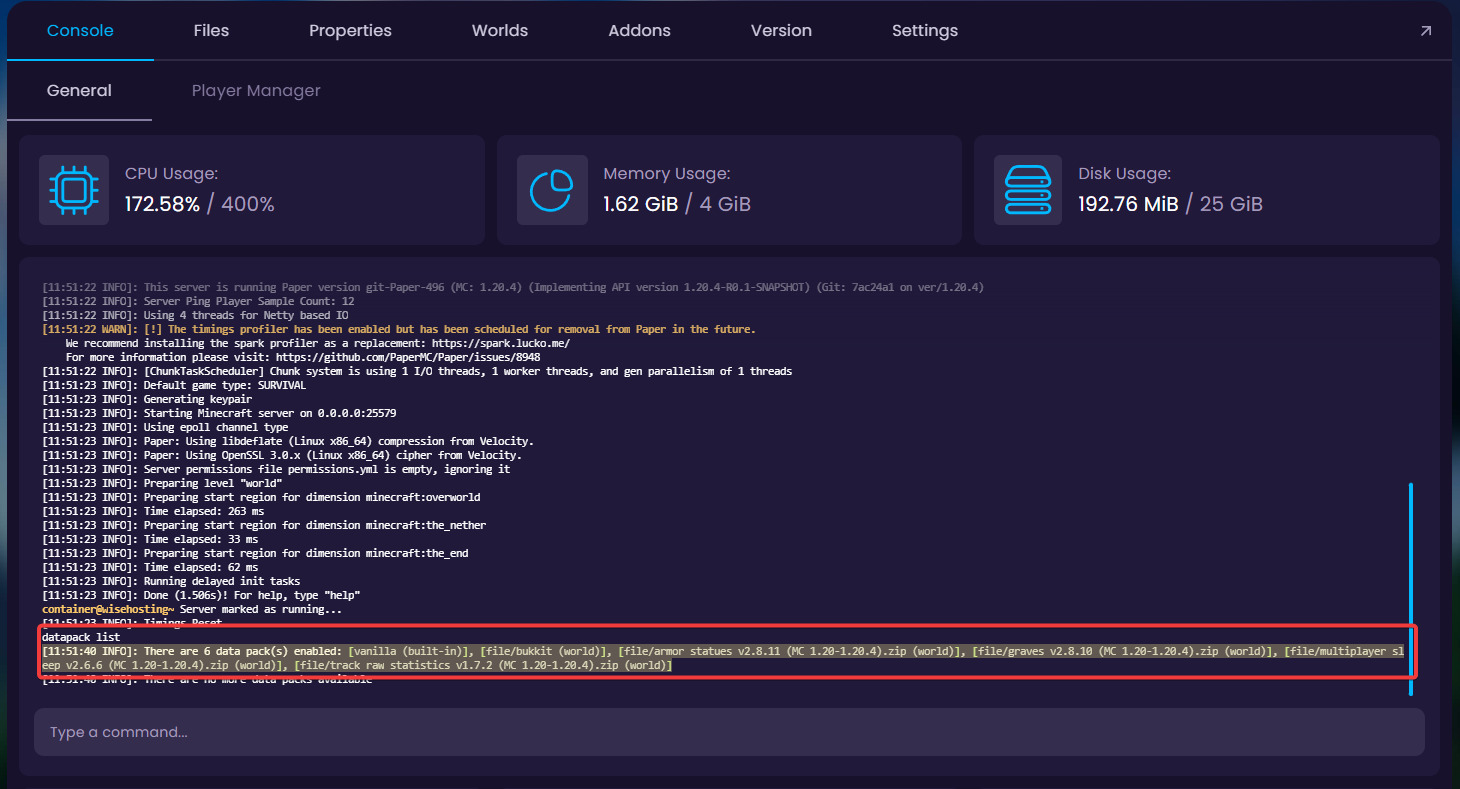
- Start up your server and check the console to make sure the datapacks started up. Use
datapack listcommand to see activated datapacks.