



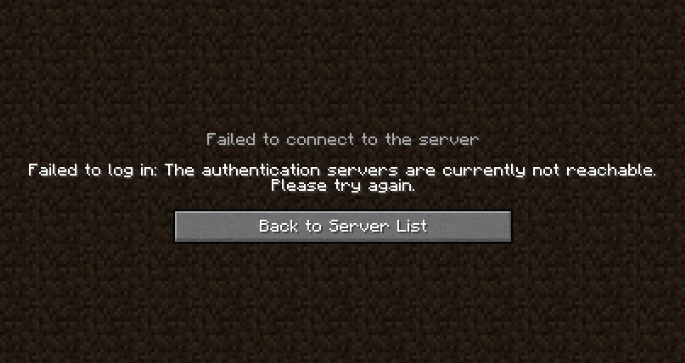
The "Authentication servers are down. Please try again later, sorry!" error appears when your Minecraft server cannot verify your account with Mojang's session servers. This can happen because of actual Mojang downtime, a broken internet connection, a misconfigured server setting, or a conflict caused by a VPN. This guide walks you through the most common fixes, starting with the quickest checks first.
Step 1: Check Mojang's Server Status
- Visit the Mojang Status page for any reported outages.
- If Mojang services are listed as degraded or down, wait for them to restore service and try again.
👉
NOTE: If Mojang's services are all showing green but you are still getting the error, the problem is on your end or your server's end - keep going through the steps below.
Step 2: Re-log Into the Minecraft Launcher
- Close your Minecraft client completely.
- Open the Minecraft Launcher and click your profile name in the top-left corner.
- Click Log out.
- Log back in using your Microsoft account credentials.
- Launch the game and try connecting to your server again.
💡
TIP: This refreshes your authentication token, which is one of the most common causes of this error.
Step 3: Check Your Internet Connection
- Restart your router by unplugging it, waiting 30 seconds, and plugging it back in.
- Confirm you have a stable connection by loading a website in your browser.
- Try connecting to your server again once the connection is restored.
Step 4: Disable or Enable a VPN
- If you are currently connected to a VPN, disconnect from it and try joining the server again.
- If you are not using a VPN, try connecting through one - this changes your IP address and can bypass regional restrictions that trigger the error.
Step 5: Flush Your DNS Cache
Stale DNS records can prevent your client from reaching Mojang's session servers. Flushing your DNS cache clears these records.
Windows
- Press Windows + R, type
cmd, and press Enter to open Command Prompt. - Run the following command:
ipconfig /flushdns- Close Command Prompt and relaunch Minecraft.
macOS
- Open Terminal.
- Run the following command:
sudo dscacheutil -flushcache; sudo killall -HUP mDNSResponder- Close Terminal and relaunch Minecraft.
Step 6: Disable IPv6 on Your Network Adapter (Windows)
IPv6 conflicts can interfere with Mojang's authentication servers.
- Open Control Panel → Network and Sharing Center → Change adapter settings.
- Right-click your active network connection and select Properties.
- Find Internet Protocol Version 6 (TCP/IPv6) in the list and uncheck it.
- Click OK and relaunch Minecraft.
Step 7: Check Online Mode on Your Server
If players can connect to other servers but not yours specifically, your online-mode setting may be misconfigured.
- Head over to the Game Panel and stop your server.
- Navigate to the Properties tab.
- Find the
online-modeoption and confirm it is enabled.
⚠️
WARNING: Disabling
online-mode disables account verification entirely, which allows anyone - including users with cracked clients - to join your server. Only set this to false if you are running a private network and fully understand the security implications.

