With simple applications like the CurseForge App, you can create your very own custom modpack. In this guide, we will be covering how to create, export, and share your own modpack.
👉
TIP: The easiest way to create and share your modpack is using the CurseForge App compared to the regular Minecraft launcher.
CurseForge: Creating a Modpack
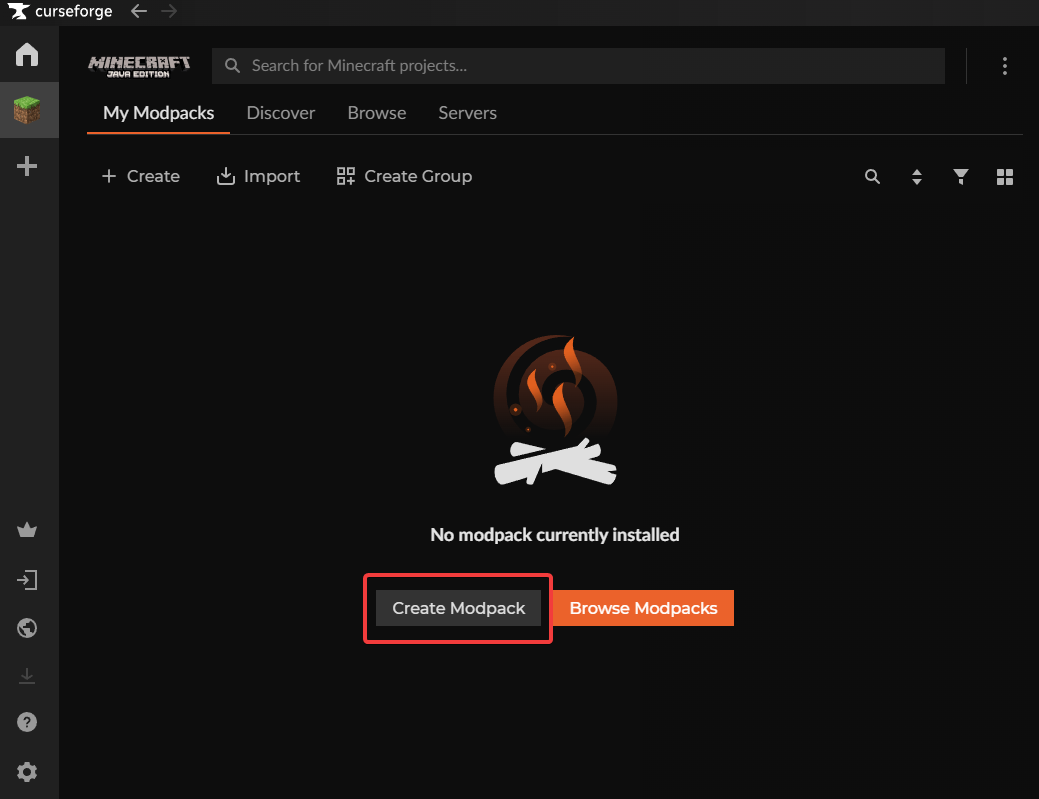
- Create a new Modpack on the CurseForge app.
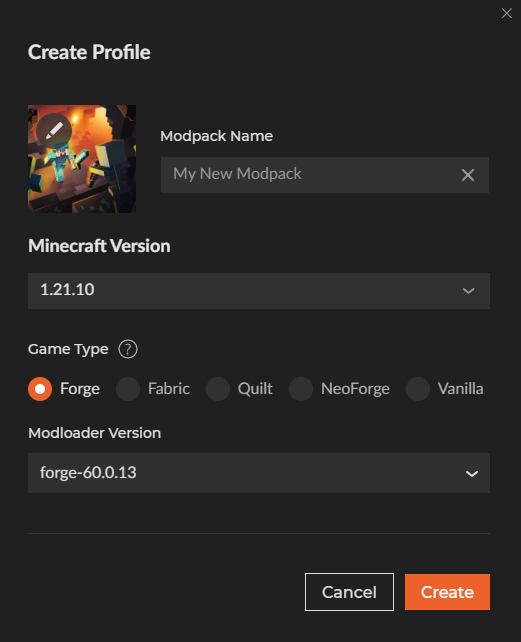
- Name your modpack (it can be anything), select the version you are going to be playing in, and the game type that you want to use.
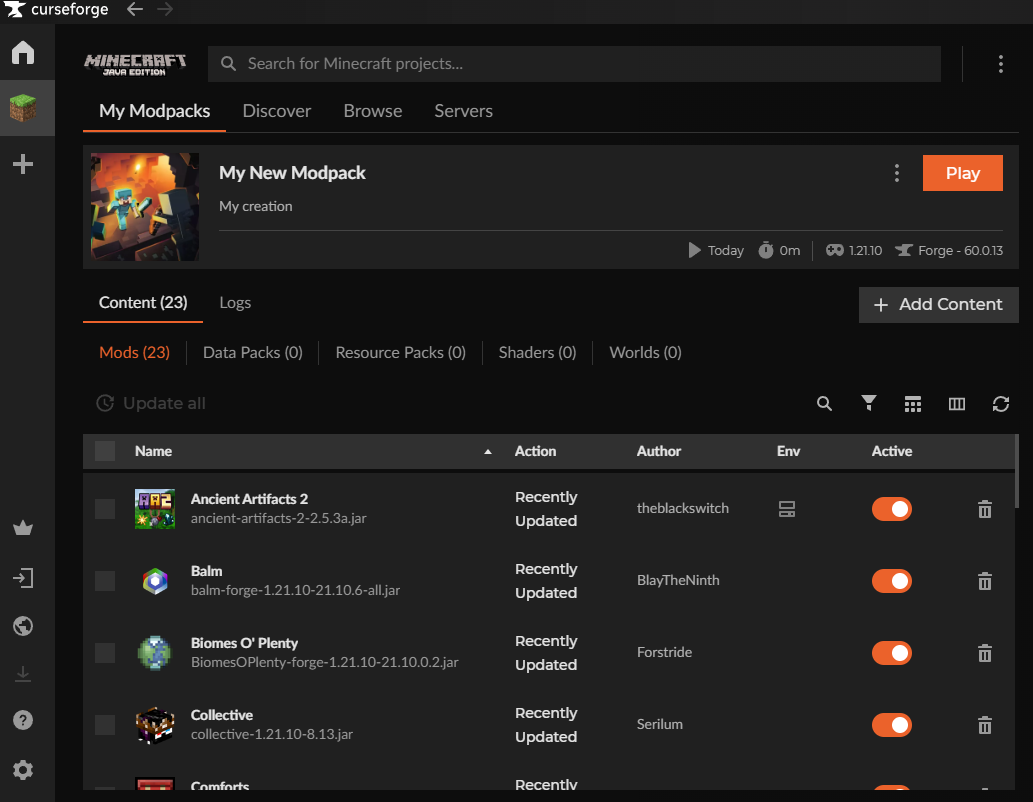
- Once the modpack has been made, press Add Content and start adding the mods that you want. Make sure to also install any dependency mods.
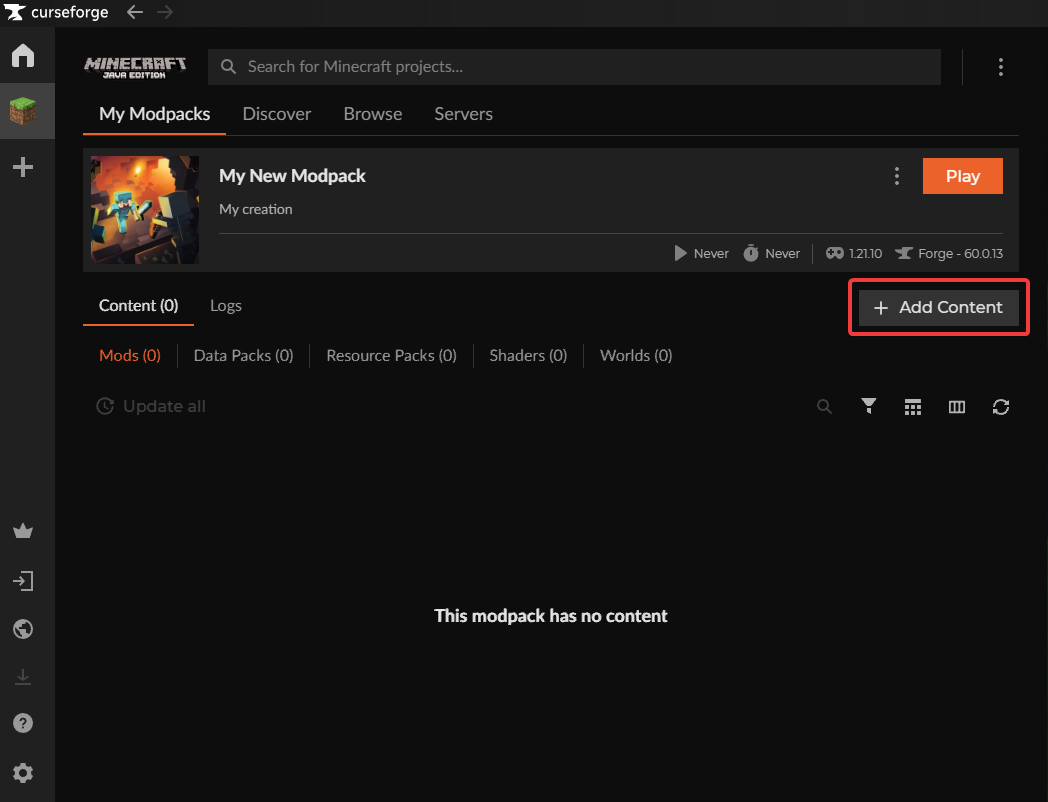
- Once everything has been picked, head over to your modpack and press Play.
CurseForge: Exporting a Modpack
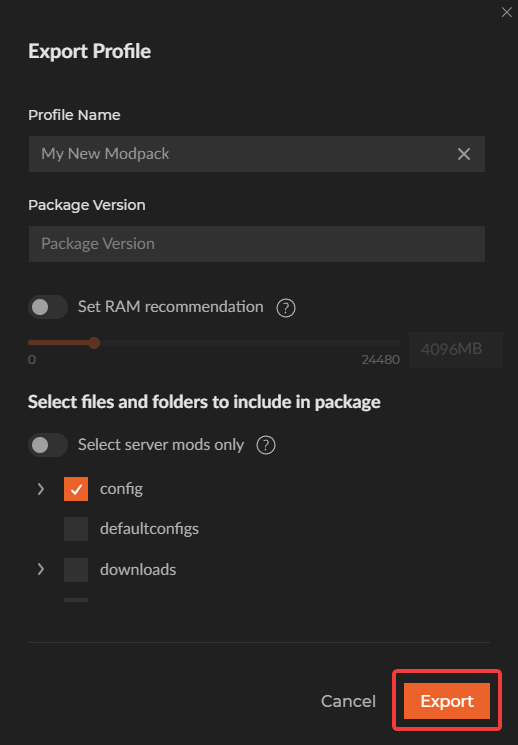
- Press the three dots next to the Play button and click on Share Profile. After that, export as a .zip file.

- Nothing needs to be configured here as CurseForge has automatically picked the necessary files to be zipped. You can click on Export straight away.