

By default, your server is limited to 3 ports to ensure that everyone is able to create enough ports on their servers. To increase the limit to unlimited, you’re able to purchase the Dedicated IP addon for your server.
How to Create Additional Ports?
- Head over to the Game Panel.
- Navigate to the Settings → Network tab and click on the Create Allocation button to generate a random port for your server.
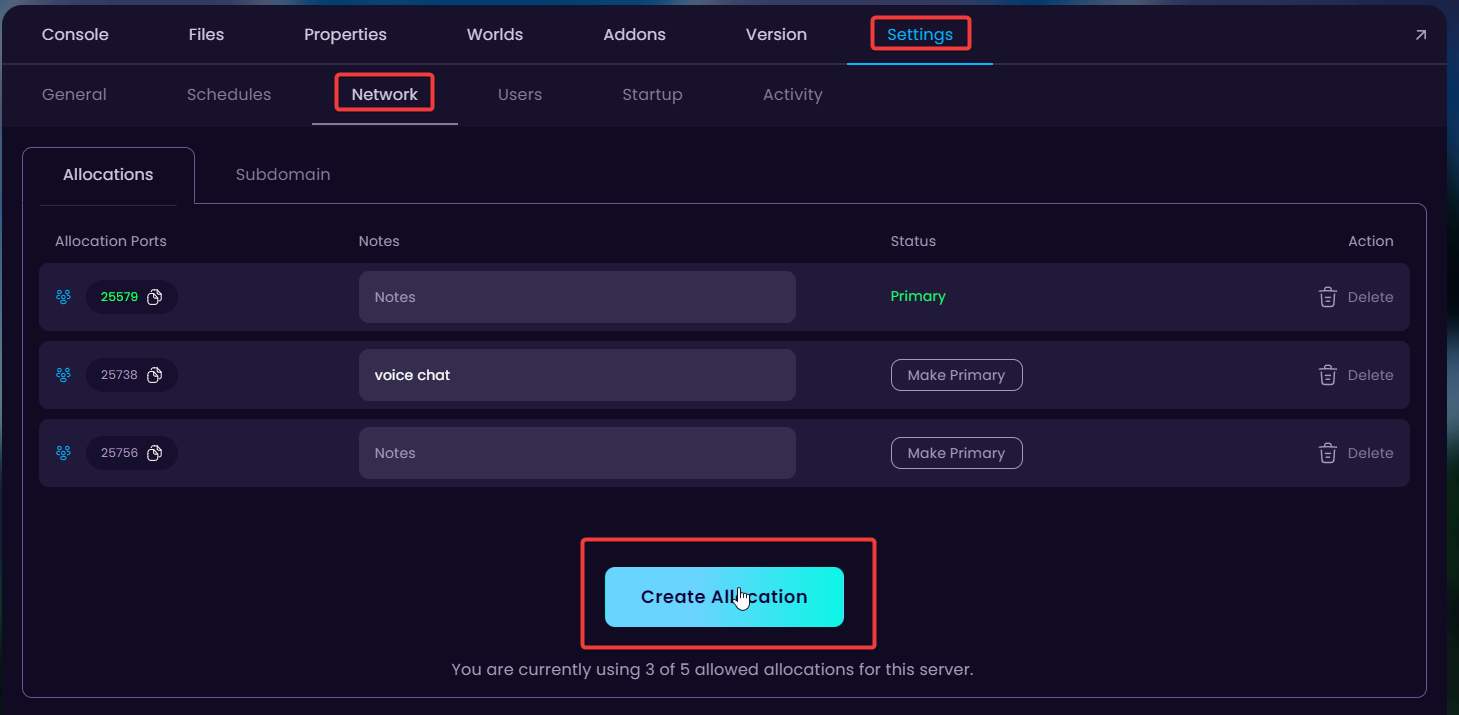
- Done! You can use that port for your plugins or mods that you have installed on the server.


