

Some Minecraft plugins and mods use a MySQL database to store data. This guide explains how to create a database and connect your plugin to it.
How to Create a MySQL Database
- Head over to the Game Panel and navigate to the Files → Databases tab.
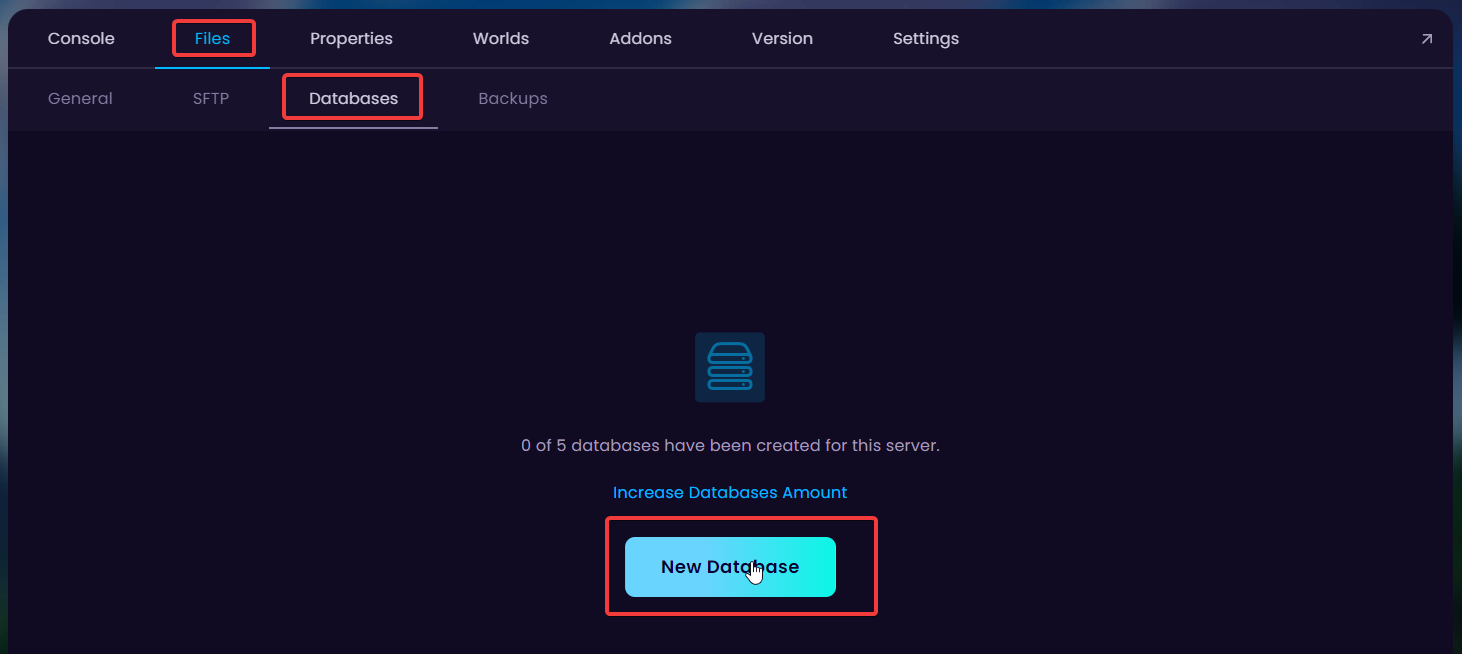
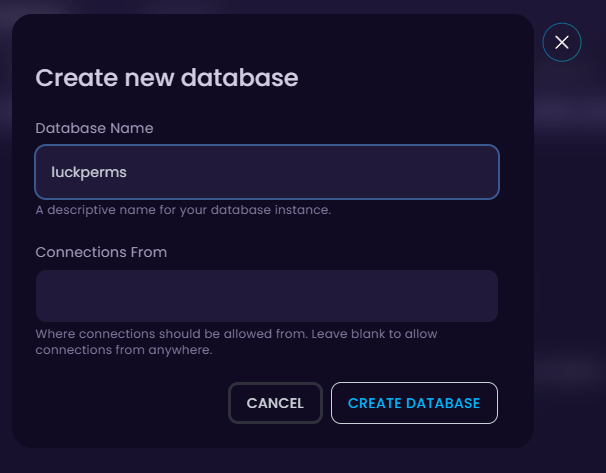
- Click on the New Database button to create a new database, and fill in your desired database name and (optional) where connections should be allowed from.
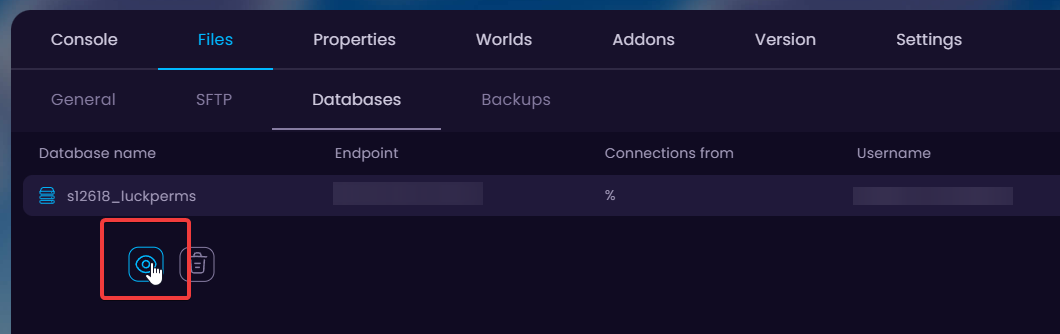
- To view your database connection details click on the eye icon.
How to Connect a Plugin to a Database
- Head over to the Game Panel and make sure it's not running.
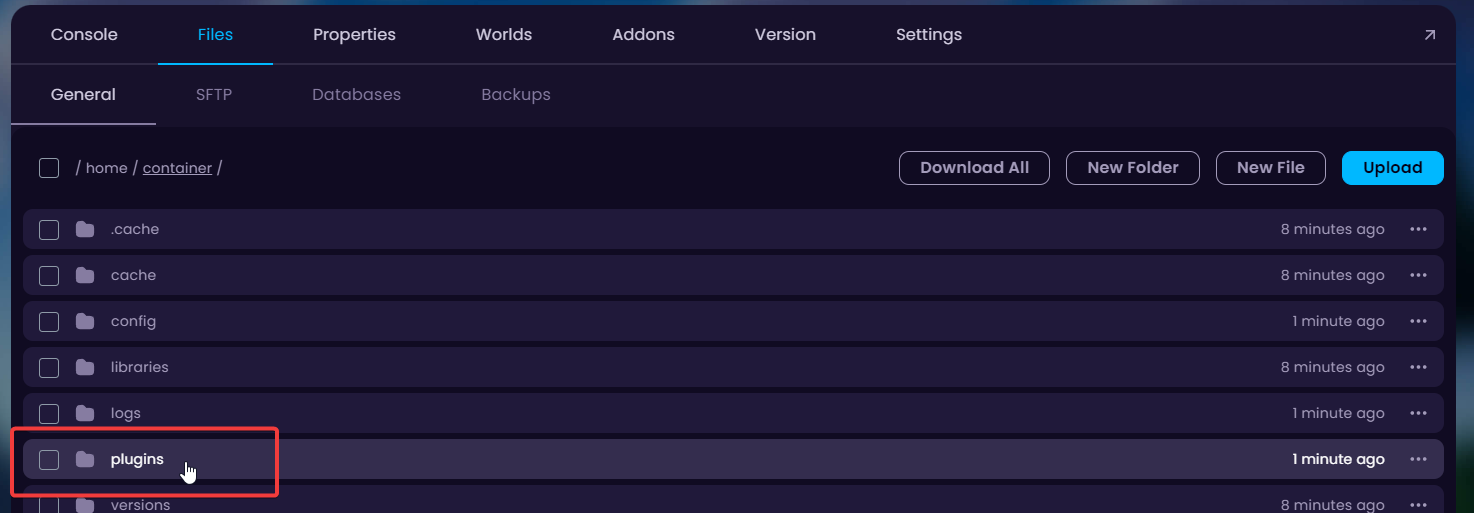
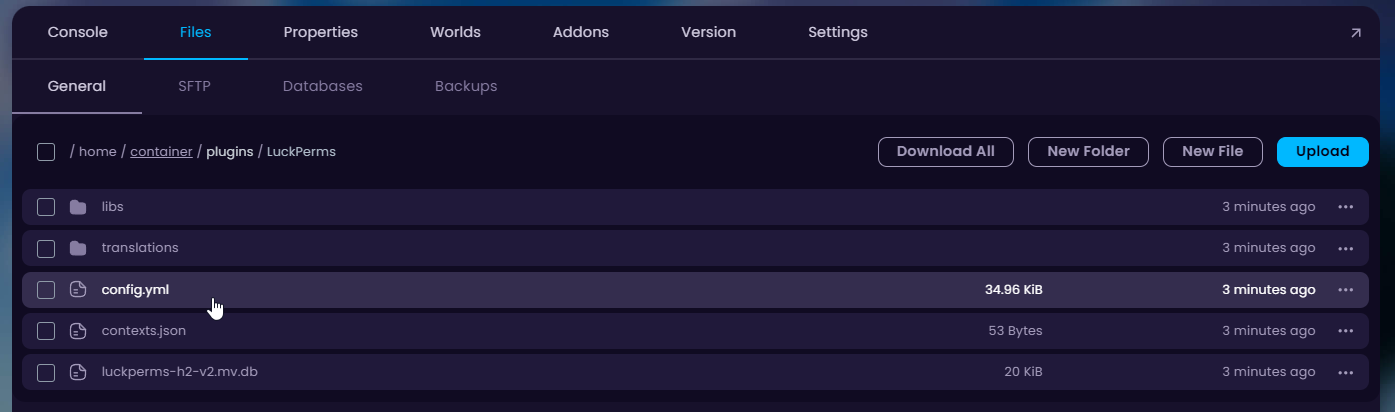
- Navigate to the Files tab and open up the
pluginsfolder (Paper/Spigot). If your server is running with mods, open theconfigfolder.
- Head to the plugin/mod's
config.yml(or similar file) to find the database connection details. If you cannot find it, read the plugin/mod's documentation for more information.
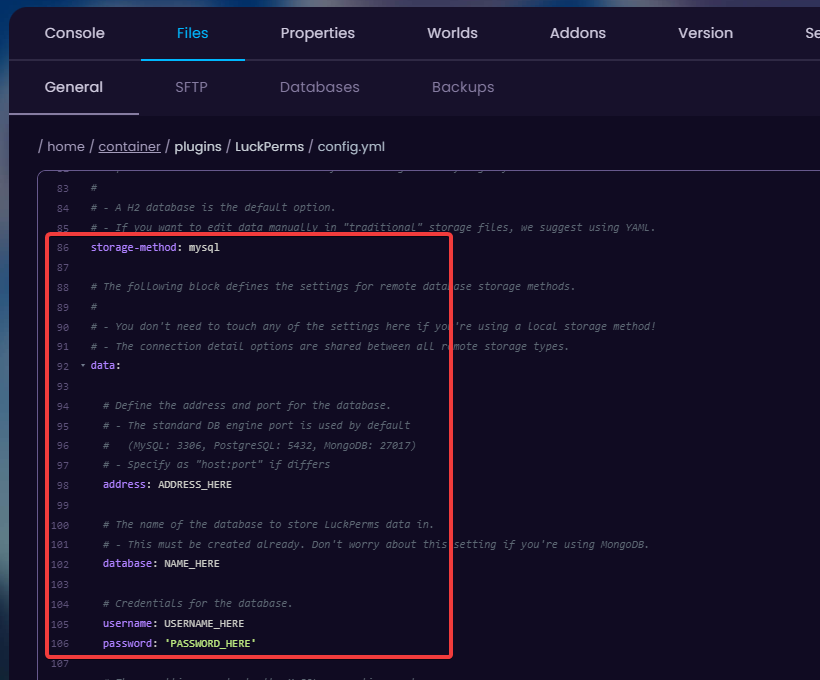
- You should fill in the plugin's configuration file as follows:
Address - Endpoint
Database - Your database Name
Username - Your database Username
Password - Your database Password
👉
NOTE: MySQL's port is always 3306.
Resetting your database will remove all the information you have gathered from your server.


