



Lowering your server view distance is usually done to improve the server performance. It sets the amount of world data the server is sending to the client. The configurable option determines the server-side viewing distance.
How to Change View-Distance?
- Head over to the Game Panel and stop your server.
- Head over to the Properties tab and find the view-distance option from there. Change this to the desired value (recommended: 8 - 10).
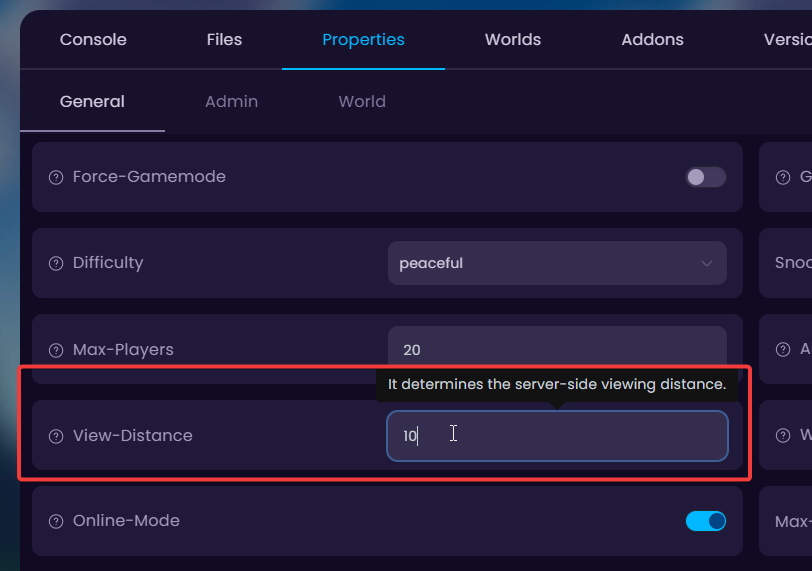
- Done! You can now start your server with the new view-distance value applied.
Please keep in mind that the value increase affects your servers performance heavily! The default 10 (chunks) is recommended for the smaller server packages. It is not suggested to increase the value over 20 (chunks).


