



There are a total of 4 different levels of OP you can set a player to. In this guide we will go over what permissions each level gives and how to change it.
- Level 1: Moderator, can bypass spawn protection.
- Level 2: GameMaster, can use more commands and use command blocks.
- Level 3: Admin, can use commands related to multiplayer management.
- Level 4: Owner, can use all of the commands.
For more information on OP levels, visit this page.
How To Change Player’s OP Level?
- Head over to the Game Panel and make sure the server is not running.
- Go to the Files tab and open the
ops.jsonfile. Before the player’s name appears in this file, make sure you’ve given them OP permissions (/op PlayerName).

- Find the player whose level you would like to change and change it.
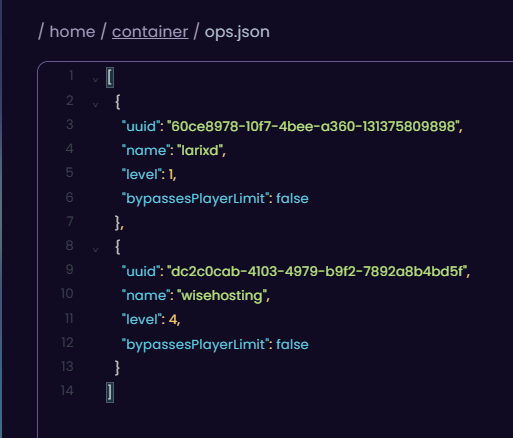
- Save the file and start your server.


