





We're excited to announce the brand new features we've released to the public: Dedicated IPs and Instances. In this news post, we'll go through what exactly these are and why you might want to use them.
1. Dedicated IP (Java:25565/Bedrock:19132)
A dedicated IP is a server address that uses the default port for Minecraft. Because you're running the server on the default port, you are able to join the server without the need to add the exact port to your Minecraft Launcher. 😏
For example, if your address were 127.284.18.4:25565, you can join using just 127.284.18.4.
Java Edition: 25565
Bedrock Edition: 19132
You're able to obtain a dedicated IP during the checkout process or, if you already have a server, through the billing area.
By default, every server has a maximum of 3 allocations (extra ports), but servers with a Dedicated IP can open an unlimited number of ports (custom pick the ones needed to open). Dedicated IP is automatically assigned to your server within a few minutes after the order payment!
2. Instances
The Instances allow you to switch between server setups. You are able to create unlimited unique servers, which simplifies server management even more - want to switch between a Vanilla SMP server and a modded server? Now you can with ease! 🤩
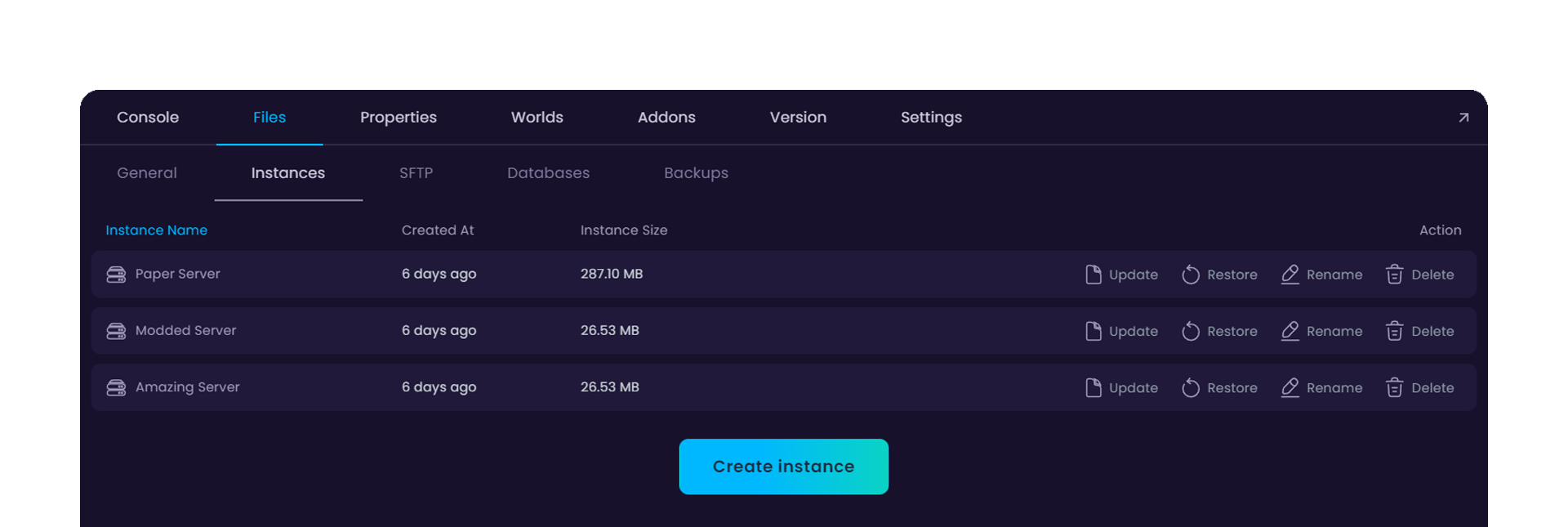
NB! There is still one limitation: disk space. Make sure you have enough disk space available when managing instances, as each one adds up to your total amount available. 👀
Here's a step-by-step guide on how to use this feature: https://wisehosting.com/help/what-are-instances-and-how-to-use-them